GolfBays

GOLF BAYS BLOGS

Product deep-dives, enclosure & simulator advice, and much more…

SHOWING 10 TO 18 OF 85 RECORDS

A finished golf simulator room in a British house, with dark acoustic panels on the walls, an impact screen showing a links fairway, a hitting mat on turf, a putting strip, and an armchair and side table at the back of the room

October 16, 2026

By Harrison Peck

Golf Simulator Room Ideas for Garages, Spare Rooms and Garden Rooms

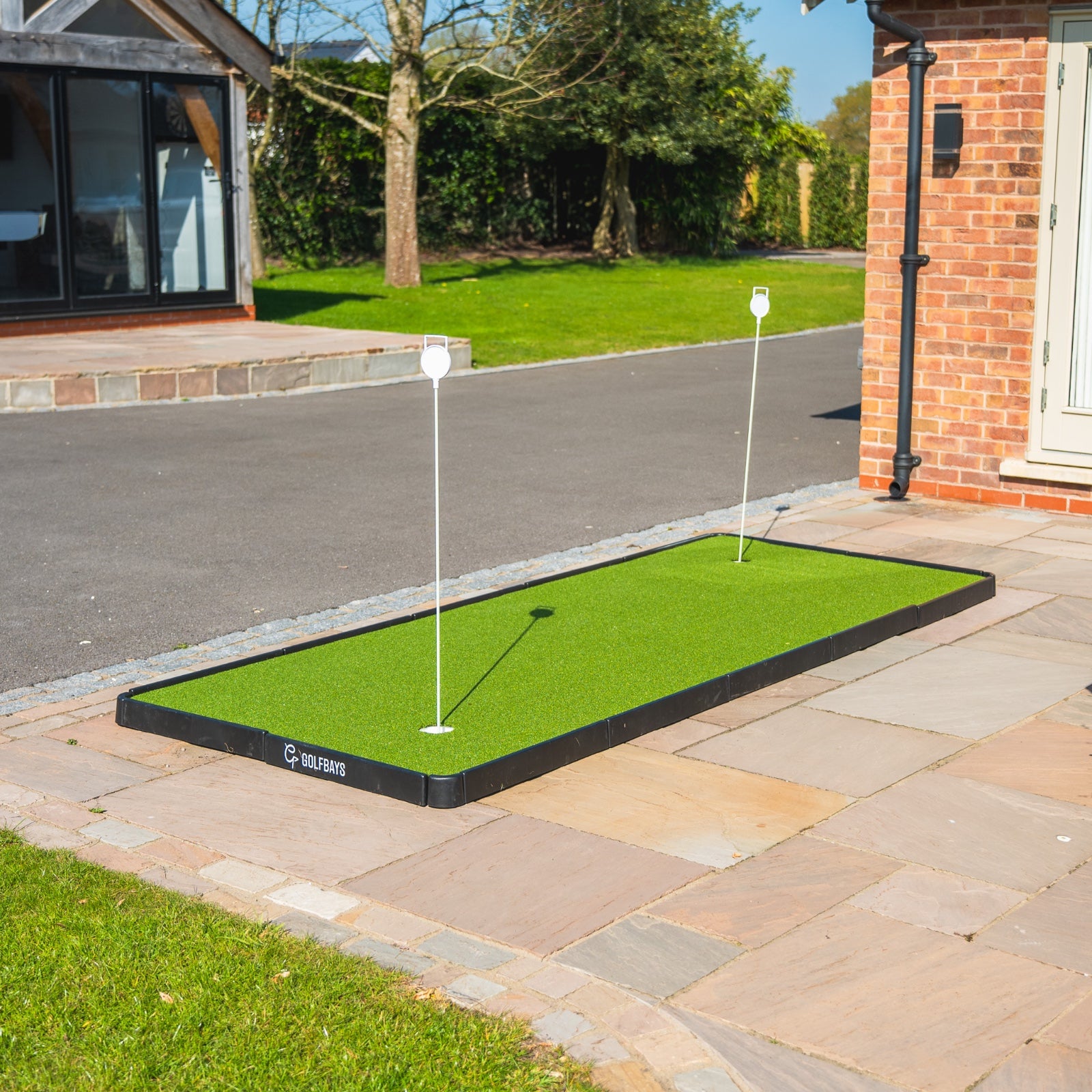
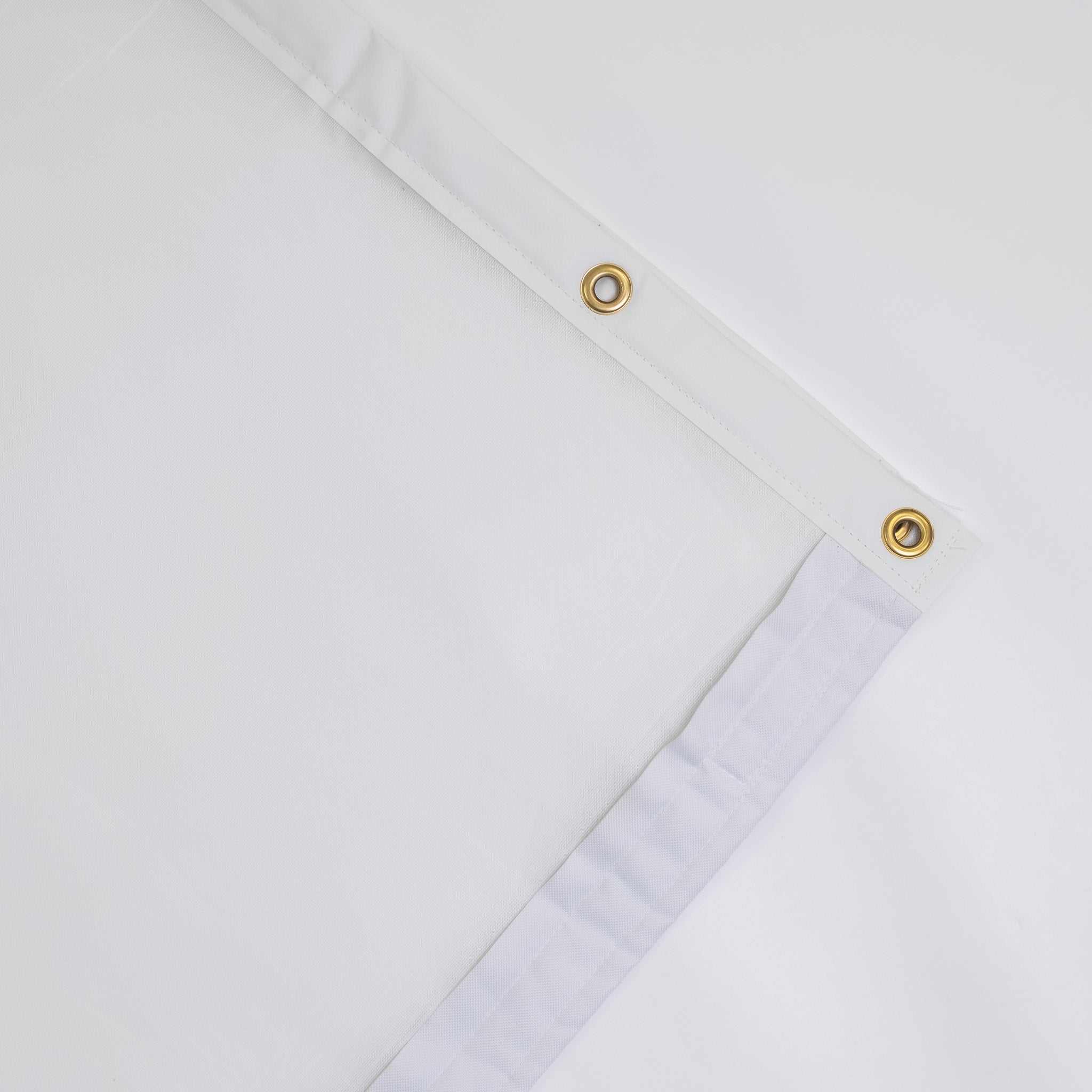
A golf simulator is a screen, a mat and a launch monitor. A golf simulator room is the place you actually want to be on a wet Tuesday in February. The difference is the layout, the walls, the floor, the light and somewhere for your mates to sit. Here are the ideas that work in UK garages, spare rooms, garden rooms and lofts, with our prices for the kit behind them. Quick summary The layout that works puts the screen on a short wall, the mat in the middle of the room's width and the seats behind the golfer, never beside the swing. Plan on at least 2.8m of height, 3m of width and 4.5m of depth with a camera launch monitor beside the ball, or 5m with a radar unit behind it. Keep the screen end dark and matt, because pale walls bounce the projector's light back onto the picture and wash it out. A pack of 10 acoustic tiles, each 50cm square, costs £74.99 and takes the echo out of a hard-walled garage. Our putting turf is £24 a square metre off a 4m-wide roll, so a 3m by 4m floor around the mat costs £288. Acoustic tiles, a blackout layer, turf, a light, a projector mount and a bag rack finish a 3m-wide garage bay for £961.96. What is the best layout for a golf simulator room? Screen on a short wall, hitting along the length of the room, with the mat in the middle of the width and everything else behind the golfer. That gives you 3 zones: the screen end, the hitting zone and a lounge. The screen end is the enclosure, the impact screen and the walls around it. Nothing lives here but the screen, so keep it dark, keep it clear and keep anything breakable well away from it. The hitting zone is the mat and the space your swing needs around it. The launch monitor sits beside the ball or behind it, depending on the type, and the projector goes on the ceiling above the ball flight, where your shadow can't reach the picture. The lounge is everything behind the golfer: seats, a side screen for the scores, the PC and the clubs. The room behind the swing has to be there anyway, so the lounge costs you no extra floor. Centre the mat across the width if left and right-handers will share the room. A camera unit on the floor has to swap sides between them, so leave it room on both sides of the mat. How big should a golf simulator room be? For a full swing with a driver, at least 2.8m high, 3m wide and 4.5m deep with a camera launch monitor beside the ball, or 5m deep with a radar unit behind it. We plan every room on the same room size rules, from a garage or a spare room to a garden cabin. Inside the room Minimum Comfortable Height 2.8m 3m Width 3m 4m Depth, camera unit beside the ball 4.5m 5.5m to 6m Depth, radar unit behind the ball 5m 5.5m to 6m The comfortable column is what turns a bay into a room. At 4m wide the mat goes in the middle for everyone, and the extra depth leaves space behind the golfer for seats. Shop now → Then fit the bay to the width you've got. The SimBox enclosure comes in 7 sizes, from 2.6m to 4m wide and from 2.5m to 3m tall, for £1,161 to £1,709 depending on the size and the screen. Its aluminium frame clicks together without tools, and the black velvet surround makes the projected picture look crisper. Golf simulator room ideas by room The usual homes for a simulator are a garage, a spare room, a garden room and a loft, and each has its own limit: the car in a garage, the ceiling in a spare room, the budget for a garden room and the roof slope in a loft. Garage The garage is the most popular home for a simulator, with more depth than most spare rooms and a concrete floor a mat can sit straight on. It's also cold, echoey and often shared with a car, and a garage golf simulator has to deal with all 3. The screen goes on the back wall, so you hit away from the door. The door end then takes the storage, the PC and the way in, all behind the golfer, and a stray shot heads for the screen rather than the up-and-over door. Acoustic tiles on the side walls beside the mat take the ring out of bare blockwork, and a heater and a dehumidifier keep the screen, projector and PC dry through the winter. Shop now → If the car still needs the garage, the bay has to get out of its way. The Vanish 11 retractable enclosure lives on the ceiling: its 11ft (about 3.4m) front screen and 5ft (about 1.5m) sides come down for a session and go back up afterwards, by hand crank for £3,359 or by remote control for £4,319. Watch out: the lowest point in the room Measure the height where you'll swing, then look up. An open up-and-over door sits in the room just under the ceiling, and a beam, a strip light or a door motor can hang lower still. The lowest thing above the mat is your real ceiling height, and no enclosure makes up for a club that finds it. Spare room A spare room is warm, dry and already wired, so you're only adding the kit. The catch is the ceiling. Standard UK rooms sit at around 2.4m, and the ceiling height a driver needs is about 2.8m for most adults. That makes most bedrooms an irons room. Our free-standing enclosures start at 2.5m tall, so under a 2.4m ceiling the usual answer is a practice net and a camera launch monitor beside the ball, with the ball flight on a TV or a tablet next to you. Upstairs, check the floor as well. Suspended timber floors flex, so a firm sub-base under the mat keeps it level and stops every strike thudding through to the room below. Garden room or cabin A garden room is built around the golf rather than the other way round. You choose the height, width and depth before anything goes up, the simulator never has to be packed away, and the noise stays at the bottom of the garden. That's the case for a garden room built for golf, and the price is the case against. Shop now → Our golf simulator cabins come in 5 sizes, from 5.5m × 3.3m to 6.6m × 5.5m, and start at £13,299 for the 6.6m × 3.3m. From 4.4m wide, there's room to centre the mat for left and right-handers. In England, most golf cabins can go up under permitted development if they meet the outbuilding rules, and height is the rule to watch: within 2m of a boundary, a garden building can be no more than 2.5m tall under those rules, according to the Planning Portal. Plan the glass with the screen in mind. Daylight on the screen washes out the picture, so put the windows and glazed doors where they can't light the screen, well away from the hitting area. Run a data cable out with the power, too, because garden Wi-Fi drops out at the worst moment of an online round. Loft A loft works when it's already a proper room with a proper floor. The height is the problem: under a pitched roof there's only one strip that's tall enough, down the middle, so the mat goes under the ridge and you hit along it towards the gable wall, where the screen goes. Measure at the mat, with a slow practice swing, not at the highest point of the room. The floor needs the same firm base under the mat as a bedroom's, or whoever sleeps underneath will hear every strike. Front room: our Congleton install Sometimes the simulator gets a room to itself. We fitted a Trackman bay in a Congleton front room in a new house: 5m wide, 2.9m high and 7m deep, which beats the comfortable width and depth in the table above and clears the 2.8m a driver needs. The owner wanted a fitted bay rather than a free-standing enclosure, and chose grey upholstered leatherette tiles for the walls, handmade to the room's measurements before the install. The room doubles as a cinema, so the projector and the screen were chosen for films as well as golf, and we built a gaming PC for it. The install took about 3 days. Shop now → That screen is the GolfBays Pro+ impact screen, built for full-speed drivers, quiet on impact and sharp enough for a film night. It comes in more than 30 sizes with free custom sizing, for £785 to £1,495. Planning a sim room? Send us your room's measurements and how you'd like to use it, and we'll suggest a layout and the kit to fill it. It's free. Book a free consultation What colour is best for a golf simulator room? Dark and matt, at least at the screen end. Black, charcoal, dark grey and navy all work. Light from the projector that spills past the screen lands on the walls around it, and a pale wall throws it straight back onto the picture, so the colours go flat and the blacks go grey. That's why the SimBox surround is black velvet, and why the tiles and curtains below are black or grey. Matt matters as much as dark, because gloss paint and shiny floors reflect the projector and every light in the room. Take the dark colour onto the ceiling above the screen end as well. The lounge end is where a lighter colour, a club crest or a framed scorecard can go, well behind the golfer. ✓ Do this Dark, matt walls and ceiling around the screen, with black or grey tiles and curtains to match, and the colour and the photos saved for the lounge end. ✕ Not this White walls and a gloss ceiling at the screen end. They bounce the projector's light back onto the screen, and the picture looks washed out however bright the projector is. Wall ideas for a golf simulator room The walls do 3 jobs in a sim room: they soak up the noise, they take the odd mishit and they finish the look. Acoustic tiles Foam tiles on the walls beside and behind the golfer take the echo out of the room, and it's the garage, with its bare block walls, that needs them most. Shop now → Diamond acoustic wall tiles are 50cm squares of acoustic foam, in black or grey, at £74.99 for 10, which covers 2.5 square metres of wall. They go up with spray glue. Shop now → Where a stray shot might land, use something tougher. Foam leatherette acoustic tiles are 5cm thick, foam-filled and covered in grey leatherette, so they protect the wall as well as quietening the room, at £200 for 10. They fix with spray adhesive or Velcro strips. Curtains Shop now → Curtains are the quickest way to change a room. Hung from a ceiling track, they close the bay off from the rest of a garage, black out a window, or hide the shelves and the chest freezer when the golf starts. Our heavy duty golf simulator curtains are made to order in black or grey, in drops from 2.3m to 3.2m and widths from 1.3m to 3.8m, from £239.20 for the smallest to £972.80 for the largest. Allow 5 to 7 days for them to arrive. Blackout behind the screen Projector light doesn't all stop at the screen. Some of it passes through and lights up the wall behind, and that's light the picture has lost. Shop now → The enclosure blackout screen hangs on its eyelets behind the impact screen and blocks that bleed-through, for a brighter, crisper picture. It comes in the 7 SimBox sizes, from £199 to £319. What flooring works in a golf simulator room? A firm, level base under the mat, and something softer everywhere else. A concrete garage floor is perfect under a mat as it is, while a timber floor in a bedroom or a loft needs a firm sub-base first, or the mat shifts as you hit. Around the mat, turf is the obvious finish. It looks like golf, it's kind to a dropped club, and it blends the mat into the floor. Shop now → GolfBays putting turf is sold by the square metre at £24, cut from a roll 4m wide: £288 covers a 3m by 4m floor around the mat, and £384 a 4m by 4m room. Shop now → Underneath it, turf underlay adds a cushioned layer of interlocking EVA foam that softens the floor, protects it and cuts the noise, for £85. Run the turf on towards the screen and you've got a putting area in the room, so the short game gets practised between rounds rather than skipped. Shop now → If the floor can't take turf, bring the green out when you want it. The GolfBays modular putting green goes together in minutes and gives you a 305cm by 103cm green running at about 10 on the stimp, for £399. How do you light a golf simulator room? Light the golfer and the ball, and keep light off the screen. Every lamp that reaches the screen competes with the projector, which is why lighting a sim room without washing out the screen comes down to where each light points rather than how bright the room is. In practice that means 2 circuits. The first is a light over the hitting area, because camera launch monitors are sensitive to lighting quality. The second is dimmable lighting in the lounge, so the room can be bright for a chat and dark for a round. Shop now → The GolfBays golf simulator light puts that first circuit in one fitting: a single LED spot you slide along a 1m powered track until it sits over the ball, for £175 in black or white. Keep downlights away from the screen end, and treat daylight the same way, with a blackout blind or a heavy curtain on any window near the hitting area. Seating and hosting ideas for a golf simulator man cave The seats go behind the golfer, not beside. From behind, everyone can see the screen and talk to whoever's hitting while staying well out of reach of a club. Bar stools see over the golfer. Higher seats keep the screen in view over the head of whoever's up, and a narrow counter along the back wall holds the drinks. A sofa comes out of the depth. Against the back wall it runs across the room's width, but every centimetre it sticks out comes off the space behind the swing, so measure the sofa and add it to the depth your launch monitor needs. A second screen keeps the scores. A screen on the side wall shows the scorecard, the shot data or the football, while the big picture stays on the golf. Shop now → The 24-inch 4K touchscreen monitor is made for simulators: it mounts on the wall in portrait or landscape and takes 10-point touch, so whoever's up next can control the simulator from the wall rather than the PC. It's £449. Small extras earn their space. A drinks fridge under the counter and a table that folds flat against the wall make the room work for a night in without eating into the floor. ✓ Do this Sofa and stools behind the golfer, against the back wall, with the screen in view over the mat. ✕ Not this A chair beside the mat, where a shank or a big follow-through finds whoever's sitting in it. Storage ideas for a golf simulator room Clubs, balls, tees, gloves and the bags: none of it can live on the floor of a room where people swing. Get it onto the walls, or into the lounge behind the golfer. Shop now → A club organiser keeps every club in view and ready to grab. The Real Oak golf club organiser has 15 slots, enough for a full set plus a pair of alignment sticks, on a compact footprint, for £199. Shop now → The bag itself goes on the wall. The wall-mounted golf bag rack takes a cart or stand bag of any size and gets it off the floor, for £89.99. Keep a tray just outside the swing for balls, tees and your phone, so you're not walking to the back of the room between shots. Everything else, from spare gloves to the launch monitor's case, goes in the lounge. How do you keep a golf simulator room quiet? You can't make a simulator silent, but you can make it quiet enough for the house and the neighbours. The noise comes from 3 places: the club on the mat, the ball on the screen, and the echo of both off hard walls. The screen takes the full force of every shot, so it's the one to choose carefully if you share a wall with next door. Shop now → The Close-Knit Baffle impact screen is woven with small holes that dissipate the sound of each strike, which makes it one of the quietest options there is, from £246. The holes cost a little picture quality, so it suits a room where the neighbours matter more than the last bit of sharpness. The walls take the acoustic tiles, which stop a hard-walled room ringing after every strike. The floor takes the underlay, which cushions each strike before it reaches the slab or the joists. The clock matters too. In England, councils can serve warning notices for noise above permitted levels between 11pm and 7am, and they must look into complaints about noise that could be a statutory nuisance, according to government guidance on noise nuisances. Evening rounds that finish well before 11pm keep everyone on side. Where should the tech go in a golf simulator room? The projector goes on the ceiling, close to the screen and above the ball flight, out of your swing and out of your shadow. Shop now → The universal projector mount is £39.99 and takes a flat ceiling, a sloping one or a wall, with tilt to square the picture to the screen. The launch monitor goes where its type needs it: a camera unit on the floor beside the ball, a radar unit behind you, or a ceiling unit overhead. A floor unit can also leave the room: radar units, and camera units built for the range, work outside, so in summer the same launch monitor, a net and a mat make an outdoor golf simulator on the lawn. The PC goes in the lounge, away from the swing and within reach of the projector's HDMI cable. Shop now → The GolfBays golf simulator PC cabinet is 80cm wide, 100cm tall and 40cm deep, with cooling fans built in, so the PC stays out of sight without overheating, for £379.99. The cables go in before the finish. Run the projector's power and HDMI across the ceiling, the launch monitor's under the turf, and a data cable to the PC, so nothing trails across the floor and the PC isn't relying on Wi-Fi. How much does it cost to finish a golf simulator room? Under £1,000 for the basics in a garage bay, and most of it can be added a piece at a time. These are GolfBays prices on 30 September 2026. Finish What it does Price Diamond acoustic tiles, 10 × 50cm Takes the echo out of the room £74.99 Foam leatherette tiles, 10 × 50cm Quietens and protects the walls £200 Heavy duty curtains Close off the bay, a window or the shelves £239.20–£972.80 Enclosure blackout screen Stops light bleeding through the screen £199–£319 Putting turf Turf around the mat, per square metre £24 Turf underlay Cushions the floor under the turf £85 Modular putting green A green you can pack away £399 Golf simulator light Lights the ball for the launch monitor £175 24-inch 4K touchscreen Scores and controls on the wall £449 Real Oak club organiser Holds a full set £199 Wall-mounted bag rack Gets the bag off the floor £89.99 Universal projector mount Holds the projector on the ceiling £39.99 PC cabinet Hides and cools the PC £379.99 Close-Knit Baffle impact screen A quieter screen £246–£336 Worked example: finishing a 3m-wide garage bay GolfBays prices, 30 September 2026 Diamond acoustic tiles, 2 packs of 10 £149.98 Enclosure blackout screen, 3m × 2.5m £219 Putting turf, 3m × 4m £288 Golf simulator light £175 Universal projector mount £39.99 Wall-mounted golf bag rack £89.99 Total £961.96 The finishes only. The simulator comes on top: our cheapest package, a launch monitor with an enclosure and screen, is £1,649 before a projector. How do you build a golf simulator room? In this order, because each step is harder to change once the next one's done. 1. Measure the room. Height where you'll swing, width, depth and the lowest point above the mat. Note the sockets, the windows and the door. 2. Choose the kit for the room. The launch monitor decides the depth you need and where the mat goes, so the simulator itself is chosen to fit the measurements, not the other way round. 3. Mark it out. Tape the mat, the swing zone and the screen line on the floor. GolfBays tip Before you buy a single chair, tape the mat and a circle for the swing on the floor, then make a few slow swings with a driver. Everything that goes in the room goes outside the tape. It's the cheapest design tool there is, and it catches the sofa that was about to sit where your follow-through ends. 4. Do the shell. Insulation, heating, power and the data cable, with the cables run across the ceiling before anything goes on the walls. 5. Paint and tile. Dark, matt paint at the screen end, then the acoustic tiles. 6. Lay the floor. Firm base, underlay, then turf. 7. Put up the bay. Enclosure, screen and blackout layer, launch monitor and projector, then line the picture up with the screen. 8. Furnish it. Seats, the side screen and the storage, all outside the tape. Shop now → If you'd rather see the room before you build it, we'll draw it. Our virtual CAD design service turns your measurements into a floor plan showing where every component, socket and cable goes, for £400, or £900 with 3D renders of the finished room. It's normally done within 48 hours. Golf simulator room FAQs Is an 8ft ceiling enough for a golf simulator? It's a room for irons and wedges. 8ft is about 2.4m, well short of what a full driver swing needs, so build an 8ft room around a practice net with the launch monitor beside the ball, and take a slow swing with the driver before you rule it in or out. Is a 15x15 room big enough for a golf simulator? For width and depth, yes, with a camera launch monitor. 15ft is about 4.6m, which clears the 3m of width and the 4.5m of depth a camera unit needs, but falls short of the 5m we'd want for radar. Height is a separate question: a full driver swing needs about 2.8m. Can you put a golf simulator in a spare bedroom? Yes, if you're happy mostly hitting irons. Most spare rooms are around 2.4m high, which suits wedges and short irons but not a driver for most adults, and our free-standing enclosures start at 2.5m tall, so a bedroom setup is usually a net, a camera launch monitor and a TV. How much does it cost to build a golf simulator room? The finishes are the smaller part. Tiles, a blackout layer, turf, a light, a projector mount and a bag rack come to £961.96 for a 3m garage bay at our prices, on top of the simulator itself, where our cheapest package, a launch monitor with an enclosure and screen, is £1,649. Do you need to soundproof a golf simulator room? Not to start with. Full soundproofing is a building job, while a quieter screen, acoustic tiles on the walls and underlay under the turf take the edge off every strike with no builders involved. Can a golf simulator room double as a cinema? Yes. The projector and screen that show the golf will show a film, and our Congleton install was built to do both, with a Pro+ screen for the picture. Put the sofa behind the mat and the room works either way. Can you put a golf simulator in a loft? Sometimes. Under a pitched roof only the middle of the loft is tall enough to swing, so the mat has to sit under the ridge, and the timber floor needs a firm base under the mat and some thought for whoever sleeps below. How do you turn a golf simulator into a man cave? Add the lounge: seats behind the golfer, a side screen for the scores, a drinks fridge and the clubs on the wall. Keep all of it behind the swing, and the bay still works as a practice room when you're on your own. Finish your sim room Acoustic tiles, curtains, screens, mats, lights and the rest of the kit that turns a bay into a room. See golf enclosure upgrades
A golfer finishes his swing in a home golf simulator built into a British garage, facing a large impact screen showing a fairway

October 16, 2026

By Harrison Peck

Best Home Golf Simulators UK: Our Picks by Room Size and Budget

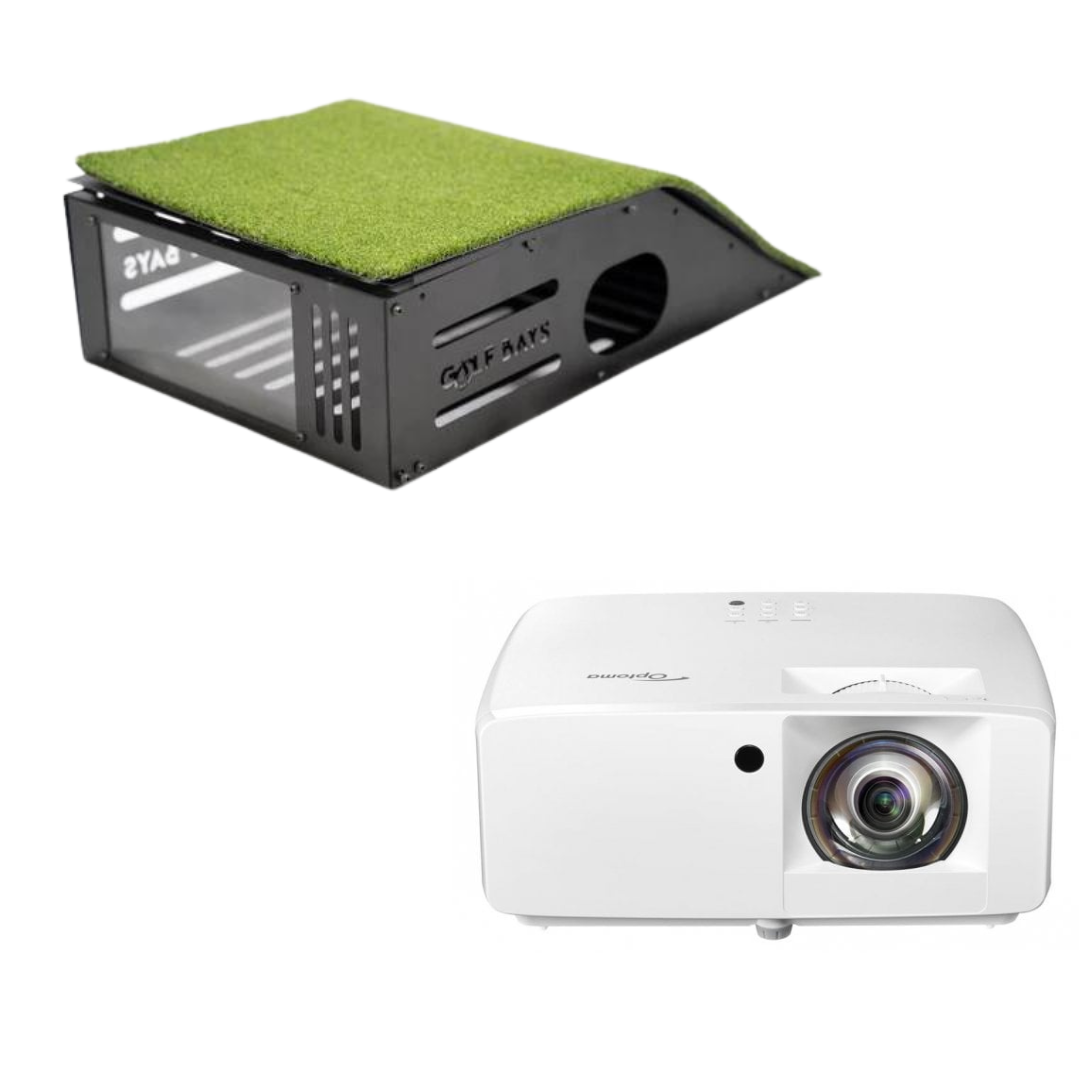
A home golf simulator is 4 things working together: a launch monitor, an enclosure with an impact screen, a hitting mat and a projector. The launch monitor sets the price and decides how much room you need, so that's how we've picked. These are the 7 GolfBays packages we'd point most UK golfers to, grouped by the space you've got and what you want to spend. Quick summary For most UK garages and spare rooms our pick is the SkyTrak ST+ SimBox package at £2,490 to £2,890, because the launch monitor sits beside the ball and the enclosure comes in 7 sizes. The cheapest complete package is the Square Golf EasySim at £1,649, with a camera launch monitor and an enclosure only 1m deep. Radar units such as the FlightScope Mevo Gen 2 track the ball from behind you, so plan on 5m of room depth, against 4.5m for a camera unit beside the ball. Our packages cover the launch monitor, enclosure and screen, and some add a hitting mat, so budget from £899 for a short throw projector. Software is often a yearly cost: GSPro is £250 a year, while FlightScope's Mevo Gen 2 comes with 8 E6 Connect courses to keep. At the top end, Trackman iO Home mounts on the ceiling and needs no set distance in front of or behind the ball, from £14,050 as a SimBox package. Best home golf simulators at a glance Prices are GolfBays prices on 30 September 2026. Where a package comes in several enclosure sizes, the range runs from the smallest to the largest. Package Launch monitor Where it sits Best for Price SkyTrak ST+ SimBox SkyTrak+, camera and radar Beside the ball Most garages and spare rooms £2,490–£2,890 Square Golf EasySim Square Golf, cameras Beside the ball Small rooms and tight budgets £1,649–£1,849 FlightScope Mevo Gen 2 SimBox Mevo Gen 2, radar and camera Behind the golfer Deeper rooms, and the range £2,250–£2,650 Bushnell Launch Pro Indoor SimBox Launch Pro i, 3 cameras Beside the ball Data you can trust £3,159–£3,559 Garmin Approach R50 SimBox R50, 3 cameras and a screen Beside the ball Real courses with little setup £5,499–£5,908 Uneekor EYE MINI LITE Lux EYE MINI LITE, cameras Beside the ball A premium, finished bay £6,980 Trackman iO Home SimBox Trackman iO, radar and imaging On the ceiling A permanent bay with a clear floor £14,050–£14,450 1. SkyTrak ST+ SimBox package: best overall Shop now → If you asked us for one package without telling us a thing about your room, this is the one. The SkyTrak+ reads the ball and club with a photometric camera and dual Doppler radar, and it sits beside the ball rather than behind you, so it works in the 4.5m of depth that most garages and spare rooms can find. The package covers everything in the bay except the projector: the SkyTrak+, a SimBox enclosure, our PRO+ impact screen and a 1.5m × 1.5m hitting mat, plus a year of SkyTrak Core software. The SimBox frame clicks together without tools in under an hour, and it comes in 7 sizes, from 2.6m wide and 2.5m high up to 4m wide and 3m high. The SkyTrak ST+ SimBox package costs £2,490 in the smallest size and £2,540 at 3m wide, which is the width we'd start from if the room allows. After the first year, SkyTrak's software is a yearly membership. Price that in before you choose between this and a FlightScope package that comes with courses to keep. The catch: from year 2 the software is a yearly bill, so the cheapest package to buy isn't always the cheapest to own. 2. Square Golf EasySim package: best for small spaces Shop now → The EasySim is our cheapest complete simulator, and it's built for rooms that can't give up much floor. The enclosure is 3.3m wide, 2.5m high and only 1m deep, and its 4:3 screen shape makes choosing a projector simpler. The Square Golf launch monitor uses high-speed cameras beside the ball. It reads ball speed, launch direction and angle, backspin and sidespin, plus club path, face angle, dynamic loft and angle of attack, so you get club data as well as ball data at this price. The room still has to fit a full driver swing, so the 1m depth saves space around the screen, not around you. The Square Golf EasySim package is £1,649, or £1,849 with a hitting mat included. The Lite impact screen inside it is designed to stay quiet when the ball hits, which matters in a garage that shares a wall with next door. The catch: the enclosure comes in one size, so it won't grow into a wider room, and with only 1m of depth you hit from closer to the screen than you would in a SimBox. 3. FlightScope Mevo Gen 2 SimBox: best for deeper rooms Shop now → The Mevo Gen 2 combines 3D Doppler radar with image processing, which FlightScope calls Fusion Tracking. Like most radar units it sits behind the golfer and watches the ball fly, so it wants a deeper room than a camera unit does. We plan on 5m of depth for radar. In return you get a monitor that's just as happy on a driving range, and software you own outright. Every Mevo Gen 2 comes with a lifetime E6 Connect bundle of 8 courses, including Valderrama and Kiawah Island's Ocean Course, for iOS and PC. Indoors, radar units generally read spin more reliably from a ball with a metallic dot on it, so keep a few dotted balls for the simulator. The FlightScope Mevo Gen 2 SimBox package runs from £2,250 to £2,650 depending on the enclosure size, which undercuts the SkyTrak package at every size. The catch: it asks more of the room. You'll want 5m of depth and a few dotted balls, where the SkyTrak manages in 4.5m with whatever ball you tee up. 4. Bushnell Launch Pro Indoor SimBox: best for accurate data Shop now → The Launch Pro i is the indoor edition of Bushnell's Launch Pro. It measures impact with an auto-calibrating 3-camera system and infrared, so it sees the moment of impact rather than working out what happened from the ball's flight. It sits beside the ball like the SkyTrak, so it suits the same rooms. The difference is the software: Bushnell sells simulation as yearly plans, so the package price isn't all you'll pay to play, and it's worth deciding which plan you want before you order. The Bushnell Launch Pro Indoor SimBox package is £3,159 to £3,559 and includes the SimBox enclosure and our standard hitting mat. The catch: the running cost. Add a year of the simulation plan to the price before you compare it with a package that comes with software to keep. 5. Garmin Approach R50 SimBox: best all-in-one Shop now → The R50 is a launch monitor with its own 10-inch touchscreen, so a lot of what other setups hand to a PC or tablet happens on the unit itself, and it can mirror that screen straight to a projector (Garmin). It uses 3 high-speed cameras to track more than 15 ball and club metrics, including spin rate and spin axis, indoors or out; some of the club numbers need the tracking sticker Garmin includes. Garmin's Home Tee Hero puts more than 43,000 real courses on the screen with an active Garmin Golf membership, so your local course is probably in there. The R50 also works with third-party simulator software if you'd rather play in something else. The Garmin Approach R50 SimBox package costs £5,499 to £5,908, a little over twice the SkyTrak package. What the extra buys is 3-camera tracking and a screen on the unit. The catch: the 43,000 courses come with a subscription, because Home Tee Hero needs an active Garmin Golf membership. 6. Uneekor EYE MINI LITE Lux package: best premium bay Shop now → The Lux is our top enclosure: 3.75m wide, 2.7m high and 1.5m deep, made for rooms that are staying a golf room rather than a garage with a net in it. Inside it, the Uneekor EYE MINI LITE reads the ball with cameras from beside the mat. It runs from a Windows PC with an internet connection, and it works with Uneekor's own View, Refine+ and GameDay software as well as GSPro. You can expand the system with extra cameras later. The Uneekor EYE MINI LITE Lux package is £6,980. Budget for the PC on top, because the EYE MINI LITE won't run without one. The catch: the Lux comes in one size, 3.75m wide, 2.7m high and 1.5m deep, so the room has to take all of it and your swing as well. 7. Trackman iO Home SimBox: best if money's no object Shop now → Trackman iO is Trackman's first launch monitor built purely for indoor golf. It mounts on the ceiling, combines radar, infrared and high-speed imaging, and measures 3D spin and spin axis rather than estimating them. Being overhead solves the 2 problems every floor unit has. There's no minimum distance in front of or behind the ball (Trackman), and nothing sits on the floor to trip over or catch with a follow-through, which counts for a lot when the family shares the room. The Trackman iO Home SimBox package starts at £14,050 in the smallest enclosure. The catch: apart from the price, it's fixed to the ceiling, so it suits a room that's staying a golf room, not a garage the car goes back into every night. Shop now → If you want a ceiling unit without the Trackman price, the ProTee VX puts 2 high-speed cameras overhead, needs no marked balls and comes with GSPro, for £6,240. Not sure which package fits your room? Send us your measurements and we'll match a launch monitor and an enclosure size to them. It's free. Book a free consultation What size room does a home golf simulator need? At least 3m wide, 4.5m deep and 2.8m high inside for a full driver swing, with a camera launch monitor beside the ball. A radar unit that sits behind you wants 5m of depth, and 4m of width lets left and right-handers take turns on the same mat. Where the launch monitor sits Width Depth Height Beside the ball (camera) 3m 4.5m 2.8m Behind the golfer (radar) 3m 5m 2.8m Shared by left and right-handers 4m 4.5m to 5m 2.8m Height is the number that rules most rooms out. Plenty of British garages have a 2.4m ceiling, which a full driver swing won't clear for most adults, so measure the space a simulator needs from the ceiling down before you measure anything else. Where the launch monitor sits changes more than the depth. Camera units beside the ball, like the SkyTrak+, Square Golf, Bushnell, Garmin R50 and Uneekor, read the ball at impact, so they need the least room and read putts well, but a left-hander has to move them to the other side of the mat. Radar behind you, like the Mevo Gen 2, needs the depth and dotted balls indoors, and pays you back on the driving range. Ceiling units clear the floor, at a price. If the house has no room to spare, a garden room built around the swing gets you the height that garages lack, and a Trackman iO or ProTee VX on its ceiling keeps the floor clear. Watch out: radar in a short garage A radar unit behind the golfer needs room to watch the ball fly. Squeeze one into a 4.5m garage and either the unit ends up too close to the ball or you end up too close to the screen, and the numbers suffer. If the room is short, go camera. What else do you need besides the package? Our packages cover the launch monitor, enclosure and screen, and some include a hitting mat. 3 things usually aren't in the box: a projector, a PC or tablet to run the software, and the software itself once any included year runs out. Shop now → A short throw projector sits close to the screen, so you don't cast a shadow over the ball. The Optoma GT2200HDR is a full HD short throw at £899. Brightness and throw distance matter more than resolution in most garages, so picking a simulator projector starts with the distance from the lens to the screen. Shop now → For software, GSPro costs £250 a year, runs on a Windows PC and works with most of the launch monitors above, but SkyTrak doesn't currently support it. The choice between GSPro, E6 Connect and Awesome Golf comes down to the launch monitor you own and whether you'd rather subscribe or buy once. Worked example: a SkyTrak garage simulator GolfBays prices, 30 September 2026 SkyTrak ST+ SimBox package, 3m wide £2,540 Optoma GT2200HDR short throw projector £899 GolfBays universal projector mount £39.99 10m HDMI 2.1 cable £29.99 Total £3,508.98 SkyTrak Core software is included for the first year. Add a tablet or PC if you don't already have one. How do you choose a home golf simulator? 4 decisions, in this order. Get the first 2 right and the rest mostly follow. Measure the room. Height first, then depth, then width. The numbers decide whether a camera, a radar or a ceiling unit will work, which narrows the list before you've looked at a single price. Choose the launch monitor. It sets the price bracket and the room depth, and every other choice follows from which launch monitor you choose. Camera units beside the ball suit short rooms; radar units suit deep rooms and the driving range. Decide how you'll play. Some packages come with software you keep, others with a year of a subscription. Work out the cost of year 2 before you compare packages on price. Set the full budget. Package, projector, software and a few fittings. If the total is more than you want to spend, a budget simulator setup starts well under £2,000, and most of the compromise sits in the launch monitor. ✓ Do this Measure the room first and buy the enclosure size that fits it, with the ceiling height as the number that decides everything else. ✕ Not this Buy the launch monitor you've read the most about and hope the garage turns out to be deep enough for it. GolfBays tip Before you order anything, take your driver into the room and swing it slowly to the top, then hold it there. If the club touches the ceiling at walking pace, it'll hit it at full speed. Is a home golf simulator worth it? Yes, if you'll use it through the winter and on the evenings you'd never get to a range. A simulator turns 20 spare minutes into a practice session, and the launch monitor tells you your real distances with every club, which is worth having whether or not you ever play a virtual round. It's harder to justify if the room has to be packed away after every session, or if the only space is a garage that's too short for the launch monitor you want. In that case, start with the space: a camera unit and a compact enclosure, or a garden room if the budget stretches. Home golf simulator FAQs What is the best golf simulator for home use in the UK? For most homes, the SkyTrak ST+ SimBox package, because its launch monitor sits beside the ball and works in a 4.5m deep room. On a tight budget the Square Golf EasySim is the cheapest complete package at £1,649, and at the top end Trackman iO Home is the one to beat. How much does a home golf simulator cost in the UK? From £1,649 for our cheapest complete package, to around £3,500 for a SkyTrak setup with a short throw projector, and £14,050 upwards for Trackman iO Home. Most of the difference is the launch monitor. What's the difference between a golf simulator and a golf net? A net just catches the ball. A simulator adds an impact screen, a projector, a launch monitor and software, so you see the shot fly and get the numbers. A launch monitor, a net and a tablet is the cheapest way to get data at home, but it isn't a simulator. Which golf simulator has the best putting? Camera units, because they read the ball at impact and don't need to watch it travel. Radar units need ball flight to measure, which a short putt doesn't give them, so they tend to handle putting less well. What is the best home golf simulator for the cost? The FlightScope Mevo Gen 2 SimBox, if the room has 5m of depth: it's the cheapest SimBox package on this list and its E6 Connect courses are yours to keep. In a shorter room the SkyTrak ST+ SimBox is the better buy, because it works in 4.5m. How long does a home golf simulator take to set up? The SimBox frame clicks together without tools in under an hour. Allow longer for hanging the screen, laying the mat and fixing the projector, which is the fiddly part, because it has to line up with the screen. Can left-handed golfers use a home golf simulator? Yes. A floor unit beside the ball just moves to the other side of the mat, and the ProTee VX, a ceiling unit built for right and left-handers, doesn't move at all. If left and right-handers share the room, 4m of width lets you centre the mat for both. Start with the room, then pick the kit The best home golf simulator is the one your room can take. Measure the height, choose the launch monitor that fits the depth, and the package more or less picks itself. Ready to build your bay? Every package pairs the launch monitor with an enclosure and impact screen that suit it. See all home golf simulators
ProTee VX: A Complete Guide to Using the ProTee VX Launch Monitor

August 17, 2026

By David Wright

ProTee VX: A Complete Guide to Using the ProTee VX Launch Monitor

If you're building a serious home golf simulator, the launch monitor is arguably the most important part of the entire setup. It needs to capture your golf shot quickly and accurately, provide useful data and, ideally, work seamlessly with your preferred golf simulation software. The ProTee VX Launch Monitor is designed specifically for this type of setup. With its ceiling-mounted dual-camera system, full club and ball data, rapid shot feedback and compatibility with GSPro, it offers a powerful solution for golfers who want both realistic simulation and meaningful practice. In this guide, we'll take a closer look at the ProTee VX with GSPro, including how to connect the two systems, what the GSPro driving range is like, how on-course practice works and what it's like to play some of the world's most famous golf courses. What Is the ProTee VX Launch Monitor? The ProTee VX is a ceiling-mounted golf launch monitor that uses dual high-speed cameras and AI-powered processing to capture both ball and club data. Unlike launch monitors that sit on the floor or require special stickers or marked golf balls, the ProTee VX is mounted overhead and uses its camera system to track the club and ball. The system captures a wide range of information, including: Ball Data Ball speed Total spin Spin axis Backspin and sidespin Launch angle Launch direction Club Data Club speed Club path Face angle Face-to-path Attack angle Dynamic loft Lie Vertical impact location Horizontal impact location Flight Data Carry distance Total distance Apex height Apex time Offline distance Air time Run-out Descent angle That combination of data makes the ProTee VX suitable for more than simply playing golf on a simulator. You can also use it for structured practice, club gapping, dispersion work and swing analysis. See the ProTee VX for Yourself If you're considering adding one to your home golf simulator, you can find the current GolfBays package here: Shop the ProTee VX Launch Monitor at GolfBays The current GolfBays package includes the ProTee VX, two high-speed slow-motion cameras and GSPro compatibility. How to Connect the ProTee VX to GSPro One of the biggest attractions of the ProTee VX is its ability to work with third-party golf simulator software such as GSPro. If you're using the ProTee VX with GSPro for the first time, the connection process is straightforward. Step 1: Open ProTee Labs First, open the ProTee Labs software installed on your computer. You'll want to make sure your computer is connected to the internet before launching the software. ProTee Labs gives you access to a range of features, including your swing data, practice range, data displays, swing video and other analysis tools. The software is included with the ProTee VX and provides practice and analysis features without a recurring software fee. Once ProTee Labs is open, you can minimise it and leave it running in the background. Step 2: Open GSPro Launcher  Next, open the GSPro Launcher. Once GSPro loads, you'll be able to select your display resolution and graphics settings. Choose the resolution that best suits your simulator screen or projector. If your computer is powerful enough, you can also increase the graphics quality to make the virtual courses look as realistic as possible. Once your settings are ready, select Play. GSPro will then load into the main software. Step 3: Connect the ProTee VX to GSPro Once GSPro has loaded, return to ProTee Labs. Go to: Settings → Game Options → Game You'll see a selection of compatible golf simulator platforms. Select GSPro from the list and then select Connect. Once the connection has been established, the indicator at the top of ProTee Labs will turn green. This confirms that your ProTee VX is connected to GSPro and ready to send shot data into the simulator. When you've finished your session, remember to disconnect the ProTee VX from GSPro after closing the game. Using the ProTee VX on the GSPro Driving Range Once your ProTee VX and GSPro are connected, the driving range is a great place to start. GSPro provides several practice options, including: Driving Range On-Course Practice Custom Skills Test Standard Skills Test Operation 36 The driving range gives you a simple environment where you can focus on your golf swing and shot data without worrying about playing a full hole. Fast Shot Feedback One of the first things you'll notice when using the ProTee VX with GSPro is how quickly the system responds to a shot. Strike the golf ball and your shot information appears almost immediately, followed by the virtual ball flight and tracer. That quick feedback is particularly useful when you're working through a practice session. There's no need to stand around waiting for the simulator to process each shot. You can hit, analyse the result and get straight into your next shot.   Practise Your Golf Dispersion with ProTee VX and GSPro The GSPro driving range is also useful if you're trying to improve your dispersion. You can select a club, choose a target distance and hit a series of shots while monitoring the results. For example, you might select a 7-iron and set a target around 185 yards away. You can then work on: Carry distance Shot direction Dispersion Launch Spin Club path Face angle Attack angle Instead of simply hitting balls without a purpose, you can turn your simulator into a structured practice environment. This can be particularly useful for golfers working with a coach or anyone trying to understand their club performance more effectively. The ProTee VX also includes features within ProTee Labs such as dispersion circles, bag mapping, wedge matrix tools, statistics and swing video, giving you plenty of options for more detailed practice and analysis. ProTee VX On-Course Practice with GSPro The driving range isn't the only way to practise. GSPro's On-Course Practice mode allows you to select individual holes and practise your shots in a realistic golf course environment. This is one of the features that makes GSPro particularly enjoyable with the ProTee VX. Rather than hitting the same range shot repeatedly, you can put yourself into specific on-course situations. You might practise: Tee shots Approach shots Short game Different yardages Difficult lies Risk-and-reward shots Specific holes you're preparing to play You also get the course environment and visual information you'd expect from a full golf simulator. Practise the Famous 16th Hole at TPC Scottsdale One of the best examples of GSPro's immersive course experience is the famous 16th hole at TPC Scottsdale. The short par 3 is one of the most recognisable holes in professional golf, thanks in part to the enormous stadium-style atmosphere created around the hole during the WM Phoenix Open. On GSPro, you can practise the hole virtually while still receiving your ProTee VX shot data. You can see the target, assess the distance and then hit your shot just as you would on the course. And if you hit the green, you'll even get the virtual crowd reaction. It's these small details that make simulator golf feel less like hitting balls indoors and more like actually playing golf. Play Golf Courses Around the World with GSPro Of course, you don't have to limit yourself to practice. If you want to play a full round, GSPro provides access to a huge selection of virtual golf courses. From the GSPro menu, select Local Match and you'll be able to browse the courses installed on your system. Depending on your GSPro setup, you'll find a selection of courses available to play, with additional courses available to download. This opens up an enormous amount of variety. You can practise at a familiar course one day and then play a completely different venue the next. For golfers who enjoy travelling and playing different courses, it's one of the biggest advantages of having a golf simulator at home. Playing TPC Sawgrass on the ProTee VX For our test, we decided to play TPC Sawgrass, home of the famous 17th hole. The first thing that stands out is how much more engaging the round becomes when you're playing a realistic virtual course. You're no longer simply hitting balls into a generic range. You have to think about where you're going to hit your tee shot, what club you're going to use for your approach and where you want the ball to finish. The virtual course also gives you realistic slopes and hazards to consider. And while the simulator can't quite recreate the pressure of standing over a real shot at TPC Sawgrass, it certainly does a good job of making you think twice before pulling the trigger. What About Putting on GSPro? Putting is one area where simulator golfers tend to have different preferences. Some players enjoy manually putting every shot. Others would rather get through a round quickly and concentrate on full shots. GSPro gives you options. You can use an Auto Putt setting or use a gimme system for shorter putts, depending on how you want to play. For a quick practice round, Auto Putt can make a lot of sense. If you're looking for a more complete simulation experience, you can choose settings that require you to deal with more of the putting yourself. The flexibility means you can tailor GSPro to the way you actually want to use your simulator. Why Use the ProTee VX with GSPro? There are several reasons why the ProTee VX and GSPro make such a compelling combination. 1. Fast Shot Feedback The ProTee VX provides rapid feedback after every shot. This is important for both practice and simulation because it keeps the experience feeling responsive. 2. Detailed Club and Ball Data The VX doesn't just tell you where the ball went. It provides detailed information about both the ball and club, including club speed, path, face angle, attack angle, launch information, spin and distance. That means you can use your simulator to understand your golf game rather than simply play virtual golf. 3. Ceiling-Mounted Design The ProTee VX is mounted above the hitting area. This keeps the launch monitor away from the floor and means you don't have to position a portable unit beside the ball every time you want to play. It's also designed to work with both right- and left-handed players without requiring the unit to be reconfigured between shots. 4. No Special Golf Balls or Club Stickers The VX uses its camera system and AI-powered club recognition, so you don't need specially marked golf balls or stickers on your clubs. That means you can simply use your normal golf equipment. 5. GSPro Compatibility If realistic golf simulation is important to you, GSPro compatibility is a major advantage. You can use the ProTee VX for practice and analysis in ProTee Labs and then connect it to GSPro for full-course simulation. The current GolfBays ProTee VX package specifically lists GSPro compatibility. ProTee Labs: More Than Just a Launch Monitor Although GSPro is one of the main reasons golfers choose the ProTee VX, the included ProTee Labs software is worth highlighting. ProTee Labs provides a dedicated environment for practice and analysis. Features include: Practice range Dispersion circles Bag mapping Wedge matrix Statistics Swing video Data overlays Dual-screen displays The software is included with the VX and uses a perpetual licence, meaning there isn't a recurring fee for the ProTee Labs software itself. This makes the ProTee VX useful even when you aren't playing a simulated round.   What Computer Do You Need for the ProTee VX and GSPro? If you're building a ProTee VX simulator specifically for use with golf simulation software, your computer needs to be powerful enough to run the software and render the virtual golf courses. GolfBays currently lists the following minimum requirements for the ProTee VX: 64-bit Windows 10 Intel Core i7-8xxx at 3.00GHz or AMD equivalent 8GB RAM NVIDIA RTX 3060 or Radeon equivalent Broadband internet connection 5GB available storage For gaming and golf simulation software, GolfBays recommends a more powerful specification, including: Windows 10 or 11 64-bit Intel Core i9-9xxx at 3.00GHz or greater or AMD Ryzen 9 16GB RAM or more NVIDIA RTX 3080 or better / Radeon RX 6800XT DirectX 12 Broadband internet 30GB available storage If you're buying a complete simulator setup, it's worth making sure your PC specification is suitable for the software and graphics settings you intend to use. What Space Do You Need for a ProTee VX Golf Simulator? Your launch monitor is only one part of the equation when building a home golf simulator. You'll also need enough room to swing comfortably and safely. GolfBays recommends, for comfortable swings with any club: Height: Minimum 2.8m, ideally 3m Width: Minimum 3m Depth: Around 4.5m for photometric systems Your exact requirements will depend on your swing, room layout, screen position and simulator configuration. If you're unsure whether your room is suitable, it's worth getting advice before purchasing the rest of your simulator equipment. Is the ProTee VX Good for Golf Practice? Yes. One of the biggest advantages of the ProTee VX is that you're not limited to playing simulated golf. The combination of launch monitor data and ProTee Labs gives you the ability to work on your actual golf game. You can use it to practise: Distance Control Find out how far you actually carry each club and build a more accurate set of yardages. Dispersion Hit multiple shots with the same club and see where your shots are finishing. Wedge Gapping Use the wedge matrix features to understand how your different wedge swings translate into distance. Club Delivery Analyse information such as club path, face angle, attack angle and dynamic loft. Swing Video Review your swing alongside the shot data to better understand the relationship between your swing and ball flight. This makes the ProTee VX much more than a gaming accessory. It's a genuine practice tool that can be used throughout the year, regardless of the weather outside. Is the ProTee VX Good for a Home Golf Simulator? For golfers who have the available space and budget, the ProTee VX is a compelling option for a premium home golf simulator. Its ceiling-mounted design keeps the launch monitor out of the way, while its camera-based tracking provides detailed club and ball information. Add GSPro into the equation and you can move between serious practice and full rounds of virtual golf whenever you want. The result is a simulator that can serve multiple purposes: Practice → Coaching → Club Gapping → Game Improvement → Virtual Golf → Entertainment That versatility is one of the biggest reasons to consider a system such as the ProTee VX. ProTee VX and GSPro: Our Verdict After using the ProTee VX with GSPro, it's easy to see why the combination is appealing to golfers building a premium simulator. The ProTee VX Launch Monitor provides fast shot feedback and detailed club and ball data, while GSPro adds realistic virtual golf courses and a range of practice options. For golfers who want to work on their game, the data available through the VX provides plenty to analyse. For golfers who simply want to play golf at home, GSPro provides an engaging virtual experience with a huge variety of courses and practice options. And for anyone who wants both, the combination of the two gives you the best of both worlds. The standout feature for us is the speed of the feedback. Strike the golf ball and you get your result almost immediately, which keeps the session feeling natural and responsive. Ready to Buy the ProTee VX? If you're considering a ProTee VX golf simulator, you can see the current GolfBays package and full specifications below. Shop the ProTee VX Launch Monitor at GolfBays The current package includes the ProTee VX Launch Monitor, two high-speed slow-motion cameras and GSPro compatibility. GolfBays also lists ProTee Labs as included with the VX. If you're building a complete home golf simulator, the ProTee VX can form the heart of the system, with your enclosure, impact screen, projector, hitting mat and gaming PC completing the setup. Want to see what the ProTee VX can do? Explore the ProTee VX at GolfBays today. View the ProTee VX Launch Monitor → Frequently Asked Questions Is the ProTee VX compatible with GSPro? Yes. The ProTee VX is compatible with GSPro and can send its launch monitor data into the golf simulation software. The current GolfBays package specifically includes GSPro compatibility. How do you connect the ProTee VX to GSPro? Open ProTee Labs, launch GSPro and then select Settings → Game Options → Game within ProTee Labs. Select GSPro and connect the launch monitor. A green connection indicator confirms that the VX is connected. Does the ProTee VX measure club data? Yes. The ProTee VX captures club information including club speed, club path, face angle, face-to-path, attack angle, dynamic loft, lie and impact location. Does the ProTee VX measure ball data? Yes. The VX captures ball speed, spin, spin axis, launch angle and launch direction, as well as flight information such as carry, total distance, apex and offline distance. Does the ProTee VX need special golf balls? No. The VX uses its camera system and AI-powered club recognition, so the GolfBays product information states that specially marked balls and club stickers aren't required. Can left-handed and right-handed golfers use the ProTee VX? Yes. Because the ProTee VX is ceiling mounted, it supports both right-handed and left-handed players without requiring the unit to be reconfigured. Does ProTee VX come with software? Yes. ProTee Labs is included with the ProTee VX and provides practice, analysis, swing video, data overlays and other features. What golf simulator software works with the ProTee VX? The ProTee VX integrates with major golf simulator platforms, including GSPro, TGC 2019 and E6 Connect, according to the current GolfBays product information. Can you play golf courses with the ProTee VX? Yes. When connected to compatible golf simulator software such as GSPro, the ProTee VX can be used to play virtual golf courses as well as practice individual holes and shots. Is the ProTee VX suitable for a home golf simulator? Yes. Its ceiling-mounted design makes it particularly well suited to permanent home simulator installations. You'll need sufficient room height, width and depth to swing comfortably and safely.  
The Best Golf Simulators for Coaches

August 03, 2026

By Malek Murison

The Best Golf Simulators for Coaches

Choosing the best launch monitor for golf coaching isn’t the same thing as choosing the best launch monitor for a home simulator. A home golfer might want distance numbers and virtual rounds. A golf coach in the UK needs different things: Trustworthy data, a fast setup, clear feedback for students, software that supports your teaching style, and - importantly - enough durability to survive daily use by people who definitely don’t all strike it like Scottie Scheffler.  It would be a mistake to think there’s one best launch monitor for every golf coach out there. We hate to break it to you, but there isn’t. That’s because the best launch monitor for a PGA coach working from an outdoor range is not necessarily what’s best for an indoor coaching studio. Likewise, a club fitter has different priorities to a mobile coach running lessons across multiple venues, who in turn needs something different compared to a commercial simulator business running back-to-back bookings all day. So instead of giving you a simple list of expensive orange boxes and shiny overhead systems, in this guide we try to break things down by coaching context. We’ll look at the launch monitors that make sense for serious coaching, the workflows they support, and the devices we would be careful about recommending as purely professional tools. Let’s get into it. Quick Answer: Best Launch Monitors for Golf Coaches by Coaching Context Coaching context Best launch monitor options Elite coaching and outdoor range work TrackMan 4, FlightScope X3 or X3C Club fitting and high-end technical coaching Foresight GCQuad, Foresight QuadMAX, TrackMan 4 Fixed indoor coaching studio TrackMan iO, Uneekor EYE XO2, Uneekor EYE XR, Foresight Falcon, Foresight GCHawk Indoor simulator coaching bay Uneekor EYE XO2, ProTee VX, Foresight Falcon, TrackMan iO Independent PGA coach Foresight GC3, FlightScope Mevo+ or Mevo Gen2 with Pro Package, Full Swing KIT Mobile coaching and range lessons FlightScope X3 or X3C, FlightScope Mevo+ or Mevo Gen2, Full Swing KIT, Foresight GC3 Video-led coaching Full Swing KIT, Uneekor EYE XO2 with Swing Optix, FlightScope with video tools Budget-conscious coaching tool FlightScope Mevo+ or Mevo Gen2 with Pro Package Worth considering, but not yet a standard coaching choice Garmin Approach R50 Better suited to golfers and practice than professional coaching Garmin R10, Rapsodo MLM2PRO, Square Golf, Shot Scope LM1 What Should a Golf Coach Look for in a Launch Monitor? Before comparing models, let’s get clear on what actually matters. For golf coaches, a launch monitor is not just a device for measuring distance. It can add huge value to what you’re doing by influencing how quickly you can diagnose the problem, how clearly you can explain it, and how convincingly you can show progress over time. Because of those three elements, we think the buying criteria are a little different from your usual home simulator checklist. Trustworthy Data If a student makes a swing change and the numbers move, you need to know that movement is real. Inaccurate data is worse than no data at all, because it sends the lesson in the wrong direction and can reinforce unhelpful technical habits.  For coaching, the core numbers need to be repeatable and credible. Ball speed, launch angle, spin rate, carry distance and launch direction matter. But serious instruction often depends on club delivery data as well: club path, face angle, face to path, angle of attack, dynamic loft, low point and strike location. Club Data Ball data tells you what happened. Club data helps explain why. A player who keeps missing right might need to understand path, face angle, strike, dynamic loft or angle of attack. Without club data, you can still coach, but you are working with a thinner picture. For serious coaching and fitting, club data is not a luxury. It can be the difference between describing symptoms and diagnosing causes. Strike Location Impact location is one of the most useful pieces of feedback in a lesson. A toe strike, heel strike, high-face strike or low-face strike can explain ball speed, spin, curvature and launch far more quickly than a long lecture or demonstration.  For coaches and fitters, strike location is especially valuable because it connects the student’s feel with the actual contact point. Golfers are notoriously unreliable narrators of their own swing, so go for a launch monitor that gives you the truth.  Video Integration Sure, data is powerful, but coaching is rarely just about numbers. A good coaching workflow links what the club and ball are doing with what the player is doing - and that’s where video comes in. Face-on and down-the-line views can help connect movement patterns to the moment of impact, while slow-motion replay can make a technical change easier to understand. This is why coaching software matters as much as the launch monitor itself. Video and replay capabilities also give coaches the chance to improve the insights they can offer to students, and add extra value to sessions.  Reports and Student History If you run structured coaching programmes, reports and student profiles are a big part of the equation. A one-off lesson can survive with a few screenshots and a conversation, but long-term coaching needs better continuity. Ideally you want tools that can help you track progress, revisit baseline data in the future, compare sessions, and give students something useful to take away. For coaches selling programmes rather than isolated lessons, reporting should be part of the product. Which Launch Monitors Have the Best Coaching Reports? If you coach players over several sessions, reporting gives you a record of where the player started, what changed, and whether the work you are doing is actually moving the right numbers. But not every launch monitor handles this in the same way. Let's take a look.  TrackMan arguably has one of the strongest all-round coaching ecosystems. Its software brings together shot analysis, testing, video, performance data and player history, making it ideal for academies and coaches running structured development programmes. Foresight is particularly strong for technical coaching and fitting reports. FSX Pro lets coaches review sessions, compare shots and share detailed ball and club data. That works well when the lesson is built around measurable changes to delivery, strike or equipment. A fitter comparing heads, shafts or setup changes can leave the player with something much more useful than a vague memory of which combination felt best. Uneekor is a strong option for indoor coaches who want data and video in the same workflow. VIEW supports player profiles, Power U reports, impact replay and swing video, with higher software tiers allowing coaches to manage more student profiles. Pairing an EYE XO2 or EYE XR with Swing Optix? You can connect your player's movement, impact and resulting ball flight in one place. The important point is that the best reporting system depends on what happens after the student leaves the bay. If you coach programmes rather than isolated lessons, choose a platform that makes progress easy to record, revisit and explain. That adds value to the student experience, and isn't just another folder of migraine-inducing numbers.  Left and Right-handed Use This is a massive issue for indoor coaching. A floor-standing camera-based launch monitor can be excellent, but if it needs repositioning every time a left-handed golfer steps in, that slows the session down and creates friction. In a one-to-one lesson, that might be manageable, but in group coaching, club fitting, corporate sessions or simulator bays, it’s a little issue that can become a big annoyance.  Overhead systems and radar units tend to handle mixed-handed use more smoothly, because the device doesn’t usually need to be moved between shots. Setup Speed & Conditions No coach should waste the first 10 minutes of every session levelling hardware, calibrating alignment and apologising to a student while the software sulks. If you coach outdoors, auto-levelling, alignment tools and reliable range setup matter. If you coach indoors, fixed installation can be worth the extra cost because it protects the flow of your sessions. The best launch monitor is not always the one with the biggest spec sheet. It may be the one that lets you teach without the technology getting in the way. UK coaches also need to think about where the launch monitor will be used throughout the year. A unit that performs brilliantly on an open range in summer may be less convenient in a covered bay with limited depth behind the ball. Consider wet-weather setup, available ball-flight distance, the type of range balls being used and whether equipment will need to be packed away after every lesson. For many club-based coaches, reliability in a covered bay matters more than having the most impressive specification on paper. The Best Launch Monitor for Elite Golf Coaching: The TrackMan 4 TrackMan 4 remains the benchmark for elite golf coaching, especially outdoors. It combines radar and camera technology, measures a comprehensive set of club, ball, and putting parameters, and is widely used across tour, academy, fitting, and high-performance environments. For a coach working on an outdoor range, TrackMan 4’s strength is full-flight tracking. That matters because outdoor ball flight gives you the whole picture from impact to landing. If you are coaching trajectory, wind performance, distance control, curvature, wedge shots or driver optimisation, full-flight radar is a serious advantage. Why TrackMan 4 Works for Coaches TrackMan 4 is not just useful because it measures a lot of things. It works because the data ecosystem is mature. When we say mature, we mean:  Clear ball and club delivery data Putting and short-game functionality Outdoor and indoor use Strong testing modes A recognised brand that students trust A software environment built around performance improvement A good fit for academies, performance centres and fitting studios TrackMan also has strong perceived authority. Realistically, this matters commercially. If you are running a premium academy or performance coaching business, students often already understand what TrackMan is. That reputation can support your bookings and lesson experience before the first ball is hit. Reasons to Think Twice Let’s start with the obvious one: TrackMan 4 is expensive, and it is not always the cleanest answer for a compact indoor coaching bay. Indoor radar setups need enough ball flight and enough depth behind the ball. In a purpose-built studio, that may be fine. In a tighter space, an overhead or camera-based unit may be easier to live with. The GolfBays Verdict TrackMan 4 is the best choice for elite outdoor coaching, performance academies and coaches who want one of the strongest all-round data ecosystems in golf. It may be overkill for many independent coaches, but there’s a reason it’s become the standard-bearer for professional coaching. The Best Launch Monitor for Club Fitting: Foresight GCQuad For club fitting and technical coaching, the Foresight GCQuad is at the top of our suggestions list.  The big strength here is camera-based impact measurement. Foresight’s high-end portable units sit close to the ball and capture impact conditions in detail. For club fitting, that is exactly where the useful information lives. TrackMan is still very strong for fitting, particularly outdoors, but Foresight has become a serious standard for indoor fitting and strike-based analysis. Why it works for coaches and fitters The GCQuad makes sense when a coach or fitter needs detailed feedback on impact and club delivery. It is particularly useful for: Strike location Club path Face angle Angle of attack Loft and lie information Ball launch and spin Fitting sessions Indoor lessons Outdoor lessons where portability matters For fitting, the ability to connect club delivery, ball flight and impact location is vital. For example, a player might think they need a different shaft, but the data could show they are striking it low on the face with too much dynamic loft.  Reasons to Think Twice Portable Foresight units are side-mounted, so left and right-handed switching will be a reality. If you regularly coach groups or run a simulator bay with both right and left-handed players, an overhead unit would be a smoother choice. The GCQuad is also a serious investment. This makes sense when the launch monitor is central to your revenue: for example fittings, premium coaching, structured programmes or high-end simulator services. To unlock the GCQuad’s full club-delivery and impact-location capabilities, you need the relevant Club Feature licence and clubface markers - so factor in this additional cost when making your final decision.  The GolfBays Verdict The GCQuad is among the best launch monitors for club fitting and serious technical coaching. If your lessons depend on strike, face, path and delivery data, this is an ideal professional tool. Best Radar Alternative for Outdoor Coaches: FlightScope X3 The FlightScope X3 is a strong option for coaches who want advanced radar-based tracking without going down the TrackMan route. Why it works for coaches FlightScope X3 is particularly strong for: Outdoor range coaching Mobile coaching Full-flight ball tracking D-plane analysis Wedge and trajectory work Club and ball data Video with data overlay Coaches who want a high-end radar system with strong portability FlightScope also has useful optimiser tools, which can help coaches and fitters show how launch, spin, descent angle and environmental conditions affect performance. Reasons to Think Twice Like any radar system, FlightScope needs enough space to work well, especially indoors. If you are building a compact indoor coaching studio, an overhead or camera-based system may be more straightforward. The software ecosystem is strong, but TrackMan still has the wider brand recognition among many students and premium coaching environments. That may matter less to a technically confident coach and more to a venue trying to sell premium lesson packages. The GolfBays Verdict FlightScope X3 is an excellent choice for outdoor coaches, mobile performance coaches and data-led instructors who want serious radar tracking. For the right coach, they are not a compromise option. They are a proper professional route. The Best Launch Monitors for a Fixed Indoor Coaching Studio: TrackMan iO, Uneekor EYE XO2 or Foresight Falcon Indoor coaching has different rules. Once you move inside, the launch monitor needs to support speed, flow and repeatability. That’s because a fixed indoor studio is not just about getting accurate data. It’s about building a coaching environment that works every day. Long story short, this is where ceiling-mounted launch monitors become appealing. Why overhead launch monitors work indoors Overhead systems keep the hitting area clear, reduce trip hazards and make switching between players easier. They are especially useful when you coach both right and left-handed golfers - which is an inevitable challenge.  If you’re a coach working in a fixed studio, the last thing you want is to move hardware around the mat every time the next player steps in. You want the student to hit, the data to appear, the video to replay and the lesson to keep moving. TrackMan iO TrackMan iO is designed specifically for indoor use. It gives coaches access to the TrackMan ecosystem in a ceiling-mounted format, using radar and camera technology from an overhead position. For indoor coaches who want the TrackMan brand, software and data environment without placing a unit behind the golfer, the iO is a serious option. It’s best suited to: Premium indoor coaching studios Commercial simulator bays Coaches who want TrackMan indoors Facilities where left and right-handed switching matters Data-led lessons in a fixed environment The caveat is the cost. TrackMan iO is still a premium system. You’ll need to check which package includes the club data and features you actually need, as different software tiers are available. TrackMan iO’s Home package includes only club speed, while Home Complete and Commercial include broader club data. Uneekor EYE XO2 The Uneekor EYE XO2 is one of the strongest indoor coaching options for coaches who want data, video and a clean fixed setup. It’s a front-mounted overhead launch monitor with three high-speed cameras, a large hitting zone, ball and club data, real-time swing visuals and impact replay. It can also be paired with Swing Optix cameras, giving coaches face-on and down-the-line video alongside the numbers. That combination is genuinely useful for coaching. A student can see the swing, the impact, the strike feedback and the resulting ball flight in one environment. Uneekor’s reporting and profile structure also matters for coaching businesses. If you are working with students over the long term, student profiles and reports can support better follow-up and add an extra dimension to your offering.  The EYE XO2 is best suited to: Indoor coaching studios Coaches who use video heavily Simulator-based lessons Left and right-handed player use Structured student programmes Premium home studios used for coaching The main caveat is that full club tracking requires reflective club stickers. That is not a deal-breaker, but in a coaching environment you need to build it into your session process. The Foresight Falcon and GCHawk The Foresight Falcon and GCHawk are premium overhead systems for coaches and commercial environments that want Foresight’s camera-based data in a fixed bay. They make sense when the studio needs: A clear hitting area Left and right-handed play Commercial durability Strong indoor data A premium simulator and coaching environment Reduced need to reposition hardware Falcon is the newer, more compact overhead option, while GCHawk remains a high-end ceiling-mounted system with a large hitting zone. These are not casual purchases by any stretch, but they make sense in a studio where the launch monitor is earning its keep every day. The GolfBays Verdict For fixed indoor coaching, the best options are usually overhead. TrackMan iO is the premium choice for coaches who want the TrackMan ecosystem indoors. Uneekor’s EYE XO2 is one of the strongest options because it combines overhead tracking with video and reporting. The Foresight Falcon and GCHawk are serious commercial-grade choices for premium studios and fitting environments. The Best Value Indoor Options: The ProTee VX The ProTee VX deserves to be in the conversation for indoor coaching bays, especially where the setup is partly lesson space and partly simulator space. It’s another overhead launch monitor, which means it keeps the floor clear and works well for left and right-handed players. Why We Like It ProTee VX is strongest when you care about: A fixed indoor simulator bay Left and right-handed use Fast session flow A clean hitting area Simulator play alongside coaching No need for marked balls or club stickers Lower ongoing software friction compared with some premium ecosystems Reasons to Think Twice The ProTee VX isn’t the obvious first choice for a coach whose business depends on advanced reporting, club fitting workflows or a deeply established coaching software ecosystem. But it is a strong indoor simulator and coaching bay option - just don’t expect a high-performance coaching analysis platform to rival some of the names above.  The GolfBays Verdict The ProTee VX is a strong choice for indoor coaches on a budget who want an overhead system, clean left/right-handed use and a simulator-friendly setup. The Best Mobile Coaching Option: Full Swing KIT Full Swing KIT is a credible option for coaches who want to integrate video into their sessions. Its built-in camera and app workflow make it especially useful for mobile coaching, range lessons and coaches who want to connect swing footage with launch data. The Onform integration also makes it more relevant for coaching than a simple data-only device, because it brings launch monitor numbers into a video coaching workflow. Why it works for coaches Full Swing KIT is a good fit for: Video-led coaches Mobile coaching Range lessons Remote follow-up Swing analysis linked to launch data Coaches who want a portable unit with built-in video For many coaches, the most powerful lesson moment is showing the movement pattern that produced whatever data point you’re looking at. Full Swing KIT leans naturally into that. Reasons to Think Twice Full Swing KIT is not the strongest choice for club fitting, strike location or high-end indoor studio work. It doesn’t sit in the same category as TrackMan 4, GCQuad or FlightScope X3 for deep professional analysis. But for a coach who teaches through video and wants a portable, simple workflow, it offers plenty.  The GolfBays Verdict Full Swing KIT is great for video-led coaches who want launch monitor data to support movement analysis. It wouldn’t be our first pick for high-end fitting, but it’s much more relevant to coaching than many consumer launch monitors. FAQs: Launch Monitors for Golf Coaches What launch monitor do most golf coaches use? At the serious end of golf coaching, the most established names are TrackMan, Foresight Sports and FlightScope. You’ll see them in performance centres, fitting studios, academies and outdoor coaching environments because they offer strong data, trusted software and professional credibility. But that does not mean every coach needs the same setup. A coach working from an outdoor range has very different needs from someone running lessons in a fixed indoor studio. Indoors, overhead systems such as Uneekor and ProTee can make more sense because they keep the hitting area clear, support left and right-handed players more smoothly, and help sessions flow without moving hardware around the mat. The real question is not what most coaches use. It is what fits the way you actually teach. Is TrackMan the best launch monitor for golf coaches? TrackMan is one of the benchmark systems in elite golf coaching, especially for outdoor range work where full ball flight tracking is a major advantage. It has the tour presence, the brand recognition and the depth of data that many serious coaches want. But best is doing a lot of work there. TrackMan is not automatically the best choice for every coaching business. If you are building a compact indoor coaching studio, an overhead system may give you a cleaner setup, easier left and right-handed use, and less day-to-day faff. If you are an independent coach working to a tighter budget, you may be better served by a strong value setup that gives you the core data you need without turning your business plan into a horror story. TrackMan is excellent. It is not always the most sensible answer. Is GCQuad good for golf coaching? Yes. Foresight GCQuad is one of the strongest portable launch monitors for coaching, fitting and detailed impact analysis. It is particularly useful when you care about strike location, face delivery, club path, launch, spin and fitting decisions. The main thing to understand is that GCQuad is a premium tool for premium workflows. It makes most sense if the launch monitor is central to how you earn money: club fitting, technical lessons, structured coaching programmes or high-end studio sessions. The trade-off is left and right-handed use. Because GCQuad is a side-mounted unit, you may need to move it when switching between right and left-handed golfers. That is manageable in one-to-one coaching, but it can become irritating in group sessions, fittings or simulator environments where speed matters. Is FlightScope Mevo+ good enough for golf coaching? Yes, in the right setting. FlightScope Mevo+ becomes much more relevant for coaching when paired with the Pro Package, because that gives coaches access to more useful club delivery data, including metrics such as club path, face to path, face to target, dynamic loft and low point.  It is not the same kind of tool as a top-end radar system or a premium fitting-focused camera unit. But for independent PGA coaches, mobile coaches and coaches who want strong value without jumping straight into the most expensive tier, it can be a very sensible option. The caveat is that Mevo+ is still a radar unit, so setup space matters. It is best suited to coaches who have enough room behind the ball and enough flight distance to get reliable results. If you are working in a tight indoor studio, a fixed overhead system may be easier to live with. Should golf coaches use radar or camera-based launch monitors? It depends where and how you coach. Radar systems are particularly strong outdoors because they can track more of the ball flight. That makes them useful for driver work, trajectory control, wedge gapping, shot shape, distance control and coaching in real-world conditions. Camera-based launch monitors are often stronger indoors because they capture what happens around impact without needing as much ball flight. That can be ideal for indoor studios, fitting bays and simulator-based coaching. Overhead camera systems add another practical advantage: they stay out of the way. That matters more than people think. If you coach left and right-handed golfers, run group sessions or want a clean simulator bay, not having to move a launch monitor between shots is a big win. What is the best launch monitor for indoor golf coaching? For fixed indoor coaching, overhead launch monitors are usually the cleanest option. Systems such as Uneekor EYE XO2 and ProTee VX work well because they keep the hitting area clear, support smoother left and right-handed use, and create a more professional coaching environment. That does not mean every indoor coach needs the same system. If your lessons are heavily data-led, prioritise club data, impact feedback, video integration and student reporting. If your bay is used for simulator hire as well as coaching, prioritise reliability, ease of use and quick session turnover. If your coaching is more movement-led, video integration may matter as much as the launch numbers. A good indoor coaching setup should not slow the lesson down. If the tech keeps interrupting the flow, it is not helping. Is Garmin R10 good enough for a golf coach? Garmin R10 is not what we would recommend as a primary professional coaching tool. It can be useful for golfers, practice sessions and basic feedback, but most coaches need stronger data, better reporting, more robust workflows and more confidence in the numbers. That does not make the R10 a bad product. It just means it sits in a different category. For personal practice, casual simulator use or a golfer wanting entry-level feedback, it has a place. For a coach charging for lessons and making technical decisions from the data, we would look higher up the range. Is Garmin R50 good for golf coaches? Garmin R50 is a much more serious option than Garmin R10. The built-in screen, impact video and wider set of ball and club metrics make it more relevant for coaches, especially those who want a portable setup that does not rely as heavily on extra devices. But we would still treat it as an emerging serious-user option rather than a proven coaching standard. It has plenty to like, especially for portable practice and premium home simulator use, but it is not yet as established in professional coaching workflows as the bigger coaching and fitting ecosystems. For a coach, the question is whether the convenience of the R50 outweighs the depth, reporting and workflow maturity of more established coaching systems. What is the most important launch monitor data for golf coaches? The most useful data depends on what you are coaching. For general lessons, ball speed, launch angle, spin rate, carry distance and launch direction give you the basic picture. For technical coaching, club path, face angle, face to path, angle of attack, dynamic loft and low point become much more important. For fitting and strike work, impact location can be one of the most valuable pieces of information on the screen. But coaches should not drown students in numbers. Nobody improves because they have been shown sixteen metrics and mildly traumatised by a spreadsheet. The skill is knowing which two or three numbers actually matter for that golfer, in that lesson, on that day. Do golf coaches need launch monitor reports? If you sell structured coaching programmes, reports are extremely useful. They help you track progress, revisit baseline numbers, show improvement over time and give students something valuable to take away after the session. For a one-off lesson, a full report may not always be necessary. A clear explanation and a few key numbers might be enough. But for long-term coaching, club fitting, performance programmes and repeat lesson packages, reporting can become part of the product. Good reports also help justify the value of coaching. They turn a lesson from something the student vaguely remembers into something they can review, understand and act on.
New for 2026 at GolfBays: The Latest Launch Monitors Worth Your Attention

April 14, 2026

By Malek Murison

New for 2026 at GolfBays: The Latest Launch Monitors Worth Your Attention

If you’ve taken a peek into the world of golf simulators lately, you’ll know the experience can unravel fairly quickly. One minute you’re comparing Garmin with SkyTrak. The next, you’re thirteen tabs deep exploring spin axis, launch angle, software subscriptions and whether your garage can double as a performance studio. But big news! 2026 has so far delivered a couple of launch monitors that suggest the market is getting better at separating simple practice tools from more advanced simulator systems, which is great for anyone who wants useful feedback without needing a degree in ball flight. In this guide, we are looking at the newest launch monitors launched in 2026 and now available at GolfBays, breaking down what each one does well, where it fits, and who it’s really for. A New Entry-Level Launch Monitor: The Shot Scope LM1 The Shot Scope LM1 is a great addition to our range of entry-level launch monitors this year. It’s a compact Doppler radar unit built around five core metrics: clubhead speed, ball speed, smash factor, carry distance and total distance. That data appears on a 3.5-inch colour display, with simple button navigation, Bluetooth syncing, speed training mode, and no subscription required to review session history in the Shot Scope app.  It’s designed for indoor and outdoor use thanks to its IPX3 rating, and runs for around five hours on a full charge. What makes the LM1 especially appealing is that it does not try to dress itself up as something it isn’t. For a great price, it gives you feedback that actually helps you practise with intent: how fast you are swinging, how efficiently you are striking it, and whether your carry numbers are where you think they are. With the built-in screen, you can see your data there and then, without constantly reaching for a phone or tablet between shots, which makes practice feel more like practice (and less like admin.) From a setup point of view, the Shot Scope is pretty low-fuss. Position it 1.4 metres behind the ball and swing away. The whole package is built around portability and ease of use, which suits players who want a bit of flexibility between range sessions, garden nets, and more.  This is not the launch monitor you buy for deep spin analysis, club delivery detail or simulation-heavy use. It’s a streamlined practice tool, with straightforward speed and distance feedback, quick setup, and enough consistency to make club comparisons, distance checks and structured practice sessions genuinely useful.  A New Middle Ground Contender: The Square Golf Omni The Square Golf Omni is one of the more interesting 2026 releases because it takes camera-based ball tracking into a price bracket that usually comes with more compromise. Square positions it as an indoor and outdoor launch monitor, and the core spec explains why it stands out: four-camera infrared tracking, a built-in display with key ball and club metrics, a larger hitting area, and no need for marked balls.  This new launch monitor is clearly aimed at golfers who want more than entry-level feedback without leaping straight into premium launch monitor pricing. The Omni is trying to solve a very practical problem. A lot of golfers want one monitor that can handle a home sim setup during the week and range sessions or outdoor practice when the weather behaves itself. Square has built the Omni with that in mind. It is designed to be set up on a flat surface opposite the ball, used indoors or outdoors, and connected via Bluetooth to Square’s software when you want a fuller simulator or practice experience. The data offering is also a step up from the simpler end of the market. You can expect a full spread of ball data including ball speed, direction, launch angle, backspin, sidespin, spin rate, spin axis, apex, carry, run, total distance, landing angle and offline distance. On the club data side, it includes club path, face to target, attack angle, dynamic loft, impact horizontal, impact vertical, club speed and smash factor. In other words,  enough detail to make the Omni genuinely useful for more serious practice, distance work and ball-flight analysis. That extra club data is a big part of the Omni’s appeal. It gives you a clear picture of what happened through impact, which matters when you are trying to understand strike quality, face delivery or why one shot differs wildly from another.  The software side is well judged too. Out of the box, Square includes no subscription fee, 1,000 free golf course credits, and access to its own software across Driving Range, Closest to the Pin, Putting and Golf Course modes. It also supports third-party platforms including GSPro, E6 Connect and Awesome Golf.  The Omni’s strength is that it lands in a very usable middle ground. It gives you the indoor-friendly nature of photometric tracking, the flexibility to go outdoors, and enough club and ball data to make a proper simulator build or structured practice setup feel worthwhile. It is not trying to be the cheapest option in the room, and it is not pretending to be a tour-level fitting system either.  Think of it as a practical launch monitor for golfers who want more insight and more flexibility. Looking Ahead 2026 has not reinvented the launch monitor (yet!). What it has done is make the category easier to navigate. At one end, entry-level devices like the Shot Scope LM1 show that simple practice data can now be genuinely useful, rather than feeling like a watered-down version of something better. At the other, launches like the Square Golf Omni show how much more flexible and capable mid-range systems are becoming, especially for golfers building indoor setups. For most golfers, that matters more than a longer feature list. So, What’s On The Golf Simulator Horizon? The launch calendar for new golf simulators looks pretty quiet up ahead. The Shot Scope LM1 and the Square Golf Omni are both rolling out this spring, and beyond that, the IDRA Pro is expected sometime later this year. If recent releases are anything to go by, indoor and outdoor flexibility, quicker setup, built-in displays, and stronger software integration are the order of the day. In other words, the market is getting better at producing launch monitors that fit the way golfers really practise and play. We'll keep this post updated with any more 2026 releases! 
Golf Simulator Bundles vs Buying Piece-by-Piece: The Fastest Route to a Playable Setup

March 30, 2026

By Malek Murison

Golf Simulator Bundles vs Buying Piece-by-Piece: The Fastest Route to a Playable Setup

If you’ve ever looked at building a golf simulator by buying everything separately, you’ll know the feeling: you start with a launch monitor and a dream, and before you know it, you’re deep down a rabbit hole of screens, mats, projector specs, software... with a growing suspicion that you’re still missing something important. At the end of the day, a playable setup is the goal. Simulator bundles and packages exist to make your life easier.  Can’t decide between a golf simulator package and a complete DIY setup?  Bundles and packages are your best bet if you want the fastest route to a setup you can use, see your shots, and trust what you’re looking at. No working out compatibility or figuring out complex setups. Just virtual golf, at your fingertips.  Piece-by-piece can work if you already own key components, you know exactly what fits your space, or you’re happy spending time (and usually a little more money) getting a truly tailored setup.  The thing you want to avoid is going down the DIY rabbit hole and just ending up building a bundle… but slower. Here are a few quick shortcuts to get you started:  > Explore all of our simulator bundles and packages here> Shop our Lux setups here> Take a look at our affordable EasySim setups What a playable setup really means A playable simulator setup has a minimum of four layers: Ball tracking: A launch monitor that is the brains behind your virtual golf setup. Impact + safety: A screen/net, with optional enclosure/protection Feel + durability: A hitting mat or turf to add safety, comfort, and realism to your simulator rounds and practice. Display + software: Some form of projector/TV + device/software (depending on your setup), so that you can see your shots in action and enjoy immersive sessions. Bear in mind that many bundles and packages are focused on the core items you need, for example combining launch monitors with an enclosure and a hitting mat. But usually you can add extras during the process, such as a PC, a projector, and other finishing touches you may need.  Don’t get caught out thinking one bundle equals a finished sim. Always double-check what’s included first.  Bundles vs buying separately: the reality A lot of first-time simulator builds start with the same assumption: That you can buy a launch monitor, then add the rest later. That approach looks good on paper, but it's best to think of indoor golf as more of a chain. If any one link is weak, the whole setup can feel wrong. With that in mind, a bundle or package isn’t just a case of convenience. It’s the fastest way to get to a setup that is playable from day one. Why bundles are usually the fastest route to a playable setup You’re buying a complete chain, not a single headline item Most DIY builds begin with the launch monitor because it feels like the main purchase. And that’s fair enough because that’s where the bulk of your cost is likely to be.  But then reality kicks in. You still need a safe impact solution, a mat that doesn’t punish your body, a setup that actually feels like golf, and a bunch of other ncie to haves.  Golf simulator bundles are a great starting point because they span the full chain: launch monitor plus screen or net solution plus mat. That’s the difference between owning a single product and having a simulator you can use. Compatibility problems get solved before they appear Buying separately is where people get trapped in the fit/setup spiral: will this screen work with that enclosure, will the mat sit right, will the ball flight and impact point make sense, have I missed a key component?  Bundles remove most of that, because you can trust that suppliers like us have chosen core components that will work together as an indoor build. You avoid the learning tax DIY builds are rarely cheaper for first-timers. The cost is not always the item price, it’s buying the wrong thing once and then buying the right thing later. You might end up with a screen or net solution that is louder or less durable than expected. Your mat might be aggravating your wrists and elbows, or your whole setup might feel so temporary and bodged that you end up hardly using it.  You can think of golf simulator bundles as a shortcut to avoid those pesky feelings of regret! Add-ons become upgrades, not rescue purchases When you buy separately or bit by bit over time, extra components can feel like fixes or rescues, addressing something you missed the first time around. When you buy a bundle, optional extras are upgrades you choose because they improve the experience.  When buying separately can make sense Buying your golf simulator setup piece-by-piece can be the right move in some cases. For example, if:  You already own a solid screen, enclosure, or mat and don’t want duplicates You have specific space constraints and you know exactly what fits You enjoy the build process and are happy spending extra time dialling things in If your main goal is to get playing indoors quickly and avoid wasted purchases, bundles are usually the smarter route. What you can expect from GolfBays bundles Most GolfBays bundles are built around the components that make an indoor setup playable: Launch monitor Impact screen or enclosure or a net setup A hitting mat or turf That core gets you to the point where you can hit safely and get meaningful feedback. Popular Golf Simulator add-ons  Once the key parts are in place, you can upgrade based on your space and budget to include:  A projector and mount Putting turf A gaming PC to run your simulation Best-selling bundles that get you playing fast Our Overall Best Sellers  SkyTrak+ SimBox Home Golf Simulator Full PackageYou bring the swing. We’ll supply the setup. The SkyTrak+ Bundle includes four essentials that play perfectly together: a SkyTrak+ Launch Monitor, a GolfBays SimBox enclosure, our PRO+ Premium impact screen, and a GolfBays Standard Hitting Mat. SkyTrak Golf Simulator BundleSimilar package, but with the original SkyTrak launch monitor instead of the + version, alongside a standard mat, Pro+ premium screen, and a SimBox enclosure sized to suit your space.   Garmin Approach R50 SimBox Home Golf Simulator Full PackageThis package includes the Garmin R50 Launch Monitor, a GolfBays Standard Hitting Mat, our PRO + Premium Enclosure Screen, and a SimBox Enclosure.  Our Most Popular Premium Bundles ProTee VX GolfBays Lux Home Golf Simulator Full PackageThe GolfBays Lux Golf Simulator Hitting Enclosure is designed to provide the ultimate indoor golfing experience. This package combines the state-of-the-art enclosure with the ProTee VX, an insert tee mat, rubber base, plus a BenQ AH500ST projector and mount.  Foresight GC3 GolfBays Lux Home Golf Simulator Full PackageIncludes a Lux Bay Hitting Enclosure, a Foresight GC3 launch monitor, a Nylon Insert Tee Mat, and a ViewSonic LS711HD Projector with mount. FlightScope Mevo+ GolfBays Lux Home Golf SimulatorIncludes our Lux Bay Hitting Enclosure, the Flightscope Mevo Plus launch monitor, Face Impact Location for the Mevo+ Pro Package, a Nylon Insert Tee Mat, and a BenQ AH500ST Projector and mount. Affordable Golf Sim Packages If you want something that works in the garage without the financial headache of building your own mini Augusta, consider one of the packages below...  Garmin R10 EasySim Golf Simulator BundleThis budget package includes the popular Garmin R10 launch monitor, a standard mat, and our market-leading EasySim enclosure. Rapsodo MLM2PRO EasySim Golf Simulator BundleThis affordable golf simulator package includes the Rapsodo MLM2PRO launch monitor, a standard GolfBays hitting mat, and our EasySim enclosure, plus Rapsodo Callaway golf balls.  Square Golf EasySim Golf Simulator BundleThis budget package includes a Square Golf launch monitor, our EasySim enclosure, and a standard hitting mat.  Get playing! At the end of the day, the best golf simulator setup is the one that gets you playing sooner, not the one that leaves you surrounded by boxes, browser tabs, and a nagging sense that you’ve made life harder than it needed to be. If you want the quickest, smartest route to a setup that works, a simulator bundle is usually the clear winner. But if you already know your space, your spec, and exactly how you want to build it, going piece by piece can still make sense. Either way, the goal is the same: a setup that feels right, performs properly, and makes you want to step in and hit another shot. Explore all of our golf simulator packages and bundles here >

Golf Simulator Garden Rooms UK: Costs, Sizes and Planning Permission

March 30, 2026

By Harrison Peck

Golf Simulator Garden Rooms UK: Costs, Sizes and Planning Permission

A golf simulator in the garage works right up until someone needs the car. A garden room fixes that: the simulator stays set up, the noise stays out of the house, and you can build in the ceiling height a standard UK room doesn't have. Here's the size you need, what it costs and where planning permission comes in, priced from our own cabin range. Quick summary Inside, a golf garden room needs at least 3m of width, 4.5m of depth (5m for a radar launch monitor) and 2.8m of height, and 4m wide, 5.5 to 6m deep and 3m high is comfortable. Most golf simulator cabins can go up under permitted development in England, as long as they meet the standard outbuilding rules, and height is the rule to watch. Within 2m of a boundary a garden building can only be 2.5m tall, while further in it can reach 4m with an apex roof or 3m with any other roof, with eaves no higher than 2.5m. If you do need permission, a householder application for a garden building costs £272 in England and the council has 8 weeks to decide. New wiring out to the cabin is notifiable work, so a registered electrician has to do it or building control has to be told. Our golf cabins cost £13,299 to £17,899, and a 6.6m × 4.4m cabin with a SkyTrak+ package, a 4K projector and the finishing kit comes to £20,623 before the base, electrics and fitting. What size garden room do you need for a golf simulator? Inside the room, you need at least 3m of width, 4.5m of depth and 2.8m of height for a full swing with a driver. Radar launch monitors track the ball from behind you, so they want 5m of depth. For a room that feels comfortable rather than one that just about fits, aim for 4m wide, 5.5 to 6m deep and 3m high. Inside the room Minimum Comfortable Width 3m 4m Depth, camera launch monitor 4.5m 5.5 to 6m Depth, radar launch monitor 5m 5.5 to 6m Height 2.8m 3m Width is what lets people share the room. At 4m wide you can put the mat in the middle, so left and right-handers take turns on the same spot. A floor launch monitor still has to swap sides between them. Those numbers are for the inside. Walls, roof and floor all take their cut, and the roof and floor alone can eat 20 to 30cm of height, so compare cabins on their internal figures, not the outside size. They're the same minimums we give for any simulator room, whether it's a garage, a spare room or a cabin. Which cabin size should you choose? With the inside space sorted, the size comes down to 2 questions: who will use the room, and which launch monitor you'll run. A single golfer with a camera launch monitor can live with 3.3m of width. Left and right-handers sharing one mat need 4m or more. A sofa behind the golfer, or a radar unit that tracks the ball from behind, needs extra length rather than width. That gives 3 kinds of golf room: solo practice, a shared bay and a social one. Our golf simulator garden cabins come in 5 sizes that cover all 3, each built from Kingspan insulated panels so the room stays usable through a British winter. 5.5m × 3.3m cabin: solo practice Shop now → The smallest cabin in the range, on an 18.2m² footprint. At 3.3m wide it's set up for one golfer at a time, and the 5.5m length still gives a radar launch monitor its 5m of depth. The 5.5m × 3.3m cabin costs £14,489.99. 6.6m × 3.3m cabin: solo, with room behind you Shop now → The same width with an extra 1.1m of length, which buys room behind the golfer for a chair or a radar unit. The 6.6m × 3.3m cabin is £13,299, the lowest price in the range. 5.5m × 4.4m cabin: a shared bay Shop now → At 4.4m wide, this is the smallest cabin that lets you centre the mat for left and right-handers. The 5.5m × 4.4m cabin costs £14,499. 6.6m × 4.4m cabin: family and friends Shop now → Width for mixed-handed play and length for a sofa behind the mat, on a 29.0m² footprint. If friends and family will use it, this is the size that fits everyone in without anyone sitting in the swing. The 6.6m × 4.4m cabin is £15,199. 6.6m × 5.5m cabin: a lounge beside the bay Shop now → The largest cabin, with room for a lounge area beside the bay. At 36.3m² it's also the one size in the range over the 30m² building regulations line, so it needs building regulations approval. The 6.6m × 5.5m cabin costs £17,899. Prices checked on 30 September 2026. Ceiling height: why the roof shape matters You need 2.8m inside for a full driver swing, and 3m is where most golfers stop thinking about the ceiling. Taller golfers and upright swings need more, so the quickest test is to take your driver indoors, get into your address position and make a slow full swing. The ceiling always wins. In a garden building, the roof shape decides where that height is. An apex roof is tallest in the middle, which is exactly where the golfer stands. A single-slope roof is tallest along one wall, so the mat has to sit under the high side. ✓ Do this Put the mat under the highest part of the roof and hit along the length of the room, so the screen, the mat and the projector all line up under the tallest ceiling. ✕ Not this Put the mat by the low wall because that's where the doors are. Your first full driver finds the ceiling before it finds the screen. Do you need planning permission for a golf simulator garden room? In many cases, no. Most golf simulator cabins can be built under permitted development, which lets you put up a garden building without applying, provided it meets the standard outbuilding rules. For a golf room, the rule that matters most is height. These are the limits in England, as set out by the Planning Portal: Rule Limit without planning permission Position Behind the front wall of the house Height within 2m of a boundary 2.5m Height with an apex (dual-pitched) roof 4m Height with any other roof 3m Eaves 2.5m Storeys One Garden covered by buildings No more than half the land around the original house Decks and platforms No higher than 0.3m Height is measured from the highest ground next to the building, and the eaves limit applies to every part of it. On a flat roof, the eaves are where the roof meets the wall, according to the government's technical guidance. Watch out: the 2m trap Tucking the cabin against the back fence saves lawn, but anything within 2m of a boundary is capped at 2.5m tall. Once the roof and floor take their share, that leaves about 2.2m inside, which isn't enough to swing a driver. Keep a tall golf room 2m clear of every boundary. Permitted development only applies to houses. Flats and maisonettes don't have it, any outbuilding at a listed building needs permission, and some homes have had their rights removed by a planning condition or an Article 4 direction, so check with your council before you order. Designated land has 2 extra rules. In conservation areas, National Parks, Areas of Outstanding Natural Beauty, the Broads and World Heritage Sites, a building at the side of the house always needs permission. In all of those except conservation areas, buildings more than 20m from the house are limited to 10m² in total, which rules out a cabin at the bottom of a long garden. Planning application fees and timescales If the cabin breaks any of those limits, you apply for householder planning permission. From 1 April 2026, the fee for a garden building in England is £272, according to the Planning Portal's fee schedule, and the council has 8 weeks to decide a householder application. If your cabin fits the rules and you want that in writing, a Lawful Development Certificate confirms it. You don't need one, but it costs half the planning fee, £136, and it answers the question a buyer's solicitor will ask when you sell. Wales, Scotland and Northern Ireland Everything above is England's. Wales publishes its own outbuilding rules, including the same 2.5m cap within 2m of a boundary, and Scotland and Northern Ireland set their own limits, so check with your council before you order. Not sure your garden measures up? Send us your measurements and we'll spec a cabin and a simulator around them. It's free. Book a free consultation Building regulations and electrics Building regulations are separate from planning, and for most golf cabins they don't apply. The Planning Portal draws the lines by floor area: Under 15m²: building regulations don't normally apply, as long as nobody sleeps in it. 15 to 30m²: still exempt, as long as nobody sleeps in it and it's at least 1m from every boundary or built substantially from non-combustible materials. Over 30m²: building regulations apply. Floor area here means inside the walls. Our 4 smaller cabins sit in the 15 to 30m² band, so a cabin placed 2m from the fence for planning is already clear of the 1m rule. The 6.6m × 5.5m cabin is over 30m² and needs approval. Power is the part nobody gets to skip. A new circuit out to the cabin is notifiable work under Part P of the Building Regulations, so either a registered electrician does it and certifies it, or you tell building control before the work starts. An extension lead across the lawn doesn't count. Base, power, heating and damp Every cabin needs a solid, level base. Most people go for a concrete slab or a steel ground-screw frame, and the base is where you protect your swing height: every centimetre you don't raise the floor is a centimetre of ceiling you keep. Keep any deck in front of the doors under 30cm high. A raised platform above that needs planning permission in its own right. Run the power in armoured cable on its own circuit, and put the sockets where the kit lives: one up high for the projector behind the golfer, and one near the hitting area for the PC and launch monitor. Plan for a heater, too. The insulated panels hold warmth, but a cabin left cold all week is a gloomy place to warm up in January, and cold kit gathers condensation the moment the room heats up. Damp is hard on screens, projectors and electronics, so keep air moving with a vent, warm the room before you play, and run a dehumidifier if the cabin sits unused for weeks. GolfBays tip Lay a data cable in the same trench as the power. Garden Wi-Fi is a coin toss, and a wired connection keeps online rounds and software updates from dropping out mid-swing. Kitting out the cabin: launch monitor, screen, projector and mat Choose the launch monitor first, because it decides how much depth the room needs: camera, radar and ceiling launch monitors each sit in a different place, and radar needs the most room behind the ball. Shop now → Camera units read the ball at impact, so they need the least room. The Uneekor EYE MINI LITE (£1,999) sits on the floor beside the ball. Shop now → Radar units follow the ball in flight from behind you. The FlightScope Mevo Gen 2 (£1,199) costs less, but give it the full 5m of depth. Shop now → Ceiling units stay out of the way. The Trackman iO Home (£12,594) mounts overhead and needs no set distance in front of or behind the ball. Trackman makes it in versions for ceilings from 2.7m to 3.2m above the turf, so the cabin's inside height decides which one you order. GolfBays tip Pick the launch monitor before you fix the cabin size. Radar wants 5m of depth, a camera unit less, and an overhead unit none in front or behind, so the same garden can suit a 5.5m or a 6.6m cabin depending on the kit. Shop now → The bay. The SimBox enclosure clicks together without tools and comes in 7 sizes, from 2.6m to 4m wide, so there's one to suit each cabin. Shop now → The screen. The Pro+ impact screen is built for full-speed drivers and comes in more than 30 sizes, with custom sizing if your cabin needs it. Shop now → The projector. The BenQ AK700ST (£2,374) is a 4K laser projector with a 0.69 to 0.83 short-throw ratio, so it can sit close behind the golfer without casting a shadow on the screen. At 4,000 lumens it copes with a bit of daylight from the doors. Shop now → The mat. The Teaching Hitting Mat (£239) is 1.5m square with alignment lines marked on the turf. Shop now → The floor. A turf underlay (£85) cushions the floor under the turf around the mat. Shop now → The walls. A garden room is a hard-walled box, so acoustic wall tiles (£200 for 10) take the echo out of every strike. Shop now → The light. Camera units are fussy about lighting, and our simulator light (£175) puts steady light on the hitting area for them. Shop now → The PC. The computer that runs everything needs a home out of the swing zone, and the PC cabinet (£379.99) gives it one. How much does a golf simulator garden room cost? The building is the big number, and the simulator sits on top of it. Our cabins cost £13,299 to £17,899, and our full simulator packages start at £1,649. Match the package to the cabin, though: the enclosure has to fit inside the walls with room to spare. Line Cost Cabin £13,299 to £17,899 Simulator package (launch monitor, enclosure and screen) From £1,649 4K short-throw projector £2,374 Acoustic tiles, lighting, underlay £85 to £200 each Base, electrics and fitting Depends on your garden and cable run Planning application, if you need one £272 Shop now → The worked example below uses the SkyTrak ST+ SimBox package (from £2,490), which bundles a SkyTrak+ launch monitor, a SimBox enclosure, a Pro+ impact screen and a hitting mat. Worked example: a 6.6m × 4.4m golf room GolfBays prices, 30 September 2026 6.6m × 4.4m cabin £15,199 SkyTrak ST+ SimBox package, 3.6m wide £2,590 BenQ AK700ST projector £2,374 Acoustic wall tiles, pack of 10 £200 Simulator light £175 Turf underlay £85 Total before base, electrics and fitting £20,623 Add a PC or iPad to run the software if you don't already have one. Is a golf garden room right for you? A garden room is a good fit if: Your house can't give you 2.8m. Standard UK rooms sit around 2.4m, and a garden room is built to the height the swing needs. You want to hit balls at 10pm. The noise stays at the bottom of the garden instead of coming through the lounge ceiling. More than one of you plays. A 4.4m-wide cabin keeps the mat central for left and right-handers. You're tired of packing it all away. The screen, projector and PC stay set up between sessions, and the space can be finished as a proper golf room, sofa and all. It's the wrong call if: Your garden can't give a tall cabin 2m to every fence and you'd rather not apply for permission. You live in a flat or maisonette. There are no permitted development rights to use. Your budget is nearer £3,000 than £20,000. One of our golf simulator packages in a garage or spare room gets you playing for a fraction of the price, and a net on the lawn gets you hitting in the summer for less again. The only spot is beside the house in a conservation area, where a building always needs permission. How do you build a golf simulator garden room? Measure the garden, including the distance from the cabin's footprint to every fence and wall. Book a design call to match the cabin size to your kit and your garden. Check planning. Confirm the cabin fits the permitted development limits, or apply and allow up to 8 weeks for a decision. Lay the base, low and level. Build the cabin on the base. Connect the power. A registered electrician runs the new circuit and certifies it. Fit and calibrate the simulator: enclosure, screen, projector and launch monitor, then a test session. Then invite everyone round and pretend you always hit it that straight. Golf simulator garden room FAQs Do I need planning permission for a golf simulator in my garden? Often not. Most golf simulator cabins count as permitted development in England if they meet the outbuilding rules, and height is the one to watch: 2.5m within 2m of a boundary, and 4m with an apex roof or 3m with any other roof further in. How much does a garden golf simulator cost? A 6.6m × 4.4m cabin with a SkyTrak+ package, a 4K projector and the finishing kit comes to £20,623 at our September 2026 prices. The base, electrics and fitting come on top, and they depend on your garden and how far the cable has to run. How much ceiling height do you need for a golf simulator? 2.8m inside is our recommended minimum for a full driver swing, and 3m is comfortable. The roof and floor can take 20 to 30cm, so check a cabin's internal height rather than its outside height. What size room do you need for a golf simulator? At least 3m wide, 4.5m deep and 2.8m high inside, or 5m deep for a radar launch monitor. A 4m-wide room lets left and right-handers share the same mat. Does the 4-year rule apply to outbuildings? Not any more in England. For building work finished on or after 25 April 2024, the council has 10 years to take enforcement action, according to the government's enforcement guidance. Can I put a golf simulator in a shed? Only if it's big enough. You still need about 2.8m of height and 4.5m of depth inside, and most garden sheds are built far lower than that. Can I use the garden room as a gym or an office too? Yes. Permitted development covers uses that go with the house, such as a hobby room, a gym or a home office. It doesn't cover sleeping in it or using it as separate living space. Golf simulator garden room planning: the 3 things to get right A golf garden room is a building first and a simulator second. Get the height, the gap to the fence and the power right, and the kit is the easy part. Get them wrong, and your driver finds out first. Plan your golf cabin with us Tell us about your garden and we'll design the cabin around your swing, from the size and the planning position to the launch monitor that fits. Start your cabin design
Radar vs Photometric Launch Monitors: Which Works Best Indoors?

March 30, 2026

By Malek Murison

Radar vs Photometric Launch Monitors: Which Works Best Indoors?

If you’re building an indoor golf setup, a standard piece of advice you’ll hear is that radar launch monitors are best for outdoors and photometric launch monitors are best for indoors. Sure, there’s some truth in that. But there’s also a whole lot of missing context. Because in reality, the best indoor setup isn’t just about choosing the best technology. It’s about choosing what matches your space, your tolerance for setup faff, and how much you care about things like spin accuracy, short game practice, and lefty/righty convenience. In this guide, we break that down with real-world indoor constraints in mind. A Quick Verdict For Indoor Golfers Choose Radar if… You want something portable you can use indoors and outdoors You’ve got enough depth for a decent amount of ball flight You’re willing to use RCT balls / metallic dots / patterned balls when needed for better indoor spin capture Choose Photometric (camera-based) if… Your space is tight and you want reliable readings without needing loads of depth for ball flight You mainly care about indoor practice and sim play You want readings to be consistent without regularly tweaking the setup Choose a Ceiling-Mounted Setup if… You’ve got mixed-handed players (or multiple users) and you don’t like the idea of moving kit around while playing You want a clean floor area and a built-in feel You want minimal interruption between shots What Does Radar vs Photometric Mean? Radar launch monitors (Doppler) Radar launch monitors use Doppler radar to track the ball by sending out radio waves and reading the signal that bounces back. From that return signal, the unit calculates key ball-flight data - stats like launch direction, speed and trajectory - as the ball travels away from the hitting area. Indoors, the trade-off is straightforward: the less ball flight you can provide, the less information the radar can capture before the ball hits the screen. That can lead to more estimation, especially on spin and shot shape, and less consistent results if your space or setup is tight. With radar, space and setup matter more. But if you get the distances and alignment right it can be excellent. Photometric launch monitors (camera-based) Photometric launch monitors use high-speed cameras to capture the ball at (and immediately after) impact. Instead of tracking the ball over several metres of flight, they analyse what the cameras see in those first few frames - the ball’s launch direction, launch angle, speed and spin behaviour - and build your virtual shot from that data. Indoors, that’s a big advantage because you don’t need loads of ball flight to get accurate readings. With a clear view of the strike and the initial launch, a photometric launch monitor can produce consistent readings even in tighter spaces. The main thing that matters with photometric systems is the quality of the view they have at impact - placement, hitting zone, and factors like lighting and glare all add up to build the perfect playing environment.  Hybrid systems (radar + camera) Some launch monitors combine radar and camera, and some depend on patterned balls to accurately measure spin indoors. For example… The SkyTrak+ combines a photometric camera with dual Doppler radar The Rapsodo MLM2PRO uses radar processing plus camera systems, and supports its own RPT ball pattern for spin capture The Flightscope Mevo+ is radar-based but can be used with metallic dots or RCT balls for more reliable indoor spin readings Indoor Space Requirements for Radar Launch Monitors  Space and ball flight  Indoors, the biggest difference between radar and camera (photometric) launch monitors is how much they depend on ball flight distance. Radar needs more runway to read the shot cleanly. Camera systems need less runway, which is why they tend to be the easier option in tighter rooms. There are two distances you need to have top of mind when building a golf simulator setup.  The space between the launch monitor and ball strike zone. This is the space behind your hitting position. The space between the ball strike zone and your screen or net. This is your ball flight distance. Recommended Indoor Distances for Radar Setups These targets work well for most radar and hybrid portable units, but check the requirements of your chosen launch monitor before moving forward.  Launch monitor → ball: 1.8–2.6 m Ball → screen/net: 2.4 m minimum, but 3.0–4.0 m is where radar becomes noticeably more consistent Safety gap behind the screen: 0.3 m (so the screen isn’t right up against a hard wall) Measurement Examples from Popular Launch Monitors  Garmin R10: The device should be 1.8–2.4m behind the ball, with the ball at least 2.4 m from the screen/net. Rapsodo MLM2PRO: The device should be 2.0–2.6 m behind the ball, with the ball at least 2.4 m from the impact screen or net.  FlightScope Mevo+: The device should be 2.1–2.7 m behind the ball, with a recommended ball flight of 4.0m, along with metallic dots / Titleist RCT for accurate spin measurements.  TrackMan 4: The ball flight minimum is around 3.0 m, with an optimal distance of 3.7 m. What Goes Wrong When Space is Tight? When a radar launch monitor doesn’t get enough ball flight, you will see: Spin and curvature that don’t match what you expect Driver numbers that jump around Wedge shots that lose consistency This is also why radar users often improve indoor results with spin-friendly balls (RCT/patterned balls) or small reflective dots. This gives the system more to lock onto. Depth limited? Camera-based or ceiling-mounted systems are usually the least hassle indoors when space is tight, because they rely less on long ball flight. Spin: Calculating or Measuring?  Indoors, some radar units struggle to directly capture spin without an assist, which is where Radar Capture Technology (RCT) balls, metallic stickers, or patterned balls enter the picture. For example:  Garmin’s R10 supports Titleist RCT balls to improve indoor spin measurement Rapsodo uses RPT balls/pattern recognition for spin rate and spin axis capture (via its Impact Vision camera) FlightScope recommends using metallic dots or RCT balls for accurate spin measurements indoors with the Mevo+ What this really means for you If you care about gapping, shot shape, and wedge control, spin consistency matters more than the headline number of metrics. If you’re happy with less accurate ball flight and care more about fun sim rounds, you can often accept a higher degree of estimation. Playing with Left & Right-Handed Players If you’ve got both right-handers and left-handers using the same bay, the best launch monitor is the one you don’t have to keep moving. This is where ceiling-mounted systems come into their own. You get right and lefty-friendly switching with ceiling-mounted convenience. If you’re sharing the sim between left and right-handed players, ease and value tend to overlap. Because a fiddly setup gets used less and a smooth one is a pleasure to play with! Lighting and Environment: Because Garages Aren’t Studios Indoor environments vary wildly, with sunlight leaks, reflective surfaces, uneven floors, and more all contributing to how well your launch monitor performs. Camera-based systems can be sensitive to lighting conditions, while radar can be sensitive to placement and interference. Radar vs Photometric Indoors: The GolfBays Comparison Factor Radar (behind-the-ball) Photometric / camera-based Ceiling-mounted launch monitors Space sensitivity Higher (needs usable ball flight) Lower (often more forgiving indoors) Lower (fixed install) Indoor spin capture Often improved with RCT/dots/patterned balls More direct camera-based capture (device dependent) Designed for consistent indoor capture; ball and club sticker requirements vary by model. Lefty/righty convenience Usually good Varies by placement Excellent Setup friction Medium (alignment, space, ball choice) Low-medium Low once installed Best for Indoor + outdoor versatility Indoor-first practice/sim Dedicated indoor bay, shared use Best-selling Indoor Launch Monitors, Split by Radar / Photometric  We won’t pretend that there’s one right answer when choosing a launch monitor. Your best pick will depend on your setup, your goals, and of course, your budget. Below are some of our best sellers.  Radar Launch Monitor Best Sellers Garmin Approach R10 Best for: budget-friendly indoor + outdoor practice, especially if you’re happy to optimise setup. Garmin also supports Titleist RCT balls to improve indoor spin capture. FlightScope Mevo+  Best for: golfers who want indoor sim + outdoor range with deeper data. FlightScope Mevo Gen 2 Best for: entry-level radar practice with space considerations similar to other radar units.  Rapsodo MLM2PRO  Best for: golfers who want portable sim play and are comfortable using the brand’s ball ecosystem for measured spin.  Photometric / camera-based launch monitor best sellers SkyTrak  Best for: indoor-first sim setups where you want straightforward use and minimal reliance on long flight.  SkyTrak+  Best for: indoor golfers who want the indoor-friendly feel of SkyTrak plus additional club data via dual Doppler radar. Shop SkyTrak Garmin Approach R50  Best for: players who want a premium, self-contained indoor sim experience with camera-based tracking. Uneekor Eye Mini Lite Best for: dedicated indoor users who want detailed capture. ProTee VX Best for: a clean, shared, dedicated sim bay. Ceiling-mounted, lefty-friendly, and no stickers. Square Golf Launch Monitor  Best for: indoor-only setups wanting camera-based measurement. Radar vs Photometric Launch Monitor FAQs Are photometric launch monitors more accurate indoors? Often, they’re more forgiving indoors because they rely less on long ball flight. But accuracy depends on the specific model, setup, and what data you care about (spin vs club delivery vs sim play). Do radar launch monitors need special balls indoors? Some radar setups improve indoor spin capture with aids such as reflective dots, and manufacturers explicitly recommend them in certain indoor scenarios. What’s best for a garage setup? If space is tight, camera-based systems are usually the least painful route. If you’ve got decent depth, radar/hybrid can be great - but it’s more sensitive to setup. What if both lefties and righties will use the sim? Ceiling-mounted systems and certain behind-the-ball setups are usually easiest because you’re not constantly moving the unit around.
The Complete Guide to Golf Alignment Sticks

November 19, 2025

By Malek Murison

The Complete Guide to Golf Alignment Sticks

Considering all the swing gadgets competing for space in your bag, golf alignment sticks might still rank as the simplest, most accessible training aid. Coaches around the world use them to check aim, ball position, and swing path, and many tour players use them for drills on the range when warming up for a round. So how can something so small and low-tech have such an oversized impact?... Your New Secret Weapon: Golf Alignment Sticks A simple truth in golf is that a lot of bad shots don’t come from a disastrous swing - they come from starting in the wrong place. Aim a few yards off line, let your stance or posture slip, or set the ball in a position that doesn’t quite match the club you’re using, and suddenly your swing has to make compensations you never intended. That's where alignment sticks come in. They give you clear, honest feedback on where you’re actually pointing, how your setup looks, and whether your expectations match reality. It’s why PGA professionals and top coaches build whole sessions around a couple of bright rods on the ground. Used well, alignment sticks help you groove a repeatable setup, a more reliable swing path, and better start lines with everything from driver to putter.  At GolfBays, we stock a number of swing alignment tools. If you just want a dependable pair for everyday range work, the Tour Rodz Alignment Sticks are a classic, no-fuss option for checking aim, ball position and basic swing mechanics. If you prefer something that lives in your bag and goes everywhere with you, the Longridge Portable Tour Rod Alignment Sticks fold down small and are built for portable practice, while the PuttOut Putting Plane Alignment Stick Set gives you a compact, indoor–outdoor setup for working on putting alignment, stroke path and face control. When you’re ready to get more technical, the Swing Plate and the Swing Plate Dual Pro turn a simple pair of alignment sticks into a full practice station. With adjustable stick angles for swing plane, club path and start-line gates, they’re ideal for building repeatable movement patterns instead of just hitting ball after ball and hoping something changes. View all of our Alignment Stick products here.  Whichever route you take, the aim is the same: to make every practice session more precise, more consistent, and more productive than emptying another bucket and hoping for the best. What Are Golf Alignment Sticks? Golf alignment sticks are exactly what they sound like: slim, lightweight rods designed to give you a clear visual reference of your swing on the ground. They help you line up properly, rehearse better positions, and build a more consistent swing, without adding any extra complexity to your practice. You’ll see them all over tour ranges. Before a single ball is struck, many players lay down a couple of rods to check their aim, confirm ball position, and rehearse the path they want the club to travel on. It’s simple, repeatable, and brutally honest. If something in your setup is off, an alignment stick will make it obvious straight away. For everyday golfers, they’re one of the easiest ways to improve the fundamentals that quietly shape every shot you hit. They keep your aim square to the target, tidy up your stance and posture, and guide your swing path so you aren’t fighting the same slice or pull round after round. And the best part? They’re far more versatile than they look. One minute they’re helping you with start lines, the next they’re a makeshift putting gate, a chipping landing-zone marker, or a swing-plane rail. No batteries or screens needed, just pure feedback. Sure, a good practice session might look like you’ve pitched a tiny neon campsite on the range. But look on the bright side: two sticks, endless ways to get better. Why Alignment Matters More Than You Think Most golfers blame their swing for every bad shot. In reality, a lot of slices, hooks and mis-hits start before the club even moves. If your feet, hips, shoulders and clubface aren’t all looking at roughly the same place, you’re asking a decent swing to do a very hard job. Aim a bit right, think you’re square, then make your normal move… the ball will start miles from where you pictured it. Nudge the ball too far forward or back in your stance… suddenly strike, height and direction all change. That’s not you having a terrible swing. That’s you starting from a poor setup. Alignment sticks bring truth and clarity to your practice. Lay one along your target line and one along your feet and you can instantly see whether your set-up matches what you had in mind. Add a stick to mark ball position, or use two as a simple gate on either side of the ball, and you’ll quickly learn to spot the patterns. Do you tend to hit off the toe or the heel? Does your path naturally move a touch from in-to-out or out-to-in? Do you stay centred, or drift off the ball? Over time, that honesty builds consistency and confidence. When your setup looks the same every time, and you know you’re starting from a good place, you can swing without second-guessing yourself. That means fewer compensations and last-second panic adjustments, and more shots that come out how you intended. Otherwise, trying to hit a fairway with bad alignment is a bit like using a sat-nav that’s a few degrees off. You might set off feeling positive, but you’re almost guaranteed to end up somewhere you didn’t plan – and no, it’s not always the driver’s fault!  What are the Benefits of Using Alignment Sticks? Alignment sticks don’t look like much, but once you start using them properly, they quietly transform the way you practise. They sharpen the fundamentals for new golfers and give experienced players the precision they need to fine-tune ball flight, strike and consistency. Here are 5 benefits of including them in your training routine…  Add Accuracy to Your Aim Most golfers genuinely believe they’re aiming at the target… until a stick on the ground proves otherwise. A single line pointing at your intended spot immediately reveals whether your feet, hips and shoulders are actually set where you think they are. The guesswork disappears. Your intentions match reality, and that alone brings a level of clarity many players have never experienced. When you know you’re aimed correctly, everything that follows feels more committed and much more confident. Build a Consistent Setup One of the quieter truths in golf is that what feels like losing your swing is often your setup drifting over time. Stance creeps a touch wider, shoulders sit a little open, ball position edges forward without you noticing. Alignment sticks make all of that visible. A stick along your toes gives you a clear reference for how wide you’re standing and where you’re aimed; a line pointing at the target shows instantly whether your feet, hips and shoulders are running parallel to it. Instead of relying on feel, you build a setup that looks the same every time, and a routine that genuinely repeats. Improve Your Swing Path Few things influence ball flight more than the direction the club is travelling through impact. Place a stick just inside or outside the ball and you’ve created a simple path indicator: clip the stick and you know your club is coming too far from that side. Angle a stick slightly to match your ideal corridor and you suddenly have a visual guide for a neutral path, a soft draw or a controlled fade. It’s one of the quickest ways to turn vague swing feels into something accurate and trainable. Get Better Ball Positioning Ball position affects strike, launch and start direction, yet it drifts more than most golfers realise. Put an alignment stick across your stance, perpendicular to your target line, and you now have a reliable reference point. You can place the ball slightly forward for longer clubs, around the centre for mid-irons, and exactly where you want it for wedges or speciality shots. No more guesswork. Just a clear starting point that matches the shot you’re trying to hit. Groove Your Putting Alignment Putting is far easier when you know your ball is starting on line. Two alignment sticks become a perfect little gate: roll the ball through and you’ve nailed your start direction; hit a stick and you know the face or stroke is off. You can also lay sticks down to create a channel for your putter to follow, helping you square the face and keep your stroke tidy. It works on practice greens, putting mats, and with simulator setups.  7 Simple Drills for Your Golf Alignment Sticks The drills below are simple, widely recommended by coaches, and work whether you’re practising on the range, at home on a mat, or in a simulator bay. Each one has a clear setup and purpose. Basic Aim & Alignment Drill SetupLay one alignment stick on the ground, pointing directly at your target. Lay a second stick along your toes, parallel to the first. What it doesShows instantly whether your feet, hips and shoulders are aligned where you think they are. Many golfers trust their feel, but a simple stick on the ground tells the real story. How to use itHit 10-15 balls with the sticks down. Reset your address each time. Watch your start line and see how closely it matches your intended aim. Ball Position for Every Club SetupPlace one stick across your stance (perpendicular to the target line). Use it as a clear reference point for where the ball sits. What it doesHelps prevent ball position drifting forward or back, which is a common root cause of fat, thin and inconsistent strikes. Coaches rely on this drill to teach ball-then-turf contact and consistent setup. How to use it Longer clubs slightly forward of centre. Mid-irons around centre. Wedges slightly back or centre, depending on the shot.Hit a few balls with each club and note how the ball position affects the strike. Swing Path Drill SetupGo with one of two setups: Train-tracks: Two sticks on the ground, parallel to your target line and slightly wider than your clubhead. Path gate: One or two sticks angled just inside or outside the ball to represent the path you’re trying to build. What it doesProvides clear visual feedback on whether your swing path is coming too far from the inside, too far over the top, or closer to neutral. This is a go-to drill for working on slices and pulls. How to use itStart with slow, controlled half-swings, aiming to swing through the lane or gate without touching the sticks. Increase speed only when you can repeat it consistently. Footwork & Stance Width SetupLay a stick along your toes or slightly in front of them. What it doesHelps you maintain a consistent stance width and body alignment. Small changes in stance can affect balance, weight shift and your ability to return the club to the ball. This drill keeps your setup tight and tidy. How to use itBefore each shot, check whether your stance is the width you intended and that your feet are parallel to the target line. Adjust if needed before swinging. Putting Gate Drill SetupLay two sticks on the ground just wider than the width of your putter head. What it doesGives instant feedback on start line. If the ball clips either stick, your stroke or face angle was off. If it rolls cleanly through, you’re starting the ball on line. How to use itHit putts through the gate. Aim for 10 clean rolls in a row.  Short-Game Drill: Low-Point Control Gate Setup Lay one stick on the ground just behind the golf ball, about a clubhead’s width. Hit chip and pitch shots without striking the stick. You can also place a second stick slightly ahead of the ball to visualise where the club should bottom out. What it does Trains you to strike the ball first, then the turf. Helps ensure your weight, shaft angle, and low point are set correctly. Forces clean contact and prevents scooping or flicking at the ball. Builds the crisp, predictable strike that separates solid chippers from inconsistent ones. Hit the stick? Your low point was too far back. Miss the stick cleanly? You made proper ball-first contact. This is a simple and repeatable short-game drill, ideal for players who hit behind the ball. Body Rotation & Hip Line Control SetupThread an alignment stick through your belt loops so it sticks out on both sides. What it doesThis gives immediate visual feedback on how your hips are moving. If the stick slides dramatically or points up/down during your swing, you’re likely swaying rather than rotating, which can be a common cause of inconsistent strikes. How to use itMake slow half-swings and watch the stick. Aim for rotation rather than slide. When the movement looks stable and controlled, build up to fuller swings. This drill works best when you record yourself and review it in slow motion. Use the sticks as a guide to what the rest of your body is doing.  Golf Alignment Stick Product Overview: What's Available? Product What it is Best for Ideal drills / uses Good to know Tour Rodz Alignment Sticks 2pc – Orange Pair of full-length alignment sticks supplied with a protective tube and drill booklet. Golfers who want a simple, durable pair for everyday range and home practice. Aim and alignment, ball-position checks, swing-path gates, putting start-line gates, chipping and pitching checks. Reliable, non-collapsible, and ideal as a general-purpose alignment stick set. Longridge Portable Tour Rod Alignment Sticks Pair of alignment rods that fold into four sections and pack down into a short tube for easy storage in your golf bag. Players who want alignment sticks that travel well or prefer compact storage in the bag. All core alignment-stick drills: aim, alignment, ball position, path gates, and posture checks. Functionally similar to standard sticks, but more portable and convenient thanks to the folding design. PuttOUT Putting Plane Alignment Stick Set Putting-specific training station including alignment sticks, an adjustable putting plane and gates. Golfers who want structured putting practice with a focus on stroke path and start line. Putting arc training, start-line gates, pace-control work and stroke-path refinement. The included sticks can also be used for general alignment, but the full set is optimised for putting. The Swing Plate Single-socket weighted base that holds alignment sticks at adjustable angles. Players who already own sticks and want to turn them into a proper full-swing training station. Plane training, swing-path rails, start-line gates, body-movement checkpoints, low-point and strike guides. Stable on mats, carpet and turf - ideal for home, range and simulator setups. The Swing Plate Dual Pro Dual-socket heavy base allowing two independently adjustable alignment sticks. Coaches, keen improvers and simulator users who build more complex practice stations. Dual plane/path rails, entry/exit gates, start-line and face-control gates, low-point and rotation checks. Heavier and more robust than the standard Swing Plate, ideal for slopes and extension-pole drills. Swing Plate – Official Alignment Sticks Pair of yellow alignment sticks designed by the Swing Plate team to work perfectly with their bases. Golfers who want a matched set of sticks to use with either Swing Plate unit. All alignment-stick drills including plane rails, path gates, start-line guides and full-swing stations. Standard alignment sticks that work both independently and as dedicated Swing Plate companions.   Instant Feedback at a Great Price: Golf Alignment Sticks In a market full of swing trainers, sensors and high-tech golfing gadgets, alignment sticks remain the quiet and consistent force that can drive honest improvement. They give you something a lot of the fancy gear can’t: instant feedback that sharpens your aim, tidies your setup, and keeps your swing travelling on the path you actually want - not the one you imagine. Use them right and you’ll build a setup that repeats, a swing that holds up under pressure, and a practice routine with purpose. Whether you’re rolling putts through a gate, dialling in ball position, or fine-tuning swing plane with a Swing Plate, two simple rods can transform the quality of every shot you hit. So keep it simple. The next time you’re tempted to blame your swing, drop a couple of sticks on the ground and let them tell you the truth. Your game will thank you for it. Explore our collection of golf alignment sticks here >
GolfBays

Solid net strong enough for practicing driver and every other club in the bag. Return slope very handy saving you having to collect balls, they roll straight back to your feet.Recommend also buying some heavy duty ground anchors or pegs to secure it if used in garden.

Liam

I already had a large gym in my house, however, I wanted to start practicing my golf at home as well as getting fitter. I didn't want a built in option so the simbox enclosure was the perfect solution. It allowed me to place it wherever I wanted in my room which was a bonus as I couldn't have it against a wall. The quality of the simbox is second to none, I went for the Close Knit Baffle screen as I wanted the most durable screen for the amount of practice I do, it is also super quiet which is a bonus. I can't thanks the team at Golfbays enough, all of the guys are super knowledgeable, you can tell they all have golfing backgrounds. I would definitely recommend.

H.P.

Fantastic quality, easy to install and fast delivery. Could not ask for much more. We also purchased a projector and protective enclosure that are brilliant. Creates a very professional looking set up.

Luke M.

Weather is no longer a problem for me, I can be in my garage and on the 7th at Augusta at the same time!

B Edwards

The box was delivered very quickly including customs clearance, perfect.The SimBox exceeded my expectations, black ball protection very noise-insulating, Impact Screen Pro+ very good for Full HD.Thanks to the video tutorial, it can also be set up alone, but much more relaxed with two people.Simply perfect, highly recommended, thanks to the 6 sizes there is always a place at home, as long as the room height fits.Very convincing qualityIn short: brilliant for the home simulator

Markus K.

Great quality, easy to assemble was hitting balls within hours of delivery which was within 48hrs. Require a few more items to complete the perfect room. Will use again.

Mark W

Nice and easy to get set up. A few minor issues with software but easily sorted with a quick call to the team at golfbays. I recommend TGC2019 for game play. Not tried Skytraks own courses but I believe they are good.

Peter H

Happy with the quality of the turf and would highly recommend to others.

Scott W

This is an exceptional machine with fast delivery and outstanding customer service from Golf Bays. It’s my second purchase from Golf Bays, they deliver top marks all the time and I would highly recommend!

Jonathan

Just Installed this new Pro+ screen at my commercial golf simulator. The difference between the old one and this new one is astounding. Not only is it much quieter but the image projection is so much more clearer. It is installed quite tightly using the Bungee balls but there is no significant bounce back.I unequivocally recommend the Pro + impact screen.

Adam S.

The golf team enjoys practicing with the Puttout training mat. More practice means better putting on the course. The quality of the product is excellent.

Boliver

SHOP OUR BEST-SELLERS