GolfBays

GOLF BAYS BLOGS

Product deep-dives, enclosure & simulator advice, and much more…

SHOWING 28 TO 36 OF 85 RECORDS

The Ultimate Guide to Golf Practice Nets for Home: Indoor and Outdoor Solutions

May 16, 2024

By Robert Hart

The Ultimate Guide to Golf Practice Nets for Home: Indoor and Outdoor Solutions

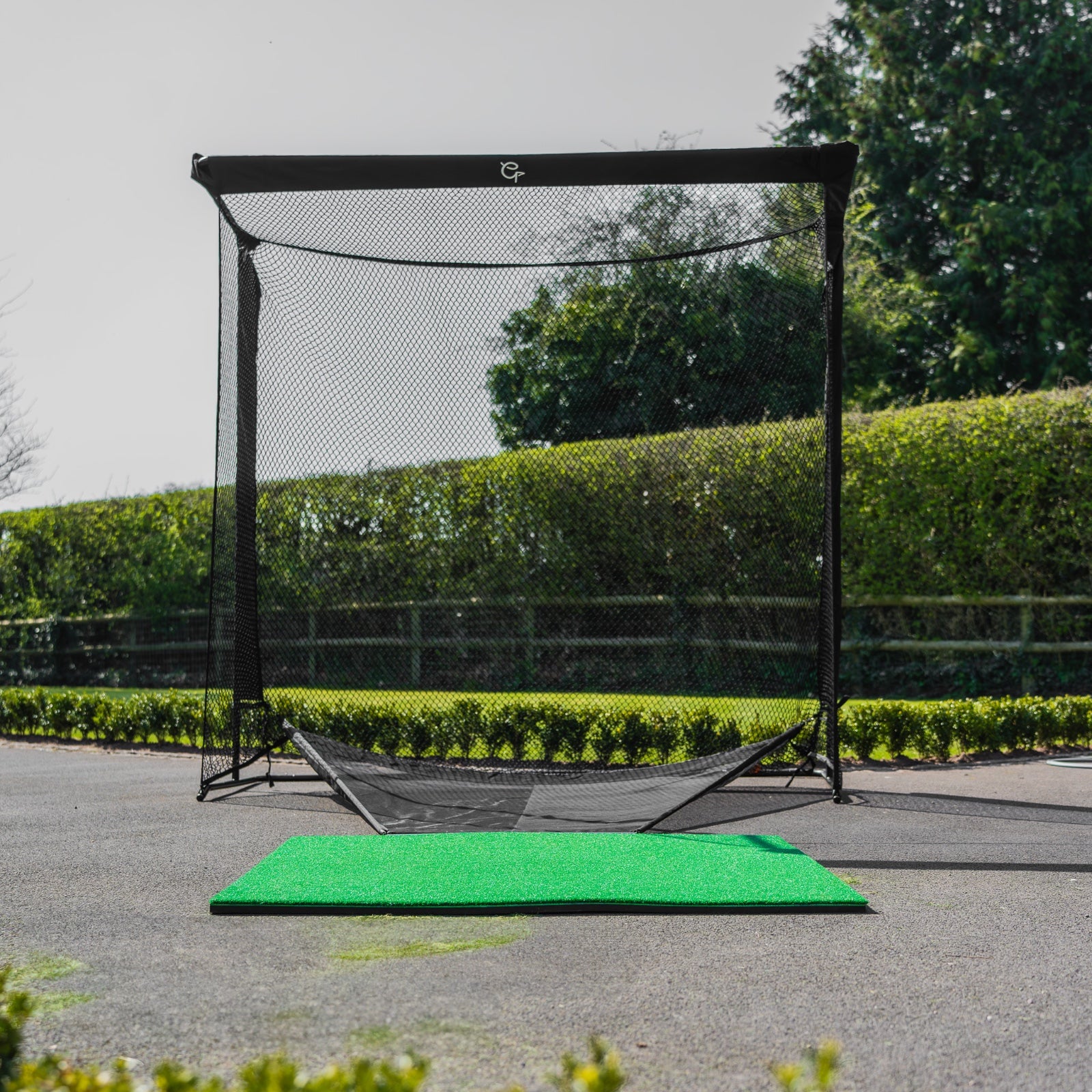
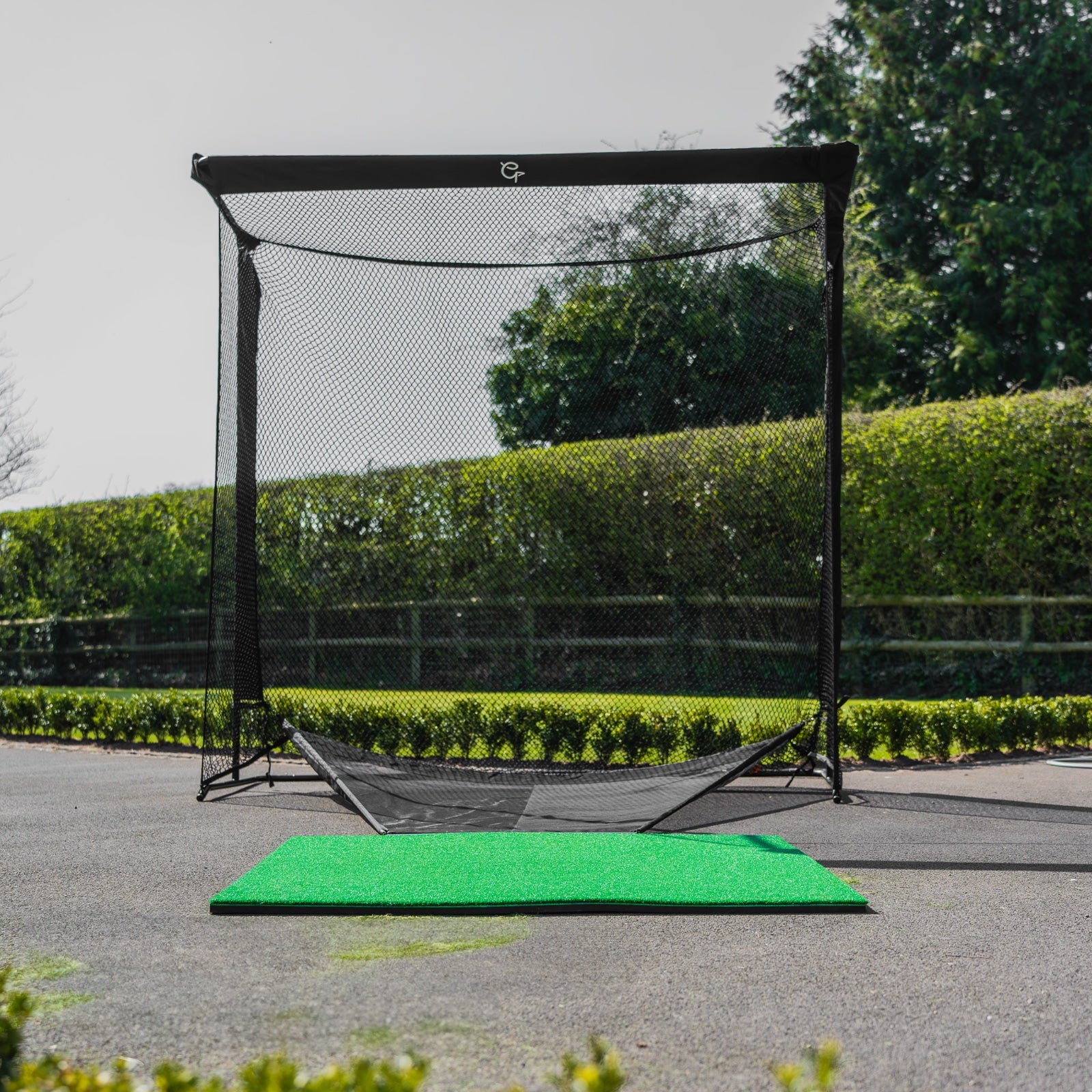
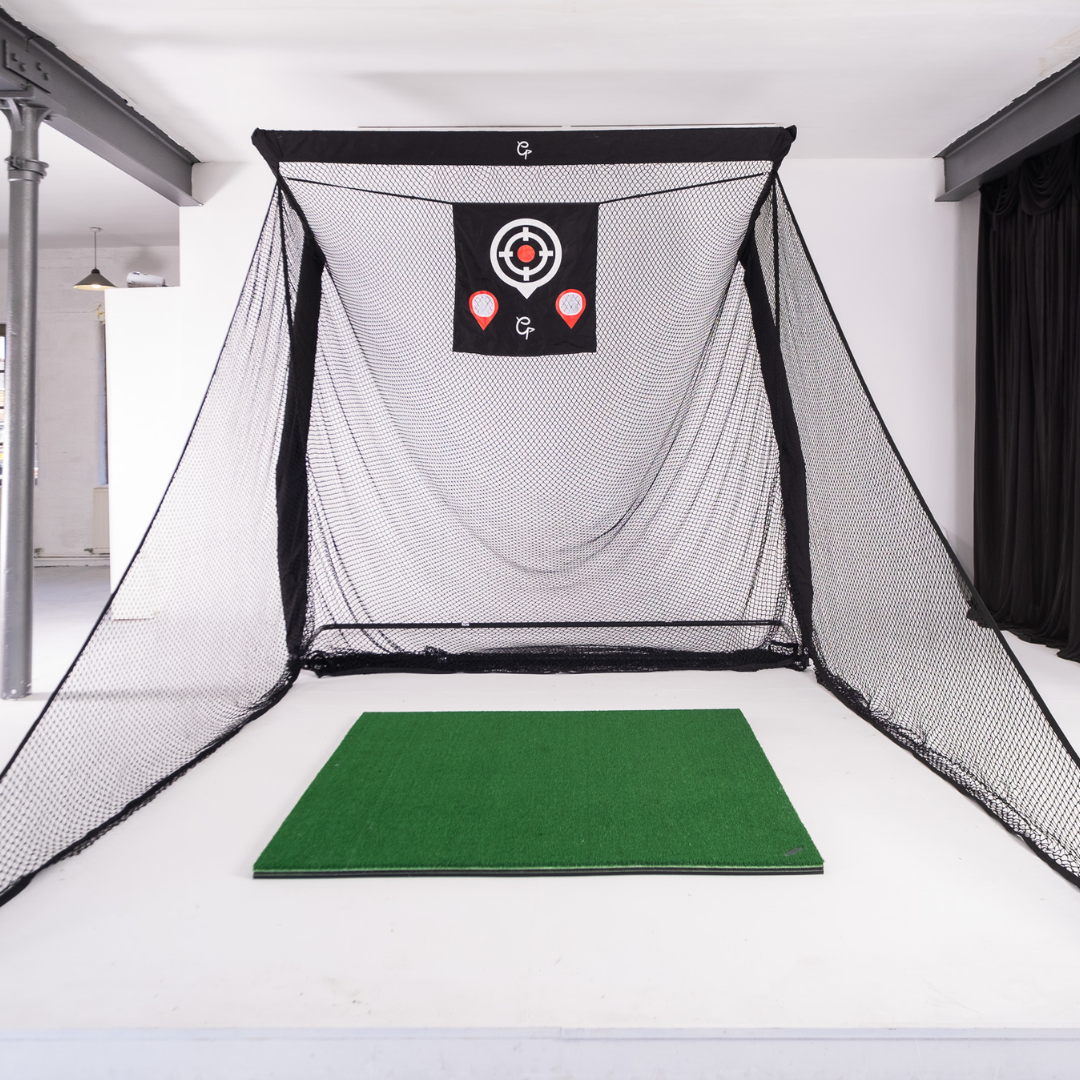
Golf enthusiasts know the importance of consistent practice to improve their game. However, not everyone has easy access to a golf course. This is where golf practice nets come in, offering a convenient and effective way to practice your swing at home. Whether you have a spacious garden, a cozy garage, or a designated indoor area, a golf practice net can transform any space into a personal driving range. In this comprehensive guide, we will explore the various types of golf practice nets, their benefits, and how to choose the perfect one for your needs, optimizing our discussion for "golf practice nets," "garden golf nets," "garage golf net," and "indoor golf net." Why Invest in a Golf Practice Net? Before diving into the specifics, let's understand why a golf practice net is a worthy investment for both novice and experienced golfers. Convenience: No need to travel to a golf course or driving range. Practice anytime, whether it's early morning or late at night. Cost-Effective: Save money on range fees and fuel costs. Skill Improvement: Regular practice leads to better muscle memory and improved skills. Weatherproof: Practice regardless of the weather conditions. Rain or shine, your practice sessions continue. Space Utilization: Transform unused spaces in your home into productive practice areas. Types of Golf Practice Nets Garden Golf Nets Garden golf nets are designed for outdoor use, providing ample space for practicing long shots. Advantages: Larger Space: Utilize the open space in your garden to practice full swings and long-distance shots. Natural Environment: Practice in a more realistic outdoor setting. Durable Construction: Made to withstand outdoor elements like wind and rain. Considerations: Space Requirements: Requires a large enough area in your garden. Weather Dependency: Although they are durable, extreme weather conditions might still affect your practice. Top Features to Look For: High-Quality Netting: Durable and able to absorb high-impact shots. Sturdy Frame: Resistant to wind and weather. Portability: Easy to set up and take down as needed. Garage Golf Net Garage golf nets are perfect for those with limited outdoor space or who prefer practicing in a controlled environment. Advantages: Weatherproof Practice: Practice regardless of outdoor weather conditions. Controlled Environment: Less exposure to wind and other variables, allowing more consistent practice sessions. Space Efficiency: Utilize existing garage space effectively. Considerations: Space Constraints: Ensure your garage has enough height and width to accommodate a full swing. Setup: May require more permanent installation or modifications to your garage. Top Features to Look For: Compact Design: Fits well within a garage space. Safety Features: Ensure the netting and frame are robust enough to catch all shots safely. Ease of Installation: Simple setup and breakdown. Indoor Golf Net Indoor golf nets are versatile options suitable for basements, spare rooms, or any indoor area. Advantages: Year-Round Practice: Practice anytime without concern for weather. Convenient Setup: Easily fits into various indoor spaces. Enhanced Focus: Fewer distractions compared to outdoor practice. Considerations: Space Requirements: Need sufficient ceiling height and room size to accommodate your swing. Noise: Consider noise dampening if practicing in shared living spaces. Top Features to Look For: Compact and Portable: Easy to set up and move as needed. Durability: Strong netting to handle repeated use. Safety Features: Protection for walls and floors from errant shots. Choosing the Right Golf Practice Net When selecting a golf practice net, consider the following factors to ensure you get the best product for your needs: Purpose: Determine if you need the net for garden, garage, or indoor use. Size: Ensure the net fits the available space and accommodates your full swing. Durability: Look for high-quality materials that can withstand frequent use. Ease of Setup: Choose a net that is easy to assemble and disassemble. Portability: Consider if you need a net that can be easily moved or stored. Budget: Balance between quality and affordability. Benefits of Practicing with a Golf Practice Net Practicing with a golf practice net offers numerous benefits that can significantly improve your game: Consistent Practice Having a golf practice net at home allows for regular practice sessions, which is crucial for improving muscle memory and perfecting your swing. Consistency is key in golf, and having the ability to practice daily can lead to significant improvements over time. Convenience and Flexibility With a golf practice net, you can practice at your convenience, without having to drive to a golf course or range. This flexibility means you can fit practice sessions into your schedule, whether you have a few minutes or a few hours. Immediate Feedback Many advanced golf practice nets come with features that provide immediate feedback on your shots. Some nets are equipped with target zones, while others are compatible with golf simulators or launch monitors, giving you detailed information about your swing and ball flight. Safe Environment Practicing at home with a golf practice net provides a safe environment where you can focus on your technique without worrying about losing balls or causing damage. This is especially important for beginners who might be working on improving their accuracy. Setting Up Your Golf Practice Net Proper setup is crucial to ensure a productive and safe practice environment. Here are some tips for setting up your golf practice net: Garden Golf Net Setup Choose a Flat Surface: Ensure the area is flat and free of obstacles. Anchor the Net: Secure the net firmly to withstand strong shots and wind. Safety First: Position the net away from windows, cars, and other fragile objects. Garage Golf Net Setup Clear the Space: Remove any items that could interfere with your swing. Measure the Area: Ensure there is enough space for your full swing, including ceiling height. Secure the Net: Use stable anchors or mounts to secure the net in place. Indoor Golf Net Setup Choose the Right Room: Select a room with enough space and minimal breakables. Protect the Surroundings: Use mats or other protective measures to safeguard floors and walls. Install Properly: Follow the manufacturer’s instructions to set up the net securely. Maintenance Tips for Your Golf Practice Net To ensure your golf practice net lasts for years, follow these maintenance tips: Regular Inspections: Check the netting and frame for wear and tear regularly. Clean the Net: Remove dirt and debris to keep the net in good condition. Store Properly: When not in use, store the net in a dry place to prevent damage from moisture. Recommended Golf Practice Nets Here are some top-rated golf practice nets that cater to different needs: EazyNet Golf Practice Net: Sturdy and robust for heavy outdoor use in all weathers.  GolfBays Driving Cage: For the hardcore outdoor golfer who wants to improve in a safe way.  Spornia SPG-7 Golf Practice Net: Compact and sturdy, fitting well in a garage space.  The Net Return: Super durable net and frame for all year round use.    Conclusion Investing in a golf practice net is a smart decision for any golfer looking to improve their game from the comfort of their home. Whether you have a spacious garden, a practical garage, or a suitable indoor area, there’s a golf practice net that fits your needs. By considering factors such as space, durability, and ease of setup, you can find the perfect practice net to help you enhance your skills and enjoy the game year-round. Practicing with a golf practice net offers unparalleled convenience, allowing for consistent, flexible, and safe practice sessions. So why wait? Transform your home into a personal driving range and take your golf game to new heights with a high-quality golf practice net.
Trackman 4 custom golf simulator installation

May 07, 2024

By Robert Hart

Custom Trackman Golf Simulator installation case study - Congleton , Cheshire

We were set to the task of creating a luxury golf simulator solution in the front room of a new house. The room dimensions of the simulator room are 5 metres wide, 2.9 metres high and 7 metres depth. 
Uneekor Launch Monitors In Stock At GolfBays

May 07, 2024

By Robert Hart

Uneekor Launch Monitors In Stock At GolfBays

Golf enthusiasts, rejoice! We are excited to announce that we have added a fantastic new product to our inventory: Uneekor Golf simulators. Whether you are a seasoned pro or just starting out, these simulators offer an incredibly realistic and immersive golfing experience right from the comfort of your own home.
Garmin R10 vs Rapsodo MLM 2 Pro Comparison Guide

January 21, 2024

By Harrison Peck

Garmin R10 vs Rapsodo MLM 2 Pro Comparison Guide

Are you an amateur golfer looking for a launch monitor under $1000 and don't know what to choose? If so, you're in the right place. Hitting range balls is great, but without a launch monitor, it can lead to some ineffective practice sessions. Luckily, there are more options than ever to use these devices without breaking the bank. Launch monitors can help you learn more about each swing, including carry distance, shot shape, launch angle, and tons of other metrics. Not to mention, you can easily watch your swing to enhance your practice sessions and/or send it to a coach for further review. Two of the top names in the market are the Garmin R10 and the Rapsodo MLM2Pro. Today we'll compare each to figure out which is the right monitor/simulator for you. Garmin R10 vs Rapsodo MLM2 Pro vs Comparison To begin, here is a quick summary of each device before getting into the head-to-head comparison. Rapsodo MLM2Pro Launch Monitor Overview The MLM2Pro is the latest launch monitor from Rapsodo that is a big upgrade from the original MLM. The MLM was one of the first portable launch monitors and is still available at a fraction of the price (£269). It uses your phone as a camera, records up to 10 data points, works indoors/outdoors, and is iOS compatible. The MLM2 Pro, however has a dual camera and Doppler radar technology that was released in 2023. This device will record your swing from a down-the-line angle and you can use your phone or tablet for an extra camera angle. Plus, it has Impact Vision technology - this creates a second slow-motion GIF of your club at impact and initial ball flight at 240 frames per second. This feature makes it easy to see if you hit in the sweet spot, heel, or toe with ease. Paired with two camera angles, it’s never been easier to analyze your golf swing.  It also has multi-vision swing replay, records up to 13 metrics, gives you access to more than 30,000 simulated courses, and works with IOS and Android devices. You do need to hit special balls (that are provided) when using indoors to get access to spin axis and spin rate data. Read our full review of the Rapsodo MLM2 Pro here.  Garmin R10 Launch Monitor Overview  Now, let’s get into the specifics of the Garmin R10, which has a lot of similarities to the MLM2Pro.  Garmin makes some of the best equipment in golf, specifically golf watches and several launch monitors as well. The R10 is smaller and hard to believe it can do so much with such a tiny design (the case is a little big, in our opinion). It is a little bit older, as it was initially released in 2021, but does get regular software updates.  There is also one big difference from the Rapsodo device - Garmin is radar-based. This means it only measures club speed, ball speed, launch direction, launch angle, and timing of your swing. The other metrics are calculated using an advanced algorithm, which might not gauge your shots as accurately. The Garmin R10 does come with Home Tee Hero, which gives you access to more than 42,000 courses. It’s slightly cheaper than the Rapsodo at £649.  Comparing the Garmin R10 vs. Rapsodo MLM2 Pro There are a lot of similarities between the two devices but some noticeable differences as well. Let’s go through each to see which one will suit your game the best. Design and Specifications First off, each launch monitor has great packaging and presentation.  Both devices come with everything you need to get started hitting golf balls quickly. Each comes with a sturdy carrying case to protect your investment, and both fit in your bag with ease. The Rapsodo launch monitor is slightly smaller than the Garmin, making it more portable and convenient. But unless you have a small, Sunday-type bag, it shouldn’t be much of an issue taking either one with you to the range or simulator.  One thing both launch monitors have in common is that you can use them at the driving range or indoors… as long as you have 6–7 feet of space behind you.  Swing Metrics and App Experience  The Rapsodo launch monitor measures 13 distinct data points for each swing. You’ll need to hit indoors with designed Callaway golf balls to measure 2/13 measurements (including spin rate and spin axis). These balls do wear down quickly and aren’t cheap to replace at nearly $70/dozen.  The Garmin launch monitor measures 10 data points, but as mentioned above, some are algorithm-based. Garmin does win when it comes to the number of courses, with more than 42,000. The MLM2Pro has 30,000, so there is still plenty of variety with each product.  If you want even more options for additional courses and software, both launch monitors have E6 Connect and Awesome Golf compatibility. However, Garmin does also have access to TGC 2019, which includes an additional 150,000 golf courses and you can create your own.  Garmin also has Creative Golf compatibility. This is an extra subscription to play an additional 140 courses with the ability to play with family and friends using the Golfisimo extension.  Both apps have good free features, but you'll want to invest in the membership with either to get the most from either software. Cost  Finally, we can’t forget to compare the cost of each device.  For all they offer, both are priced quite well - the MLM 2 Pro is £649 while the Garmin R10 is £469. But if you want the Garmin membership to access all the features, it’s an additional £100. The Rapsodo MLM2 Pro comes with one-year access to their premium membership. After the first year, you’ll need to spend another £199/year to retain these features. Otherwise, you’ll lose out on things like Rapsodo range, courses, spin data, and more metrics.  If you want fewer features, you can always opt for the original Rapsodo MLM for £269 as well.  There’s no doubt they’re both two of the best deals in golf and a great deal for a launch monitor under $1,000 each.  Common Questions Continue reading to learn more about these two launch monitors so that you can buy them with confidence.  Is the Garmin R10 worth it? Yes, the Garmin R10 is one of the best launch monitors in golf for under $1,000. Is it perfect? No, all devices have room to improve, but it’s accurate, easy to use, small, and provides tons of data to learn about your golf game.  Does Garmin R10 work hitting into a net? Yes, it does work when hitting into a net that is indoors or outdoors. It also works on the driving range, as long as you have enough space behind you to set it up.  Is Rapsodo worth the money? Yes, Rapsodo has two high-quality monitors for all types of golfers. The MLM is one of the original portable launch monitors that work with your phone to provide data for each shot. It’s priced very well at only £269 and is a great tool to help your practice sessions if you're on a budget. The MLM2Pro is £649, but has a lot more features that warrant the higher price tag. It has dual optical camera vision, simulation at more than 30,000 courses, and provides 13 metrics. Not to mention, it works with Apple and Android devices in an indoor or outdoor setting. The MLM is a great way to get started with a launch monitor, but the MLM2Pro is better if you want more data plus simulation experience. Needless to say, both are worth the money and can help you 10X each practice session.   How accurate is the Garmin R10 yardage?   Both the Garmin R10 and Rapsodo launch monitors are incredibly accurate, despite the low price tag. They might not provide as much information about each swing as Trackman or Foresight Sports, but they’re nearly as accurate. For the price, both of these launch monitors are nearly impossible to beat.  Optional Pick: Voice Caddie SC4  While we’re big fans of both launch monitors, there is another contender we should mention - the Voice Caddie SC4. The newest Swing Caddie launch monitor is priced about the same (£569), works indoors/outdoors, and has one noticeable difference - on-screen metrics. Like the previous SC300i, the SC4 provides data on the device. This makes it easy to get instant feedback on each swing without having to use a phone or tablet. It does sync with the Voice Caddie app to get even more data, log swing metrics, and more. Plus, another big advantage of this launch monitor is that you don’t need as much space. You can set this monitor up five feet behind you, while the other two require 6–7 feet.  Lastly, this device also doesn’t have a subscription feel like the other two launch monitors. But it doesn’t have as much compatibility with other software (only E6) to play additional golf courses.  Closing Thoughts on the Best Launch Monitor So, who wins the battle of the best launch monitor... Rapsodo MLM2 vs. the Garmin R10? Both are great choices, but it depends on what you’re looking for with your device.  Here is a quick recap of what both launch monitors have in common: Small, portable design with easy-to-use apps. Automatically records video with data overlay. Virtual golf courses for a simulation experience.  Compatibility with E6 Connect and Awesome Golf.  Similar price points when including membership to access all features. Easy to set up and use, create an account and start hitting golf balls. If you want more courses, Garmin is the way to go with 12,000+ more. They also have more  compatibility with other software like TGC 2019 or Creative Golf. But don’t forget that Rapsodo still has 30,000+ courses, so it’s not like you’ll get bored playing the same courses on repeat.  If you want more detailed metrics with additional accuracy, it’s probably best to choose the Rapsodo. Thanks to the dual camera, you’ll get more detailed and accurate data about more metrics. But honestly, both devices have plenty of swing data for the everyday golfer. Either way, you can’t go wrong with these portable launch monitors, as they will make practice fun and enjoyable. With regular use, you can make the most of your offseason with indoor practice and make your outdoor practice much more effective.  Have you tested these launch monitors yet? Which is your favourite? Let us know in the comments below.
Rapsodo MLM2Pro Review - How to Upgrade Your Game

January 21, 2024

By Harrison Peck

Rapsodo MLM2Pro Review - How to Upgrade Your Game

Are you ready to practice with purpose and play indoors with a golf simulator without spending thousands on high-priced launch monitors? If so, you'll love this Rapsodo MLM2Pro review. The original Rapsodo MLM was a solid device and one of the original portable monitors. However, in 2023 the MLM 2 Pro was released and provided a serious upgrade in the Rapsodo lineup. It has a lot of similarities to the Mevo Plus and the Garmin R10, as it can help you play via simulation, practice on the range, and use indoors for practice too.  Let’s get into why this is one of the best deals available in the launch monitor market.  Rapsodo MLM2Pro Review The Rapsodo MLM2Pro launch monitor made the Golf Digest Hot List as the official personal launch monitor last year.  Opening the box gave us similar feelings to unpacking a brand new Apple iPhone, as it was an incredible presentation. It comes with the MLM2Pro device, tripod, sturdy carrying case, charging cable, and Callaway RPT Chrome Soft X golf balls (more on them later). The tripod does make the device sit up higher than competitors and makes it easy to ensure it’s set up down the line. You’ll need about six feet of space behind the hitting area and once set up, you can start swinging.  You do not need an internet connection to use the MLM2Pro, but it does make it a significantly better experience. With an internet connection, you can sync shots from your sessions, test out the “combine”, access Rapsodo courses, and get insight reports on your practice session with Rapsodo precision technology that accurately measure your spin. This launch monitor/golf simulator measures everything from how the ball spins, ball flight, distance. Plus, the MLM2Pro launch monitor has impact vision and shot vision. Rapsodo elaborated, saying, "Examine slow-motion GIF's with a high-speed impact vision camera that captures impact and initial ball flight at 240 frames per second." While the shot vision feature lets you see a down-the-line video and slow motion replay. You can pair it with your phone or tablet to get an additional angle - such as face-on - for an even better look at your swing from multiple angles. Now, let’s get into the details of how this can take your game to the next level.  Easy to Use + Extremely Portable  The Rapsodo MLM2Pro is one of the smallest launch monitors in golf. It has a very unconventional shape compared to Trackman, Foresight Sports, Garmin, or even Voice Caddie monitors. But don’t let the size fool you, this launch monitor can provide a ton of data about your game. Whether you buy a launch monitor, training aid, or other golf gadget, the more convenient it is to use, the more likely you are to actually use it. This Rapsodo launch monitor will easily fit in your golf bag at all times without taking up much space.  Not only is it small, it’s also very easy to use, which can’t be said for every launch monitor. The Rapsodo has a new “Quick Connect Feature” which makes it easy to connect to a network and start swinging.  You can easily sync this to a projector or Smart TV with a lightning cable to HDMI to projector (Apple) or USB-C to HDMI to a projector (Android) for the best experience. Not to mention, you can use Airplay or Screen Mirror to a smart TV as well.  This means less time dealing with the hassles of setting it up and more time working on your golf game. Also, this launch monitor works with Apple and Android devices, which is a big upgrade as the previous model only worked on the App Store.   30,000 Golf Courses Golf Simulation + One Year Premium Subscription  Once you’re connected, it’s time to play golf on more than 30,000 Rapsodo courses, as it doubles as a golf simulator. Even the most avid golfers won’t get bored with that many golf courses to choose from.  You also have the option to try out other premium trials for Awesome Golf and E6 as well. Unfortunately, this device does not come with long-term access to E6 like Garmin and Mevo devices. Getting started is easy…  In practice mode, you can select whether you’re hitting outdoors at the driving range or indoors, hitting into a net.  Then select ball type (range, premium or Callaway RPT balls), and add in elevation for the most accurate data. You can also upload your golf club make/model (ex. TaylorMade Stealth 2 for driver, Callaway Apex Pro irons, etc.) in the “My Bag” to easily measure the performance of different clubs.  The device does come with one year of premium membership as well. This includes cloud storage of up to 10,000 videos, slow motion replay, session insights, all Rapsodo courses, Rapsodo range, and more.  13 Data Points to Track Performance    The Rapsodo MLM2 Pro uses dual optical camera vision and radar processing for incredible accuracy. As Rapsodo said on their website, “If you can track it, you can improve it.”  This portable launch monitor provides tons of data to learn more about every shot you hit. It includes 13 data points, including carry distance, ball speed, launch direction, club speed, launch angle, shot apex, and more.  To take advantage of two new spin measurements - spin rate and spin axis - you will need to use the custom Callaway golf balls that are provided.  As Rapsodo stated on their website, “Custom designed RPT™ Golf Balls were developed specifically for the MLM2PRO™ Impact Vision camera. The camera recognizes the RPT™ print pattern and captures images at 240 fps for pro-level spin rate and spin axis measurements. It’s a partnership in precision engineering.” Easy to Use App  The app is very easy to use on any device and comes with some incredible features to improve all areas of your game.  Some of the highlights include: Swing Replay You can replay great shots with shot tracer and save them to your phone or share them on social media. The app lets you add metrics to the video such as distance, speed, and launch angle as well.  Rapsodo Insights Launch monitors are super helpful, but some are easy to get overwhelmed with all the data. But not this one. This will help you better understand your ball striking consistency, smash factor, launch angle consistency, shot shape frequency, and more. The Rapsodo Insights feature in the app makes it easy to understand your swing data so you know what you need to do to improve and play more consistently. No more guessing like you might in a normal practice session without using a monitor. One of the most useful benefits of a launch monitor is dialling in your distances with each club. This will help you avoid any big distance gaps and swing with more confidence on the course. The Club Gapping feature will summarize your performance with every club, including your low, average, and high distances, so you know exactly how far you hit each club in the bag. The shot dispersion feature also helps analyze which clubs need the most help in terms of accuracy.  Rapsodo Combine The award-winning combine feature is a very useful tool to help you stay mentally engaged during practice sessions. This will give you different distances and targets to mix up practice and not hit the same shot over and over again. You’ll hit 24 balls with three clubs to specific distances. After you’re done hitting, it will provide insights and expertise on where you should continue working on your game.  Downsides to Rapsodo MLM2Pro Launch Monitor As you can tell, there are tons of incredible benefits when it comes to the MLM2Pro. But like every launch monitor, there are a few downsides that we wanted to note. First, even though it does have 13 data points to measure each swing, you can only see 3-4 at a time on your phone. This is a little inconvenient but can help avoid an overwhelming amount of too much data (which can happen if you’re new to using launch monitors).  Second, you can only get spin data when hitting into a net or screen indoors. You can still get plenty of other data outside, but this is a metric that some golfers like to see when hitting at the driving range. Third, it does not have any smartwatch capabilities. You’ll need to use the app on your Apple or Android device to switch modes, change clubs, and view data.  Finally, while the device doesn’t require a membership to work, it does need it for a lot of the features we’ve mentioned above. Without a paid membership, you won’t get access to Rapsodo Range, Combine, Insights, spin rate/spin axis, and the Simulator feature.  Luckily, it’s only $199/year, so it’s worth the money for all the extra features to make the most of your device.  Common Questions  Keep reading if you have more questions about the Rapsodo MLM2Pro launch monitor.  Is Rapsodo worth the money? Yes, at only $699, it’s one of the best deals in golf. While there are cheaper launch monitors, it’s hard to beat the amazing features of the MLM2Pro. There are also ones that are 3-5X (or more) the price and don’t offer as many features. Some of the highlights include portable design, ease of use, and simulation at 30,000+ golf courses. Not to mention it works with Apple and Android devices, provides 13 metrics, and works indoors or outdoors. Does Rapsodo MLM2PRO work with range balls? Yes, it does work with range balls from the driving range or your favorite premium golf ball. However, it will not work with foam or plastic practice golf balls.  Rapsodo recommends using the included Callaway RPT Chrome Soft X balls to measure all metrics, including Spin and Spin Axis.  Can I use Rapsodo without a subscription? Yes, you can use this premium launch monitor without an active membership.  The first year is included with your original purchase and does provide the most immersive experience, more courses, and additional training programs. After the first free year, it is $199/year to renew, which is a very low-cost for all that’s included.  Can you play multiple players on Rapsodo MLM2PRO? Unfortunately, not at this time. Rapsodo courses is currently a single-player-only mode at this time, but they plan to make updates in the near future.  What is the difference between Rapsodo and Trackman? Trackman is one of the top launch monitors in golf and is frequently used in high-end simulators. They’re also a favorite among professional golfers on the PGA Tour, LIV Golf, and DP World Tour (alongside Foresight Sports).  Trackman launch monitors are not meant for the everyday golfer thanks to the high price tag ($20,000+) but provide incredible data about your game. The Rapsodo MLM2Pro is built for the everyday golfer who wants to learn more data without breaking the bank.  Closing Thoughts  Hopefully, this Rapsodo MLM 2 review shows how this device can help your game 365 days/year. While the original Rapsodo mobile launch monitor was solid, the MLM2Pro is even better. It’s an accurate launch monitor with a great price. To recap, this mobile launch monitor: 13 data points. Has cloud video storage. Has 30,000+ courses for golf simulation. Comes with one year premium membership. Advanced cameras provide more data about your golf swing. Works with any iOS or android device (not just Apple devices like the MLM). It’s priced very well, easy to use, portable, and great for playing simulated golf or using in practice sessions. It has plenty of data for the everyday golfer to learn more about your game without getting overwhelmed.  Next, make sure to read our full breakdown of the Rapsodo MLM2 Pro vs. Garmin R10 launch monitor.  Have you tried the original Rapsodo? Will you upgrade in 2024? Let us know in the comments below. 
Tiger Woods

October 20, 2023

By Robert Hart

Tiger Woods' TGL: A Game-Changer in Indoor Golf Leagues

Golf legend Tiger Woods is no stranger to breaking barriers and pushing the boundaries of the sport. His latest venture, the Tiger Woods' Indoor Golf League (TGL), is yet another testament to his innovation and commitment to advancing the game. In this comprehensive guide, we will delve into the world of TGL, exploring its inception, structure, key players, and the potential impact it could have on indoor golf leagues. 1. The Genesis of TGL Tiger Woods' passion for golf knows no bounds, and this extends to his desire to create a golf experience that is both accessible and thrilling for players and fans alike. The idea for TGL emerged from Woods' deep understanding of the sport and his dedication to making golf more inclusive and entertaining. TGL is built on the premise of providing a unique and immersive indoor golf experience that blurs the lines between virtual and real golf. It aims to provide a platform where both professional and amateur golfers can compete, practice, and have fun while staying indoors. 2. The Mission and Vision of TGL Tiger Woods' Indoor Golf League has a clear mission and vision that set it apart from other indoor golf leagues: a. Inclusivity: TGL seeks to provide opportunities for golfers of all skill levels to participate and enjoy the league. The league is open to professionals, amateurs, and even beginners who want to experience competitive golf. b. Immersive Technology: TGL aims to leverage cutting-edge technology to create a realistic indoor golf experience. The goal is to provide a golf simulation that replicates the feel of playing on a real golf course. c. Entertainment Value: The league recognizes the importance of entertainment in sports. TGL plans to incorporate various entertainment elements in its events, making it not just about the game but an overall experience. d. Sustainability: Environmental responsibility is also a crucial aspect of TGL's vision. The organization aims to lead by example in promoting sustainability and environmental practices in indoor golf. 3. TGL Tournaments and Competitions At the heart of TGL is its indoor golf tournaments and competitions. The league offers a range of events and competitions that cater to different levels of players, including: a. Professional Tournaments: TGL will host professional tournaments with substantial prize money, which will attract top-tier talent and showcase some of the best golfers in the world. b. Amateur Competitions: For amateur golfers, TGL offers a chance to compete at a high level and experience the thrill of competition in an indoor setting. c. Junior Events: TGL has plans to include junior events, encouraging young golfers to participate and hone their skills in a fun and competitive environment. d. Entertainment Components: In addition to traditional golf competitions, TGL aims to include entertainment elements in its events, such as live music, celebrity guests, and interactive fan experiences. 4. The Key Players in TGL Tiger Woods' Indoor Golf League has already attracted key players and partners from various domains: a. Tiger Woods: As the founder and driving force behind TGL, Tiger Woods' unparalleled legacy in the world of golf and his commitment to innovation have set the stage for this ground breaking venture. b. Professional Golfers: Several professional golfers have expressed interest in TGL and its vision. Their involvement adds significant star power to the league, potentially drawing fans and players alike. c. Investors: TGL has secured investments from a range of sources, including private equity firms, tech entrepreneurs, and other business leaders. These investments are instrumental in providing the league with the financial resources needed to thrive. d. Sponsors: The league is anticipated to form partnerships with corporate sponsors and brands that will play a vital role in its growth, financial sustainability, and the overall fan experience. 5. The Impact and Implications of TGL Tiger Woods' Indoor Golf League has the potential to significantly influence the world of indoor golf and golf as a whole: a. Increased Player Earnings: TGL's commitment to offering substantial prize money could substantially elevate the earnings potential for professional golfers in the indoor golf arena, attracting top talent. b. Versatile Play: TGL offers indoor golf experiences that are not dependent on the weather or geographical location. This versatile play option expands opportunities for golfers to stay engaged year-round. c. Spectator Appeal: The entertainment elements integrated into TGL's events make them not only exciting for players but also appealing to spectators. This broader appeal could attract a more diverse fan base to the sport. d. Technological Advancements: TGL's focus on immersive technology and realistic golf simulation could lead to advancements that benefit both indoor and traditional golf experiences. e. Sustainability Awareness: By promoting sustainability in golf operations and events, TGL sets a positive example for the entire golfing community, encouraging responsible environmental practices. 6. Challenges and Questions Ahead While TGL holds the promise of revolutionizing indoor golf, it also faces several challenges and questions: a. Competition with Traditional Golf: TGL competes with traditional golf and other indoor golf leagues for players, fans, and resources. The degree to which it succeeds in attracting talent will be closely watched. b. Commercial Success: Achieving commercial success and generating long-term financial sustainability is a challenging task for any startup sports league. TGL will need to navigate complex revenue streams and business operations. c. Technological Integration: TGL's vision relies heavily on technology, which comes with its own challenges and uncertainties. The seamless integration of technology into the golfing experience will be a critical factor. d. Cultural Shift: To fully realize TGL's vision, a significant shift in golfing culture and tradition is required. The organization will need to overcome resistance from golf's traditionalists and prove the viability of its model. e. Fan Engagement: While TGL aims to provide immersive fan experiences, it will need to compete with a wide range of entertainment options to capture and retain viewer attention. Conclusion: A New Era for Indoor Golf Tiger Woods' Indoor Golf League holds the potential to usher in a new era for indoor golf and golf as a whole. Its mission to provide a unique, immersive, and inclusive indoor golf experience has garnered attention from top players, investors, and fans alike. The golfing world is on the brink of significant change, with the emergence of TGL raising exciting possibilities for the sport's future. The game of golf is undergoing a transformation, and TGL is at the forefront of this revolution, bridging the gap between traditional and modern golf experiences.

October 19, 2023

By Robert Hart

LIV Golf: A Game-Changer in the World of Golf

The world of golf is experiencing a significant shift with the emergence of LIV Golf. This innovative and ambitious venture is poised to change the way we perceive and consume professional golf, offering a fresh take on the sport that combines entertainment, competition, and accessibility. In this comprehensive guide, we will delve into the world of LIV Golf, exploring its origin, mission, key players, and the potential impact it could have on the golfing landscape. 1. The Genesis of LIV Golf LIV Golf is the brainchild of Greg Norman, the legendary Australian golfer often referred to as "The Shark." The idea for this groundbreaking venture emerged from Norman's deep passion for the sport and his desire to create a platform that could elevate the game of golf to new heights. LIV Golf is built on the premise of enhancing the fan experience, increasing player earnings, and challenging the traditional structure of professional golf tournaments. By blending sports, entertainment, and cutting-edge technology, it aims to modernize the game and appeal to a broader, more diverse audience. 2. The Mission and Vision of LIV Golf LIV Golf's mission and vision encompass several key elements that set it apart from conventional professional golf: a. Elevated Fan Experience: LIV Golf seeks to create an immersive and interactive experience for fans by integrating technology and innovative content delivery. The aim is to make golf more accessible and engaging for both existing and new fans. b. Competitive Structure: The organization intends to create a competitive structure that rewards players more generously and offers a range of tournaments throughout the year. The objective is to attract the world's best golfers while providing ample opportunities to compete at the highest level. c. Entertainment Value: LIV Golf recognizes the value of entertainment in sports. The organization plans to include entertainment components in its events, such as concerts and other forms of live entertainment, to enhance the overall experience for attendees and viewers. d. Sustainability: Environmental responsibility is a crucial aspect of LIV Golf's vision. The organization aims to lead by example in promoting sustainability and environmental practices in golf and tournament management. 3. LIV Golf Tournaments One of the fundamental elements of LIV Golf is its tournament structure. The organization intends to create a series of events that challenge the traditional golf tournament calendar. Some key features of LIV Golf tournaments include: a. Year-Round Play: LIV Golf's model extends the golf calendar throughout the year, offering fans and players consistent opportunities for competition and engagement. b. High Stakes: The tournaments are expected to offer substantial prize money, attracting top-tier talent and intensifying the competition. c. Diverse Formats: LIV Golf is open to exploring various tournament formats, including team-based competitions, match play, and other innovative structures to keep the sport fresh and exciting. 4. The LIV Golf League At the core of LIV Golf is the LIV Golf League, which is designed to redefine professional golf. This league is structured to provide a compelling alternative to existing tours and organizations. Some key aspects of the LIV Golf League include: a. Financial Backing: LIV Golf is backed by substantial financial resources, providing the means to offer lucrative purses and incentives to players. b. Team-Based Approach: LIV Golf introduces a unique and captivating team-based format to its events. This approach adds an extra layer of intrigue and strategy to the tournaments. c. Ownership by Players: One of the distinguishing features of the LIV Golf League is its player-centric ownership structure. Players will have a vested interest in the league's success, driving innovation and development. d. New Technologies: LIV Golf is expected to incorporate emerging technologies, such as data analytics and advanced broadcasting techniques, to provide fans with richer, more interactive viewing experiences. 5. The Key Players in LIV Golf LIV Golf's ambitious vision has attracted key players and partners from various domains of the golf and entertainment industry: a. Greg Norman: As the founder and the driving force behind LIV Golf, Greg Norman's legacy in the world of golf and his passion for innovation have set the stage for this groundbreaking venture. b. Top Golfers: Several top golfers, including Rory McIlroy, Phil Mickelson, and Brooks Koepka, have expressed interest in the league and its vision. Their involvement adds significant star power to the organization. c. Investors: LIV Golf has secured investments from a range of sources, including private equity firms, tech entrepreneurs, and other business leaders. d. Sponsors: The league is anticipated to forge partnerships with various corporate sponsors and brands, which will play a vital role in its growth and financial sustainability. 6. The Impact and Implications of LIV Golf The emergence of LIV Golf has stirred discussions and debates within the golfing world. Here are some of the potential impacts and implications of this groundbreaking venture: a. Increased Player Earnings: LIV Golf's commitment to offering substantial prize money could significantly elevate the earnings potential for professional golfers. This, in turn, may influence the way players decide which events to participate in. b. Reimagined Tournament Structures: The unique formats and structures of LIV Golf tournaments may prompt other golf organizations to reconsider their own offerings and adapt to changing preferences among fans and players. c. Broadened Audience Reach: By integrating entertainment elements, utilizing advanced technology, and engaging a more diverse fan base, LIV Golf may introduce golf to a new generation of fans, helping the sport grow globally. d. Improved Fan Engagement: The immersive fan experiences promised by LIV Golf could revolutionize how golf is consumed, particularly through enhanced content delivery and interactive platforms. e. Evolution of Golf Business Models: The player-centric ownership model and the financial backing of LIV Golf could lead to new business models in professional sports, offering athletes greater financial stakes in the organizations they represent. 7. Challenges and Questions Ahead Despite its promising vision, LIV Golf faces several challenges and questions on its journey to transform the golfing landscape: a. Acceptance from Established Tours: Convincing top players to leave established tours like the PGA Tour and European Tour for LIV Golf presents a significant challenge. The degree to which LIV Golf succeeds in attracting talent will be closely watched. b. Commercial Success: Achieving commercial success and generating long-term financial sustainability is a demanding task for any startup sports league. LIV Golf will need to navigate complex revenue streams and business operations. c. Cultural Shift: A significant shift in culture and tradition is required to fully realize LIV Golf's vision. It will need to overcome resistance from golf's traditionalists and prove the viability of its model. d. Fan Engagement: While LIV Golf aims to provide immersive fan experiences, it will need to compete with a wide range of entertainment options to capture and retain viewer attention. e. Environmental Responsibility: Sustainability and responsible environmental practices are key components of LIV Golf's vision. Meeting these commitments while delivering on its other promises will be a significant challenge. Conclusion: The Future of Golf in Flux LIV Golf has the potential to reshape the world of professional golf in unprecedented ways. Its mission to provide an enhanced, immersive, and more lucrative golfing experience has garnered attention from top players, investors, and fans alike. The golfing world is now at a crossroads, with the emergence of LIV Golf.
A golf simulator in a British single garage seen from the driveway at dusk, with the up-and-over door open, an impact screen showing a fairway, a hitting mat on rubber floor tiles and a heater on the side wall

October 10, 2023

By Harrison Peck

Garage Golf Simulators UK: Size, Doors, Damp, Heating (and Where the Car Goes)

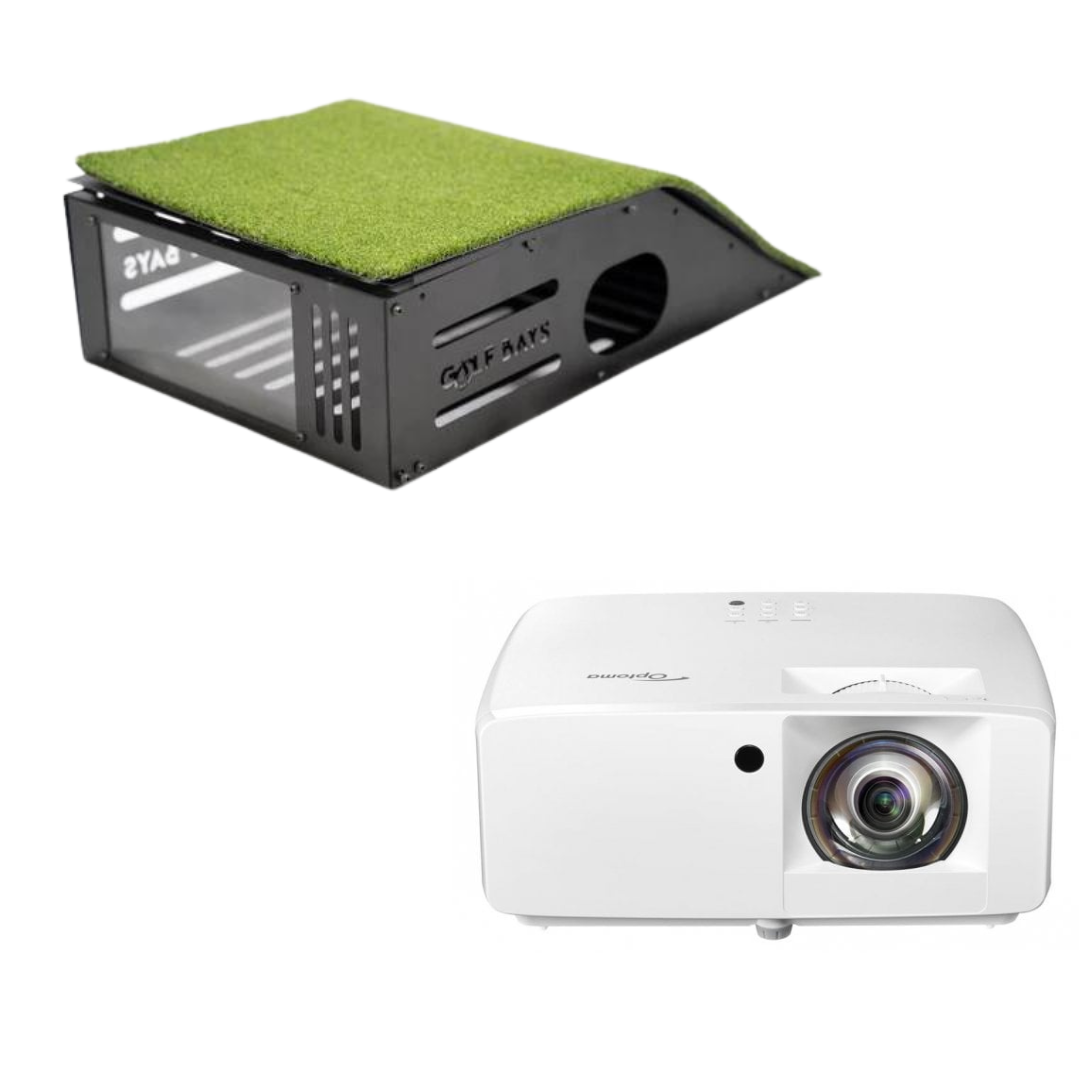
The garage is the obvious room for a golf simulator, not least because it has a door you can shut on the mess. It's also cold, damp in winter, often too low and usually full of car. Here's how to check yours fits, what to do about the door, the damp and the heat, and what we'd put in a single or a double garage. Quick summary A full driver swing needs a garage about 2.8m high, 3m wide and 4.5m deep with a camera launch monitor beside the ball, or 5m deep with a radar unit behind you. Measure the height with the door open, because up-and-over and sectional doors lie under the ceiling when they're up, and an electric opener adds a rail and a motor. Damp is what hurts the kit, so heat the garage gently, run a dehumidifier and keep the launch monitor and the laptop in the house. If the car still has to fit, a net, a mat and a launch monitor pack away after every session and the Vanish 11 enclosure retracts to the ceiling. A SimBox frame goes up without tools in under an hour, which is fine once a season but not every night. Our cheapest complete garage bay is the Square Golf EasySim package at £1,649, and £3,098.98 buys it with a mat, a floor-standing projector and acoustic tiles. Can you put a golf simulator in a garage? Yes. A garage usually has more floor than a spare room or a loft bay, a concrete slab that suits a hitting mat, and walls you won't mourn if a mishit finds them. What goes wrong in a garage is just as predictable. 4 things decide whether yours works: Height: the ceiling, and everything that hangs from it, including the door when it's open. Damp and cold: electronics left in an unheated garage through a British winter get wet in ways they don't in the house. Power: a garage wired for a freezer and a drill won't always run a projector, a PC and a heater as well. The car: if it still lives in there, the bay has to pack away or lift out of the way. Get those 4 right and a garage beats every other room in the house, bar one built for the job. How big does a garage need to be for a golf simulator? For a full swing with a driver, about 2.8m high, 3m wide and 4.5m deep with a camera launch monitor beside the ball, or 5m deep with a radar unit behind you. The enclosure takes less than that; the rest is room for you to swing. Setup The enclosure itself Garage for a full driver swing Square Golf EasySim, camera beside the ball 3.3m wide, 2.5m high, 1m deep 3.3m wide, 2.8m high, 4.5m deep SimBox with a camera launch monitor 2.6m to 4m wide, 2.5m to 3m high 3m wide, 2.8m high, 4.5m deep SimBox with a radar launch monitor 2.6m to 4m wide, 2.5m to 3m high 3m wide, 2.8m high, 5m deep Vanish 11, hung from the ceiling 11ft (about 3.4m) front screen Wider than the screen, 2.8m high, 4.5m or 5m deep Height decides the most, and it's the one thing in a garage you can't easily change. Under a 2.4m ceiling you're 40cm short of the 2.8m we plan on for a driver, so expect to hit irons and wedges. Every SimBox and EasySim frame is at least 2.5m tall, so a garage lower than that takes a practice net rather than one of those enclosures. Width is measured at the hitting position, wall to wall, after the shelves, the freezer and the bikes have had their say. 3m gives a right-hander room to swing with the ball in the middle of the bay, and a left-hander the same once a camera unit swaps sides. Depth runs from the back wall, where the screen goes, to the inside of the garage door. The enclosure takes the first 1m for an EasySim or 1.5m for most SimBox sizes, the ball sits out in front of it, and whatever's behind you is room for the backswing and, with radar, the launch monitor. How do you measure a garage for a golf simulator? With the garage set up the way you'll use it: door open, car out, and everything that lives in there still in it. 5 checks, in this order. 1. Open the door and measure under it. Take the height from the floor to the underside of the open door, its tracks, the opener rail and the motor, wherever they sit over the space you'll swing in. 2. Find the lowest point above the mat. Beams, joists, pipes, a strip light and the loft hatch all count. Measure where the club goes, not at the highest point of the roof. 3. Measure the width at the hitting position. Go wall to wall, then take off anything fixed to the walls: shelving, the boiler, the consumer unit, which has to stay reachable, and the door into the house. 4. Measure the depth to the door. Go from the back wall to the inside of the closed door, then take off whatever has to stay at the back, such as the freezer or the workbench. 5. Swing the driver, slowly. From where the mat will go, with the door open, take it to the top and through to the finish. Whatever the club touches going slowly, it will hit when you swing for real. GolfBays tip Before you order anything, mark the mat and the enclosure's footprint on the floor with masking tape. Open the door, put the car where it lives, and walk round it all for a week. Most of the questions answer themselves, and the freezer usually loses. Which garage doors get in the way? The ones that end up inside. A garage door has to go somewhere when it opens, and most types go up and back under the ceiling, which is exactly where your club wants to go. Door Where it goes when it opens What it means for the bay Up-and-over, canopy Swings up and hangs under the ceiling, with part of it outside as a canopy The lowest point is near the door, so keep the swing further in Up-and-over, retractable Slides right back inside on tracks under the ceiling All of the door lies further into the garage, over whatever is below it Sectional Panels run up and lie flat under the ceiling on tracks The tracks stay put even when the door is shut Roller Coils into a drum above the opening Only the drum box takes headroom, right by the door Side-hinged Swings outwards onto the drive No headroom lost inside at all An electric opener on an up-and-over or sectional door adds a rail along the ceiling and a motor at the far end of it, and the motor usually sits further into the garage than the open door does. It's the part people forget to measure. If the door gear hangs over where you'll swing, you have 3 options: Play with the door shut. A closed canopy door takes no headroom at all, although tracks and opener rails stay where they are. Move the bay back. With the screen on the back wall and the mat as close to it as the enclosure allows, the swing often ends up clear of the door gear. Change the door. A garage door firm can swap an up-and-over door for a roller door, which keeps everything in a box above the opening. The door matters for the projector too. A short throw projector on the ceiling hangs near the front of the enclosure, towards the tee, and if that's where the opener rail runs or the open door ends up, the projector goes on the floor instead. Shop now → The Optoma ZH350ST with a floor case is £1,100 for a full HD laser projector and the steel case it lives in. The case sits on the floor by the tee with turf on its sloping top, so a low shot rolls over it, and the projector's 3,500 lumens reach the screen without anything hanging from the ceiling. ✓ Do this Screen on the back wall, mat as close to it as the enclosure allows, and hit away from the door. The projector goes on the ceiling clear of the door gear, or on the floor in a case. ✕ Not this Bay pushed towards the door to make room for the freezer, with the projector bolted to the ceiling right where the open door or the opener rail comes back over it. Can you still park the car in the garage? Sometimes. It depends on which parts of the bay have to stay up, and most of them don't. This is what moves and what doesn't. Part Packs away? How Practice net Yes The TrueStrike TS-5 weighs about 7.3kg and moves to the side wall Hitting mat Yes Slides or lifts to the wall; a heavy mat is a job for 2 Launch monitor and laptop Yes Carried into the house after every session, which also keeps them dry Vanish 11 enclosure Retracts Winds up to its ceiling brackets by hand crank or remote control SimBox or EasySim frame Comes down, but not every night Aluminium tubes that click together; a SimBox goes up without tools in under an hour Projector Stays, or moves on the floor Fixed on a ceiling mount, or in a floor case you can slide aside Tiles, lights and sockets Stay On the walls and ceiling, out of the car's way So if the car goes back in every night, the realistic setups are a net that moves or an enclosure that lifts. A SimBox or an EasySim is for the garage where the car has moved out for good, or at least for the winter. Whatever you choose, the car comes out before the golf starts. A club, a ricochet and a wing mirror are an expensive combination. What fits a single garage? In a single garage, the width at the hitting position and whether the car comes back in decide which of these fits. These are the 3 we'd look at, in order. SkyTrak ST+ SimBox package: a garage 3m wide Shop now → If the garage is at least 3m wide and 2.8m high, this is where we'd start. Its launch monitor sits beside the ball and reads the ball and the club with cameras and dual Doppler radar, so nothing has to go behind you and 4.5m of depth is enough. The SkyTrak ST+ SimBox package puts it in a SimBox frame with a Pro+ impact screen and our Standard 1.5m hitting mat, for £2,490 in the 2.6m width or £2,540 at 3m. The aluminium frame clicks together without tools, and the frame and fabric fold down for storage when the garage needs its floor back. The catch: it needs the height. Every SimBox frame is at least 2.5m tall, so a 2.4m garage can't take one, and after the first year SkyTrak's courses are a membership at £249.99 a year. Square Golf EasySim package: the cheapest complete bay Shop now → No complete simulator we sell costs less than the Square Golf EasySim package: £1,649 for Square Golf's camera launch monitor in our EasySim enclosure with its Lite impact screen, or £1,849 with a hitting mat as well. The enclosure takes just 1m of the garage's depth, at 3.3m wide and 2.5m high, and it arrives with its poles, black fabric surround and screen. The Lite screen is made for a quiet impact, which is why this is the bay we'd pick when the garage wall is also next door's wall. The launch monitor reads the ball and the club from beside the mat, so nothing has to go behind you in a short garage. The catch: it comes in one size, and at 3.3m wide it needs a garage at least that wide inside, wall to wall. TrueStrike TS-5 net and Square Golf launch monitor: a bay that packs away When the car goes back in every night, skip the enclosure and hit into a net. Shop now → The TrueStrike TS-5 is £229 and weighs about 7.3kg, so it goes back against the side wall when the car comes home. It takes every club, returns the ball to you, and its target takes the edge off the noise of each strike. Shop now → Pair it with the Square Golf launch monitor, which reads the ball and the club with high-speed cameras from beside the ball, with 3D courses and 2 practice modes, Graphical and Data, for £689. It needs nothing behind you, so the depth only has to fit the net and your swing. Even with its 0.3m roof extension up, the net stands about 2m tall, so it fits a garage too low for a SimBox or an EasySim, and the launch monitor doesn't care how high the room is. Your swing still does, so under 2.8m this is an irons and wedges setup. The catch: no big picture. The shot plays out on a laptop or tablet beside you rather than on a screen in front of you, which is fine for practice and less fun for 18 holes with your mates. What fits a double garage? A double garage opens up 2 more setups: an enclosure that winds up to the ceiling so the car can come back in, and, if the garage is deep enough, a radar launch monitor behind you in a wider SimBox. Vanish 11 retractable enclosure: room for the car Shop now → The Vanish 11 retractable enclosure hangs from universal brackets on the ceiling, with an 11ft (about 3.4m) front screen, 5ft (about 1.5m) side screens and ceiling and corner protection. When you've finished, it winds up to the ceiling, the mat and the launch monitor go to the side, and the floor is the car's again. It's £3,359 with a hand crank, or £4,319 with a remote control. Hang it against the back wall, away from the door gear. If the garage has more room, there are bigger Vanish models too. The catch: it's the enclosure only, so the launch monitor, the mat and the projector are extra, and its brackets go into the ceiling, so check what yours is made of before you order. FlightScope Mevo Gen 2 SimBox package: a deep double garage Shop now → If the garage is 5m deep or more, radar opens up. The FlightScope Mevo Gen 2 SimBox package puts FlightScope's radar-and-camera Mevo Gen 2 behind you in a SimBox frame, from £2,250 for the smallest size to £2,650 for the largest, with 8 E6 Connect courses you keep for life. In a double garage we'd take the 3.6m or 4m width if the room allows, for a wider picture and more space either side of the swing. The catch: radar needs the depth. In a garage under 5m deep, the SkyTrak ST+ package, with its launch monitor beside the ball, is the better buy. Not sure what fits your garage? Send us the height with the door open, the width at the hitting position and the depth to the door, and we'll tell you which bay fits. It's free. Book a free consultation How do you stop damp and condensation in a garage simulator? Stop the kit getting colder than the air around it, keep the air drier, and keep the most valuable bits in the house. Warmer air holds more water vapour than cooler air, and when air cools to its dew point the vapour condenses back into water (Met Office). In a garage on a winter evening, that happens on your kit. It has sat at close to the outside temperature all day, you switch on a heater, the air warms up quickly, and the projector lens, the PC and the launch monitor stay cold for much longer. The moisture lands on them. Some of the bay minds more than the rest: The projector: a fogged lens blurs the picture, and moisture inside the case is worse. The PC or laptop: switching on electronics with condensation on the boards is asking for trouble. The launch monitor: usually the most valuable thing in the bay, and small enough to carry. The screen and the mat: fabric and turf in a damp room can go mouldy, and a mat on a damp slab stays wet underneath. The fixes, cheapest first: 1. Measure it. A cheap digital hygrometer shows the humidity in the garage, so you know whether there's a problem before the projector tells you. 2. Run a dehumidifier between sessions through the colder months, and empty it. 3. Keep a little heat in through the winter, so the kit never gets properly cold. 4. Bring the launch monitor and the laptop indoors after every session. 5. Let cold kit warm up before you switch it on, and wait for any fog on a lens to clear. 6. Don't add water. No washing drying on the airer, and a car that comes in wet brings the rain in with it. 7. Fix the building first if water is getting in: damp patches at the base of the walls, puddles, a door seal that's gone. No dehumidifier keeps up with a leak. Watch out: the blast of heat A fan heater on full in a frozen garage warms the air long before it warms the kit, and the moisture condenses on the coldest thing in the room, which is often the projector lens. Warm the garage slowly, or keep a low background heat on through the cold months, and switch the electronics on last. How do you heat a garage golf simulator? Slowly and safely. The aim is a garage warm enough to swing in and never cold enough for the kit to sweat. An electric panel heater or an oil-filled radiator on a thermostat keeps a steady background heat through the winter and doesn't blow dust around the room. An infrared panel on the wall warms you and the kit rather than the air, which suits a draughty garage. A fan heater is quick for a session, but use it on top of the gentle heat, not instead of it. Not a gas or paraffin heater. Burning fuel puts water vapour and fumes into a closed garage, which is the opposite of what the kit needs. Put the heater on a side wall behind the golfer, well out of the swing and the ball flight. A heater on the ceiling over the mat is a target. Then keep the heat in, starting with the door: an insulated door, or an insulation kit on the back of an up-and-over door, with draught strips round the edges. Insulating the walls comes next. Insulating the ceiling costs you headroom, so in a low garage do the door and the walls and leave the ceiling alone. Go further, with a stud wall across the door opening, a window and a radiator, and it's a garage conversion rather than a garage with a simulator in it. Converting a garage, or part of one, into habitable space normally needs building regulations approval (Planning Portal), so talk to building control before the builder starts. What floor does a garage golf simulator need? Concrete, which you already have. A slab is firm and doesn't flex, so the mat sits still and a camera launch monitor beside the ball stays level with it. Concrete gives nothing back, though, which is why a hitting mat on a concrete garage floor needs its own shock layer rather than a thin range-style turf. Before the mat goes down, check 3 things: Level: some garage slabs are laid with a slight fall towards the door so water runs out, and a slope under the mat tilts the ball, your stance and the launch monitor. Put a spirit level on it where the mat will go. Dry: a slab that goes dark and damp in winter needs sorting before a mat sits on it for months. Grip: a mat with a smooth back creeps on smooth concrete, and a painted floor is slippery underfoot. Shop now → The GolfBays rubber base grips a smooth slab and holds a 1.5m mat inside its 1.56m frame, so the mat stays where the launch monitor expects it, for £109. Round the mat, turf over foam underlay makes the rest of the bay kinder to stand on and quieter underfoot, and it covers a shiny floor. How many sockets does a garage golf simulator need? Probably more than yours has. Count what plugs in: the projector, the PC or laptop, the launch monitor's charger, a light, a heater and a dehumidifier. That's 6 plugs before anyone wants a kettle. Put sockets where the kit goes: a socket on the ceiling or high on the wall for a ceiling projector, another at the door end for the PC, and another near the mat for the launch monitor's charger, so no cable crosses the hitting area. Don't run the lot off a chain of extension leads, and give the heater a socket of its own. In England, electrical work in a home, the garage included, has to meet Part P of the Building Regulations (gov.uk). Adding a socket to an existing circuit isn't notifiable, but a new circuit is, including one that takes power out to a detached garage. Use an electrician registered with a competent person scheme, who can certify the work themselves. How should you light a garage golf simulator? Light the golfer, not the screen. The strip light a lot of garages come with lights the room evenly from end to end, screen included, and every bit of light that lands on the screen washes out the picture. The answer to lighting a garage golf simulator is light over the mat and darkness at the screen end, with the old strip light on its own switch for when you need to find the lawnmower. Shop now → Our golf simulator light does the mat end: 1 LED spot on a 1m powered track, aimed down at the ball so a camera launch monitor such as a SkyTrak gets a clear look at it, for £175 in black or white. Daylight is the other problem. A window, a glazed panel in the door or the gap under it all put light on the screen, so black out the window and fit a brush strip or a seal along the bottom of the door, which stops the draught as well. How loud is a golf simulator in a garage? Louder than you'd think. A club on a mat and a ball into a screen make a thwack that carries through a party wall, and a metal garage door can rattle along with it. Bare block walls make it worse, because the sound bounces round the room. Acoustic foam on the walls beside and behind you takes the echo out. Shop now → Our diamond acoustic wall tiles are £74.99 for a pack of 10 foam squares, 50cm a side, and spray glue puts them straight onto the blockwork. A quieter screen helps at the source too, and the EasySim's Lite screen is made for a quiet impact. The neighbours will forgive a lot, but maybe not a 10pm driver session through the bricks. How do you keep a garage simulator secure? Treat it like the most valuable thing in the garage, because it probably is. Take the portable kit in. The launch monitor and the laptop come into the house after every session. Lock the door properly. Fit a second lock or a garage door defender, the lockable post that stops an up-and-over door being lifted. Keep it out of sight. A lit screen with the door up at dusk tells everyone on the street what's inside. Tell your insurer. Ask whether kit in the garage is covered the same way as kit in the house, and list the launch monitor and the projector by name. GolfBays tip Photograph the serial numbers on the launch monitor, the projector and the PC when you unpack them, and keep the photos with the receipts. It's a quick job, and it means you can tell an insurer or the police exactly what was taken. How much does a garage golf simulator cost? From £1,649 for the cheapest complete package, before anything the garage itself needs. These are GolfBays prices on 30 September 2026. Setup What's in it Price TrueStrike TS-5 net and Square Golf launch monitor Net and camera launch monitor, packs away £918 Square Golf EasySim package with a mat Enclosure, screen, launch monitor and mat £1,849 FlightScope Mevo Gen 2 SimBox package Enclosure, screen and radar launch monitor £2,250–£2,650 SkyTrak ST+ SimBox package Enclosure, screen, launch monitor and mat £2,490–£2,890 Vanish 11 retractable enclosure Retractable enclosure only £3,359–£4,319 Every enclosure setup needs a projector as well, and the garage may need sockets, heating, insulation or work on the door. Those depend entirely on your garage, so get 2 or 3 local quotes. Worked example: a complete single-garage bay GolfBays prices, 30 September 2026 Square Golf EasySim package, with hitting mat £1,849 Optoma ZH350ST projector with floor case £1,100 Diamond acoustic wall tiles, 2 packs of 10 £149.98 Total £3,098.98 The software runs on a laptop or tablet, so add one if the house hasn't got one spare. When is a garage the wrong room? When it fails on height, water or the car, and no amount of kit will fix it: The ceiling is under 2.8m and you won't give up the driver. Under 2.5m, no SimBox or EasySim frame fits either. Water gets in, and the building needs fixing before anything electronic moves in. The car goes back in every night, there's no room for an enclosure that winds up out of its way, and a net with the shots on a tablet isn't the simulator you had in mind. When the garage won't do, a golf simulator cabin in the garden is built around the bay from the start, at garden-room prices rather than garage ones. And from spring to autumn, a net and a launch monitor in the garden gets you hitting and leaves the garage to the boxes. Garage golf simulator FAQs How much does it cost to put a golf simulator in your garage? From £1,649 for the Square Golf EasySim package, or about £3,100 with a mat, a floor-standing projector and acoustic tiles. Add whatever the garage itself needs, such as sockets, heating and insulation, which varies from garage to garage. Can I set up a golf simulator in my garage? Yes, if it's about 2.8m high with the door open, 3m wide and 4.5m deep for a camera launch monitor beside the ball, or 5m deep for radar. A lower garage still takes a net and a camera launch monitor for irons and wedges. What is the best golf simulator for a garage? For a single garage 3m wide, the SkyTrak ST+ SimBox package: its launch monitor sits beside the ball, so 4.5m of depth is enough. If the car still has to fit, the Vanish 11 retractable enclosure winds up to the ceiling when you're done. How can I convert my garage into a golf simulator? Clear it, fix any damp, sort the sockets and the heating, then put the bay at the back wall and hit away from the door. You don't have to convert the garage into a habitable room to put a simulator in it. If you do go that far, planning permission isn't usually needed for internal work, but some homes, particularly on new housing developments and in conservation areas, have had those rights removed, so check with the council first (Planning Portal). How big of a garage do I need for a golf simulator? At least 3m wide, 2.8m high and 4.5m deep for a full swing with a camera launch monitor, or 5m deep with radar. The EasySim needs 3.3m of width, and every SimBox and EasySim frame is at least 2.5m tall. What is the cheapest setup for a golf simulator? A net, a mat and a launch monitor, with the shots on a laptop or tablet rather than a big screen. In a garage that still has to take the car, the pack-away bay we'd pick, a TrueStrike TS-5 net and a Square Golf launch monitor, comes to £918 before the mat. Our cheapest complete simulator, with an enclosure and a screen, is the Square Golf EasySim package at £1,649. Is an 8ft ceiling enough for a golf simulator? In a garage it usually means irons and wedges only. 8ft is about 2.4m, 40cm short of the 2.8m we plan on for a driver, and every SimBox and EasySim frame is at least 2.5m tall, so an 8ft garage takes a net rather than an enclosure. Measure under the open door as well, because the door gear often sits lower than the ceiling. What type of flooring is best for a golf simulator? In a garage, the slab you already have is the base. Check it's level and dry, then either sit a proper hitting mat in a non-slip rubber base, or set it into foam underlay and turf that cover the rest of the bay. Kit out your garage Practice nets that pack away and retractable enclosures that lift out of the car's way, for single and double garages. See garage golf simulators

Master Your Swing Year-Round: How a Golf Simulator Can Elevate Your Game During the Winter Months

October 09, 2023

By Robert Hart

Master Your Swing Year-Round: How a Golf Simulator Can Elevate Your Game During the Winter Months

Introduction For passionate golfers, the winter months often bring a sense of longing as they watch the snow fall and their local courses hibernate beneath a blanket of white. However, these months need not be a hiatus from your beloved game. Thanks to advances in technology, you can continue refining your skills and maintaining your golfing prowess during the offseason. In this comprehensive guide, we will explore how a golf simulator can be your winter golfing sanctuary, helping you improve your game even when the fairways are frozen. 1. The Winter Golfing Dilemma Winter can be a challenging time for golf enthusiasts, particularly in regions where the cold weather and snow make golf courses virtually unplayable. The challenges of winter golfing include: Weather Limitations: Cold temperatures, rain, and snow can make outdoor golf uncomfortable and, at times, unsafe. Limited Daylight: Shorter daylight hours mean less time for golf after work or on weekends. Course Closures: Many golf courses close for the winter season, leaving golfers with no viable options for play. Course Conditions: Even if a course remains open, winter conditions can negatively impact your experience, with muddy fairways and inconsistent greens. Given these challenges, finding an effective way to continue practicing and improving your golf game during the winter months is crucial. 2. Enter the Golf Simulator: A Year-Round Solution Golf simulators have emerged as a game-changing solution for golfers seeking to maintain their skills and make meaningful improvements during the offseason. Here's how a golf simulator can elevate your game, even in the depths of winter: a. Realistic Play in Virtual Environments: Modern golf simulators are designed to replicate the look and feel of real golf courses. They use advanced technology, including high-speed cameras and sensors, to track your swing and accurately simulate ball flight. When you step into a simulator, you can play rounds of golf on famous courses from around the world, all from the warmth and comfort of an indoor space. b. Data-Driven Improvement: Golf simulators provide a wealth of data about your swing and shot performance. This data includes clubhead speed, launch angle, spin rates, ball speed, and more. With this information at your fingertips, you can pinpoint areas of improvement and make data-driven adjustments to your game. You no longer have to rely solely on feel; you can objectively analyze your swing and work on specific aspects that need attention. c. Continuous Practice: One of the biggest advantages of golf simulators is that they allow for uninterrupted practice throughout the year. Regardless of the weather conditions or time of day, you can step into your simulator and work on your swing, short game, and putting. This consistent practice can lead to significant improvements in your game over time. d. Customization and Variety: Golf simulators offer a high degree of customization. You can set the difficulty level, choose different courses, and even play in various weather conditions. This variety allows you to tailor your practice to specific areas of your game that need attention. For example, you can focus on hitting from the rough, chipping from bunkers, or navigating challenging greens. 3. Key Benefits of Winter Golfing with a Simulator Let's dive deeper into the key benefits of using a golf simulator during the winter months: a. Improve Swing Mechanics: A golf simulator provides you with instant feedback on your swing. You can analyze your clubhead speed, swing path, and face angle to identify any flaws in your mechanics. By consistently practicing and making adjustments in the simulator, you can refine your swing and develop a more consistent and efficient motion. b. Work on Your Short Game: The winter months are an excellent time to focus on your short game, an area where many golfers can make significant improvements. Golf simulators allow you to practice chipping, pitching, and putting with precision. You can work on your distance control, aim, and touch, which are crucial aspects of the short game. c. Master Course Management: Golf simulators offer a unique opportunity to enhance your course management skills. You can simulate various course conditions, practice club selection, and strategize for specific holes. This can lead to smarter decisions on the course when the season resumes. d. Stay Mentally Sharp: Golf is as much a mental game as it is physical. With a golf simulator, you can maintain your mental focus and concentration throughout the offseason. Playing virtual rounds keeps your golfing instincts sharp and prepares you for the mental challenges of real rounds. e. Monitor Progress Over Time: Many golf simulators offer progress tracking features that allow you to monitor your improvement over time. You can set goals, track your scores, and measure your performance metrics to see how your game is evolving. This objective feedback can be motivating and help you stay committed to your improvement goals. 4. Choosing the Right Golf Simulator Selecting the right golf simulator is essential to maximizing its benefits. Here are some factors to consider when choosing a simulator: a. Space Requirements: Determine the available space for your simulator setup. Golf simulators come in various sizes, and you'll need enough room to swing comfortably and accommodate the simulator components. b. Budget: Golf simulators range in price, so establish a budget that aligns with your financial considerations. Consider both the initial cost and any ongoing expenses, such as software updates or maintenance. c. Software and Course Library: The quality and variety of courses offered by the simulator's software are essential. Look for a simulator with a wide selection of realistic courses to keep your practice engaging. d. Accuracy and Technology: The accuracy of swing and ball flight data is crucial for meaningful practice. Choose a simulator with advanced technology that provides reliable and precise feedback. e. Installation and Support: Consider whether you'll install the simulator yourself or require professional installation. Also, evaluate the level of customer support and maintenance services offered by the manufacturer. Conclusion: Elevate Your Game, Winter and Beyond Winter no longer needs to be a period of golfing inactivity or regression. With the advent of golf simulators, you can maintain and even improve your game year-round. These high-tech systems provide a realistic and data-driven practice experience that can lead to noticeable enhancements in your golf skills. Whether you're striving for a lower handicap, looking to perfect your swing mechanics, or simply want to enjoy a round of golf when the weather is less accommodating, a golf simulator is your ally in achieving those goals. Embrace the technology, set up your indoor golf haven, and emerge from the winter season with a golf game that's better than ever. The snow may be falling outside, but your golf game will be on the rise inside your personal golf simulator. Happy swinging!
GolfBays

Solid net strong enough for practicing driver and every other club in the bag. Return slope very handy saving you having to collect balls, they roll straight back to your feet.Recommend also buying some heavy duty ground anchors or pegs to secure it if used in garden.

Liam

I already had a large gym in my house, however, I wanted to start practicing my golf at home as well as getting fitter. I didn't want a built in option so the simbox enclosure was the perfect solution. It allowed me to place it wherever I wanted in my room which was a bonus as I couldn't have it against a wall. The quality of the simbox is second to none, I went for the Close Knit Baffle screen as I wanted the most durable screen for the amount of practice I do, it is also super quiet which is a bonus. I can't thanks the team at Golfbays enough, all of the guys are super knowledgeable, you can tell they all have golfing backgrounds. I would definitely recommend.

H.P.

Fantastic quality, easy to install and fast delivery. Could not ask for much more. We also purchased a projector and protective enclosure that are brilliant. Creates a very professional looking set up.

Luke M.

Weather is no longer a problem for me, I can be in my garage and on the 7th at Augusta at the same time!

B Edwards

The box was delivered very quickly including customs clearance, perfect.The SimBox exceeded my expectations, black ball protection very noise-insulating, Impact Screen Pro+ very good for Full HD.Thanks to the video tutorial, it can also be set up alone, but much more relaxed with two people.Simply perfect, highly recommended, thanks to the 6 sizes there is always a place at home, as long as the room height fits.Very convincing qualityIn short: brilliant for the home simulator

Markus K.

Great quality, easy to assemble was hitting balls within hours of delivery which was within 48hrs. Require a few more items to complete the perfect room. Will use again.

Mark W

Nice and easy to get set up. A few minor issues with software but easily sorted with a quick call to the team at golfbays. I recommend TGC2019 for game play. Not tried Skytraks own courses but I believe they are good.

Peter H

Happy with the quality of the turf and would highly recommend to others.

Scott W

This is an exceptional machine with fast delivery and outstanding customer service from Golf Bays. It’s my second purchase from Golf Bays, they deliver top marks all the time and I would highly recommend!

Jonathan

Just Installed this new Pro+ screen at my commercial golf simulator. The difference between the old one and this new one is astounding. Not only is it much quieter but the image projection is so much more clearer. It is installed quite tightly using the Bungee balls but there is no significant bounce back.I unequivocally recommend the Pro + impact screen.

Adam S.

The golf team enjoys practicing with the Puttout training mat. More practice means better putting on the course. The quality of the product is excellent.

Boliver

SHOP OUR BEST-SELLERS