
GolfBays

GOLF BAYS BLOGS

Product deep-dives, enclosure & simulator advice, and much more…

SHOWING 19 TO 27 OF 85 RECORDS

The GolfBays Putting Mat Buying Guide

September 26, 2025

By Malek Murison

The GolfBays Putting Mat Buying Guide

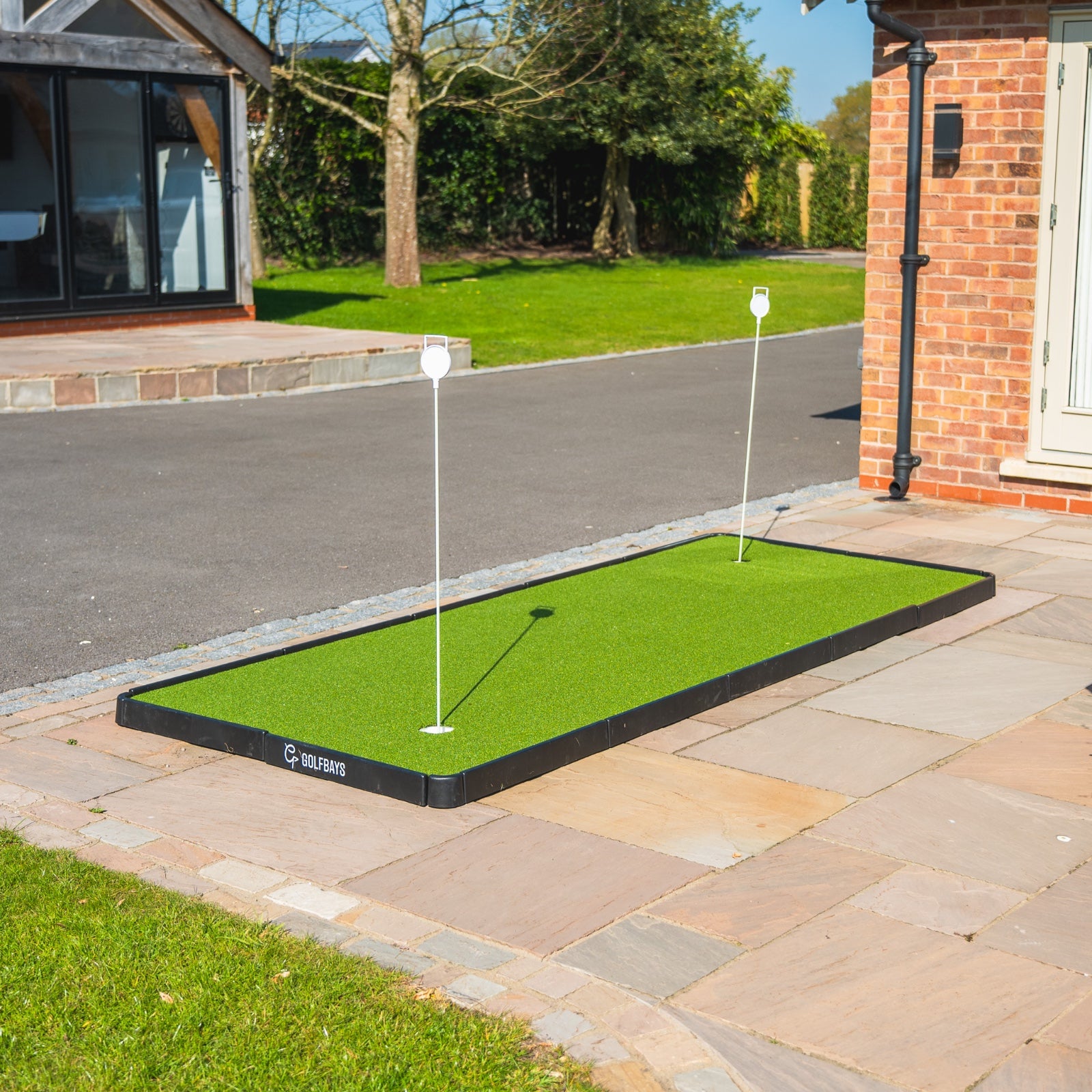
Want to make more putts? Don't we all! A golf putting mat is one of the easiest ways to sharpen your stroke without setting foot on the course. From roll-out mats for the hallway to premium turf for simulator bays, our putting mats offer true roll, realistic pace, and the chance to build confidence from short to mid-range distances. This guide walks you through what to look for, the different types available, and our top recommendations to help you find the perfect putting mat for your space and game. Once you've gone through the guide, head over to our Putting Mats and Putting Aids collection > Practice Makes Perfect: Why Buy a Putting Mat?  Ask any golfer where most shots are wasted and they’ll tell you (often with a big sigh) that it’s on the greens. Three-putts, needless double-bogeys, missed short ones, or poor pace control can ruin a round faster than a wild drive. That’s why adding a golf putting mat to your home or simulator setup is one of the simplest ways to cut strokes from your game. A good indoor putting mat gives you a true roll surface that’s ready whenever you are. No need to wait for good weather or a quiet practice green. You can rehearse start-line drills in the hallway, sharpen your distance control in the office, or build a dedicated practice zone in your golf simulator bay. With options ranging from compact roll-out mats to cut-to-length putting turf and modular indoor/outdoor greens, there’s a mat to suit every space and practice style. The beauty of buying a putting mat is consistency. Every roll is the same, letting you focus on mechanics, confidence, and feel. Over time, you’ll build muscle memory for smoother strokes, better pace, and more made putts when it really counts - on the course. When you invest in (and dedicate practice time to...) a putting mat, you are building confidence that comes from knowing you’ve holed hundreds of 6-footers in practice. It takes the pressure off in real rounds. The more familiar a putt feels, the less likely you are to tense up and make a mistake.   A Quick Look at GolfBays' Recommended Putting Mats & Turf Looking for a putting mat or turf to practise your pressure putts at home? Take a look at the options below... Product Quick overview GolfBays Premium Black Putting Turf Short, true-roll black turf 13 mm pile cut-to-length for sleek, seam-free sim bays and home practice. GolfBays Premium Roll-Out Return Putting Mat 9 ft 6 in roll-out mat with auto return, two hole sizes, alignment tracks and 2/4/6/8-ft markers on a fast Stimp 10–14 surface. GolfBays Modular Golf Putting Green (4 sizes) Click-together indoor/outdoor green with pre-cut turf, regulation cups and contour pads, rolling ~Stimp 10 in four size options. GolfBays Artificial Turf Two-Hole 150 × 350 cm Putting Green Ready-made 1.5 m × 3.5 m green with two holes for quick setup, repeatable strokes and short-range make-rate training. GolfBays Putting Turf 11 mm pile, cut-to-length turf priced per m² -ideal for everyday true-roll lanes and sim-bay integration. GolfBays Premium Putting Turf 16 mm pile, denser cut-to-length turf delivering a premium, realistic roll for dedicated putting zones. PuttOUT AirBreak Putting Mat Break-training mat with adjustable contours, battery-powered ball return, Green Reading app support and a rubber-backed surface ~Stimp 10. Stimp Speed, Explained If you’ve ever heard golfers talk about “Stimp,” they’re referring to the speed of the greens. This is essentially how fast the ball rolls after being struck. The term comes from the Stimpmeter, a simple device invented in the 1930s that measures how far a ball rolls on a flat surface. The further it rolls, the higher the Stimp reading. A Stimp of 8–9 feels like slow, heavy green. A Stimp of 10–11 is closer to what you’ll find at most well-kept clubs. Stimp 12–14 is the lightning-quick pace you’ll see during summer months and on professional tours. When it comes to putting mats, Stimp speed matters because it lets you match practice according to the conditions you want to prepare for. A faster mat helps you rehearse delicate pace control for tournament-style greens. A slower mat can be better for working on solid strikes and eliminating deceleration. Either way, knowing the Stimp rating helps you choose a mat that feels realistic and keeps your practice meaningful. How to Choose a Putting Mat: 4 Questions to Help You Decide There's a big world of potential putting mats and practice turf out there. To help you narrow down the options, go through the questions below... How much space do you have / want to fill?  Putting practice mats come in all shapes and sizes, from hallway lanes to spare-room dominating setups to simulator bay accompaniments. Will you be happy with a narrow lane for repetitive putting, or do you want something larger with more flexibility and scope for mixing it up?  What roll/pace do you want (Stimp)? Most home mats roll around Stimp 9–11, with some faster surfaces up to Stimp 14 to feel like quick summer greens. Consider the speed and style you want to practice before choosing your putting mat.  Fixed area or portable? Maybe you want a designated putting practice area for your golf sim. Maybe you want a cut-to-length turf to fit a specific place in your man cave or coaching area. Both of these options are more permanent than going for a roll-out mat or a modular greens - which both can be stored and assembled when needed. Do you want features (ball return, breaks, multiple holes)? This is where putting mats start to separate themselves. If you’re focused on volume reps, a simple lane or a mat with ball return makes sense. If you want to sharpen your green-reading, look for contour pads or mats that let you practice breaking putts. And if you want to raise the pressure, opt for mats with different hole sizes - regulation for realism and reduced cups for precision under fire. Ultimately, the right putting mat is the one that fits your space, your goals, and the way you like to practice. If you know you’ll use it daily, invest in a higher-quality turf or a feature-packed mat that keeps practice engaging. If you’re just after a quickfire tool to roll a few putts between Zoom calls, portability and simplicity might be the smarter play. GolfBays' Recommended Putting Mats & Turf Looking for a putting mat or turf to practice your pressure putts at home? Take a look at the options below... GolfBays Premium Black Putting Turf If you’re looking for an indoor putting experience with an authentic feel, our Premium Black putting Turf delivers. Yes, it’s in black rather than green. But if you’re going to putt on a golf sim pr practice at home, why not go for something striking? This short, true-roll putting turf has a sleek black finish for a clean studio look. It’s 13mm pile height and 4m wide, sold cut-to-length, so you can dial in the exact footprint for your sim bay or practice lane without any untidy joins.  This turf is a simple way to add a fast, consistent surface that looks the part and lasts. Great for… Blacked-out sim rooms and sleek studio aesthetics. Custom runs (choose your length) without seams. Year-round indoor pace and start-line drills. Check out our Premium Black Putting Turf > GolfBays Premium Roll-Out Return Putting Mat If you want a smooth and simple way to practice your putting at home, the GolfBays Premium Roll-Out Return Putting Mat should be at the top of your list. This is a 9ft6 roll-out mat with auto ball return, two hole sizes (regulation + smaller), alignment tracks and 2/4/6/8-ft distance markers. There’s a subtle uphill section for end-of-stroke pace and a fast surface (Stimp 10–14), so you can sharpen your touch without trekking to the golf course. Great for… Quickfire, high-quality putting reps between meetings. Pace control and start-line practice in tight spaces. Giftable, all-in-one home putting solution. Order your Roll-Out Return Putting Mat > GolfBays Modular Golf Putting Green  Our modular putting green is a portable, click-together solution you can build in minutes and use indoors or outdoors. It comes with pre-cut turf, regulation cups and contour pads, and rolls at roughly Stimp 10 to help you dial in realistic pace control. Choose from four sizes, set a little break, and get proper practice reps without wrecking the lounge. Great for… Renters or families (quick assembly, easy to store). Pace control and start-line drills with light breaks. Garden, garage, or spare-room practice. Get a Modular Green > GolfBays Artificial Turf Two-Hole Putting Green Our two-hole putting green offers a realistic feel on a small, dedicated footprint that sets up quickly for repeatable strokes, start-line reps, and holing out from those nervy last few feet. Great for… A fixed practice lane in a spare room or office. Short-range make-rate training with twin targets. Players who want a no-fuss setup and a consistent roll. Get Your Two-Hole Putting Green > GolfBays Putting Turf Our most accessible cut-to-length surface has an 11mm pile height. This putting turf is available in a range of sizes and priced per square metre, so you can build exactly the practice green you need.  We’ve developed this turf to offer great everyday roll for start-line gates, distance ladders, and to integrate a putting strip alongside a hitting mat in a sim bay. Great for… Budget-friendly custom installs. Long, straight practice lanes in sims or hallways. Consistent indoor roll for daily reps. Order Yours Here > GolfBays Premium Putting Turf For a seriously realistic feel on your very own practice green, our premium putting turf comes with a 16mm pile in a variety of lengths and widths. The denser construction gives a more premium, true roll underfoot, which is ideal for dedicated putting zones or when you want a higher-end finish to match the rest of your sim room. Great for… Premium sim builds and coaching studios. Players who want a slightly plusher, truer feel. Custom-length installs without visible joins. Get Your Premium Putting Turf > PuttOUT AirBreak Putting Mat The PuttOUT AirBreak is a putting mat that has a clever break-training system. You can practice realistic breaking putts at home by raising or lowering the flexible base, with every made putt returned by a battery-powered ball returner. You can practice hundreds of different custom break combinations and use the associated Green Reading app to help you set up and practice.   The 4.25" cup has realistic lip-ins/outs, and the rubber-backed mat rolls around Stimp 10.  Great for… Building green-reading skills with controlled breaks. Compact home setups that need auto return and tidy storage. Serious putters who like structured sessions and data. Get the AirBreak Putting Mat > Final Thoughts: Why Putting Mats are Here to Stay & How to Choose One A putting mat isn’t just another bit of golf kit. It’s one of the few training tools that genuinely pays you back every time you use it. The more you work with a consistent roll, the more your stroke settles, your pace sharpens, and your confidence rises. That’s why so many coaches preach short, frequent sessions at home. That's the best way to build habits that hold up under pressure. Whether you’re rolling a few putts between meetings or running proper drills in a simulator bay, the key is choosing a putting mat that suits your space and the way you like to practise. The right surface makes practice enjoyable, repeatable, and honest - and that’s exactly what leads to better putting on the course. If you're still weighing up your options, revisit the questions in this guide, think about the greens you normally play on, and match your mat to the feel you want to train. Once you’ve got a setup you’re excited to use, the rest is simple: short, focused reps and steady progression. It’s amazing how quickly your stroke improves when the feedback is instant and the roll is true. Ready to build your own practice setup? Explore our full range of Putting Mats and Putting Aids - from roll-out lanes to premium turf and break-training systems - and find the combination that elevates your putting year-round. Golf Putting Mat FAQs Q: Are putting mats worth it for golfers?Absolutely. A golf putting mat gives you a true-roll surface at home, letting you practise start line, pace control, and short putts whenever you like. The ability to repeat drills daily—without relying on the weather or driving to the course—makes putting mats one of the fastest ways to lower scores. Q: What’s the best putting mat for small spaces?If you’ve only got a hallway, office, or living room, a roll-out putting mat with ball return is perfect. They’re compact, quick to set up, and let you squeeze in quality reps in tight spaces. Options like the GolfBays Premium Roll-Out Return Mat are designed for high-frequency, short-session practice. Q: How realistic are indoor putting mats compared to a golf green?High-quality mats replicate the Stimp speed of real greens—most roll around Stimp 9–11, with premium models reaching Stimp 13–14 to mimic quick summer surfaces. Modular putting greens and premium turf options also give you contour pads or multiple cups for a more lifelike practice experience. Q: What’s the difference between putting turf and a roll-out mat? Roll-out mats are portable, easy to store, and often feature alignment tracks or auto return. These are great for casual practice. Cut-to-length putting turf is more permanent, giving you a seamless, studio-quality surface that integrates into a simulator bay or man cave. Modular greens combine realism with flexibility, letting you build a larger practice area with breaks and multiple holes. Q: How do I choose the right putting mat for my game?Start with your space (hallway vs spare room vs sim bay), then decide if you want portability or a more permanent setup. Think about the Stimp speed you want to practise on, and whether you’d benefit from features like ball return, break training, or reduced hole sizes for extra challenge. Q: Can a putting mat really help me sink more putts on the course?Yes—because practice builds muscle memory. When you’ve holed hundreds of 6-footers on your putting mat, the same putt on the course feels familiar rather than pressure-packed. Consistency of roll and stroke builds confidence, which is the biggest factor in holing more putts when it counts.
The Best Golf Swing Training Aids in 2025: What Works?

September 26, 2025

By Malek Murison

The Best Golf Swing Training Aids in 2025: What Works?

If you want to improve your golf swing, you need training aids that give clear feedback and can be used for repeatable drills - not plastic novelties that gather dust while your game stalls.  In this guide, we run through the best golf training aids, including swing trainers, golf grip trainers, putting practice tools, and general golf practice gear. Everything below is recommended by our team to take your golf swing to the next level.  Let’s get into it.  Quick Summary Table: Golf Swing Training Aids Practice Aid Purpose Link Visio T-Line Training Aid Sharpens your perception of straight, face alignment and start line. View Product Power Shift Board Trains proper weight shift timing with audible feedback. View Product Golf Swing Speed Radar Doppler radar gives instant clubhead speed readings - no ball required. View Product Visio Putting Mirror (Steel) Checks eye-line, shoulder line and putter face. View Product Visio Putting Laser & Tripod Projects a visible aim line indoors or outdoors for putt calibration. View Product The Swing Plate  Turns alignment sticks into a swing lab for plane, path and rotation drills. View Product The Swing Plate Dual Pro Two holders for advanced plane and path corridors, more stability. View Product SwingPlate Putting Gate Adjustable gates (50mm/55mm) for start-line and roll training. View Product The Divot Board Patented board flips colour to show strike, low point and swing path. View Product Grip It Rite Training Grip Guides your fingers into a neutral, safe, tour-proven grip position automatically. View Product How to Choose the Right Golf Training Aid Picking training gear isn’t about buying the flashiest gadget. Although sure, that is pretty fun too. It’s about finding tools that give you feedback you can’t ignore and habits that actually stick.  A good swing trainer should do more than keep you busy and feeling productive about your game. It should show you why a shot went wrong and help you feel the fix. As a starting point, always look for training aids that: Deliver instant and easy to understand feedback. If you’re guessing what happened, the aid isn’t doing its job! Build repeatable fundamentals. From grip to posture to contact, the right tool grooves habits you can rely on under pressure. Developing muscle memory is everything. Encourage safe, efficient reps. You should be able to practise indoors, at the range, or in the garden without risking damage to your body (or your furniture). Look for training aids that you can safely use for drills, day after day. Transfer to the course. Training aids should shorten the gap between practice and performance, not create new crutches. You’re looking for technique tweaks that you can take with you and use when it really counts. Golf swing trainers and other practice aids are a bit like the foundations of a pyramid. You start with feedback and nail the basics (grip, strike, start line), then add guides that help shape ball flight and refine the smaller details. The right mix means fewer wasted swings, more ‘aha’ moments, and real progress that shows up where it counts - on the scorecard! GolfBays Recommends These Golf Swing Trainers Here are some of our favourite golf swing trainers to help you master your shots from tee to green.  Visio T-Line Training Aid Visio’s T-Line is a deceptively simple putting tool that does three things brilliantly: It sharpens your perception of what “dead straight” really means, it cleans up your face alignment, and it tests whether you can actually start the ball on your intended line.  Lay it down, hit your shots, and you’ll get instant, honest feedback on where your eyes and putter face are pointing versus where you think they’re pointing. It’s a simple point of truth that can help you adapt and save strokes, without needing a launch monitor (or a PhD). It’s conveniently sized to live in your practice bag, and gives you a long linear target line with perpendicular face-angle references, so you can train aim and start line on putts of any length.  Why it’s a great training aid Trains true “straight” perception Face-angle and start-line feedback in seconds Compact and robust, it’s bag-friendly for range or home setup Built by Visio and used by tour-level coaches Power Shift Board A perfect swing is all about weight distribution. The Power Shift Board teaches you to load and unload pressure at the right time with a clean, audible click that becomes your metronome for a better swing sequence.  With practice you’ll learn to time the loading and unloading of pressure from one leg to the other, getting more power through better timing so you start to swing more like a pro and less like a casual.  The Power Shift Board is light, portable, and ready to go for garage reps, range sessions, and pre-round tune-ups. Spikes on the base keep it planted, and the clicker gives immediate feedback you can’t argue with. Faster, more efficient swings start from the ground up. Why it’s a great training aid Audible “click” nails the timing of your pressure shift. Trains sequencing for speed and accuracy. Works on most surfaces and is built for frequent practice. Great for full swing and short-game variations. Golf Swing Speed Radar Want speed stats without the guesswork? This Golf Swing Speed Radar is a compact Doppler system that reads your clubhead speed instantly, without the need for stickers or club attachments. You don’t even need to hit a ball. Place it down, swing, check the device, and track your progress rep after rep. It’s a simple, dependable way to gamify speed training and measure what matters - or to dial in your perfect swing rhythm and find the sweet spot between speed and consistency.  Coaches like this device because it gives immediate feedback. Players love it because it keeps them honest and simplifies progress tracking of a very important metric!   Why it’s a great training aid True Doppler readings - no club tags or balls required. Immediate speed feedback to guide training loads. Portable, LCD display, mph/km/h toggle.  Proven by instructors and used across sports. Visio Putting Mirror (Steel Edition) If you’re on the hunt for a putting training aid, the Steel Visio Putting Mirror gives a clear, distortion-free view of shoulder alignment, eye position, and putter face at address. It also shows you how those change through the stroke. Slots let you build simple gate drills for strike and path, and alignment graphics keep setup repeatable. The heft and steel construction keep it planted and durable, which is ideal for the practice green, the studio, or the spare room.  If you want a consistent roll, start with a consistent setup. This mirror turns “I feel square” into “I am square.” Why it’s a great training aid Checks eye-line, shoulder line, and face angle at a glance. Built-in tee slots for strike and path gates. Steel build = stable, durable, premium feel. Designed by Visio for tour-proven fundamentals.  Visio Putting Laser & Tripod Stand Aim is everything, and this laser putting aid makes it more visible than ever. The Visio Laser projects a precise line to reveal where you’re actually aiming, on straight putts or breaking ones. You can use the tripod with the bumper leg to reflect off a backboard indoors, or remove the leg and trace the aim line directly on the green outdoors—the beam is powerful enough that you don’t need a target board. This tool is great for calibrating your eyes, and even for coaches aligning analysis systems.  Why it’s a great training aid Trains true aim on straight and breaking putts. Indoor reflector mode or outdoor “trace the line” mode. Rechargeable, tripod-mounted, continuous on/off. Trusted Visio design for visual calibration. The Swing Plate  The Swing Plate takes humble alignment sticks and turns them into a precision swing lab. Adjust the stick angle by hand and in no time you can build drills for takeaway, plane, path, rotation, and even head movement (with an extension pole). It’s compact, UK-made, and used by top coaches because it’s suitable for sim bays, mats, the range, or in the garden. With this tool you can build muscle memory for the proper swing geometry quickly. \Why it’s a great training aid Fully adjustable by hand; RH/LH friendly; any surface. Dozens of drills for plane, path, rotation, and more. Portable, coach-trusted, manufactured in the UK. Video library access included to speed up practice gains. The Swing Plate Dual Pro The Swing Plate Dual Pro takes the original idea and adds a second articulating holder, so you can build parallel “rails” or mixed-angle corridors and work on more advanced plane and path training.  It’s a heavier, more robust base preferred by many coaches, great on slopes or with extension poles, and allows a huge variety of full-swing, chipping, and even putting drills. Why it’s a great training aid Two adjustable stick holders = instant plane/path corridors. Heavier, more stable base that is excellent for coaching or slopes. Works with alignment sticks and extension poles. All the uses of the Standard Swing Plate, plus more set-ups. SwingPlate Putting Gate Add laser-straight start-line training to your Swing Plate with the SwingPlate Putting Gate.  This tool lets you set precise “gate” widths (with hole-width indicators) to train a purer roll. It’s universal with alignment sticks, simple to set up, and comes with access to SwingPlate’s online coaching library for drill ideas. Two gate sizes (50mm/55mm) challenge your stroke quality - miss the gate and you’ll know your face or path was off. It’s compact, bag-friendly, and a no-brainer add-on if you already love your Swing Plate. Why it’s a great training aid Dial-in start line with adjustable gate widths.  Hole-width indicators for realistic targeting. Fits any Swing Plate base; works on any surface. Includes access to drills in the online coaching library. The Divot Board The Divot Board is a now-famous golf swing aid that provides instant feedback on your ground contact, low point, path, and strike location. Best of all, it can be used anywhere you can swing a club. The impact surface flips colour at the strike point so you can see where the club contacted relative to the ball image. Just adjust until your pattern is consistently ball-then-turf with a centred strike. It’s simple, addictive, and brutally honest. Low profile, portable, and built to stay put on mats, carpet, or grass thanks to small nubs underneath, the board has patented tech that coaches rave about. This golf swing aid will take the guesswork out of your practice and accelerate your improvement.  Why it’s a great training aid Shows low point and strike pattern instantly.  Trains ball-then-turf contact for crisp irons. Works indoors/outdoors; low-profile, grippy base. Proven, patented design used by coaches. Grip It Rite Training Grip Your grip is the only connection you’ve got with the club, so if it’s off, everything else is going to be an uphill battle. The Grip It Rite Training Grip makes correct hand placement automatic. Slip it onto your club and the moulded contours guide your fingers and thumbs into the neutral, tour-tested position every time. No guesswork, no creeping bad habits - just a repeatable, textbook hold on the club. The more you practice with it, the faster a proper grip becomes second nature. Why it’s a great training aid Instantly teaches correct hand placement and pressure. Prevents grip faults, and the injuries that are caused as a result! Builds repeatable muscle memory for better control and consistency. Fits easily onto most clubs for practice anywhere. Lightweight and durable - ideal for long-term training. Golf Swing Training FAQs Q: What makes a good golf training aid?A good trainer should give you feedback you can’t ignore and help you feel the fix. Look for something that delivers instant feedback, builds repeatable fundamentals, and transfers seamlessly to the course. Our full range of golf training aids are built with these qualities in mind. Q: How can I improve my swing plane at home?Alignment sticks are the most versatile tool in golf, especially when paired with The Swing Plate. It holds your sticks at adjustable angles, so you can train takeaways, shallowing moves, or start lines without needing turf to push sticks into. For more advanced drills, the Swing Plate Dual Pro adds a second holder for instant “rails.” Q: What’s the best way to fix inconsistent ball striking?You may need feedback on where the club is contacting the ground. The Divot Board shows strike location, path, and low point with brutal honesty - no excuses, just clear feedback you can adjust from swing to swing. Q: Do I really need a grip trainer?Absolutely. Your grip is the only connection you have with the club. If that’s wrong, everything else gets harder. The Grip It Rite Training Grip makes proper hand placement automatic, so you’re grooving a neutral, technically correct hand placement without even thinking about it. Q: How can I work on weight transfer and power?Timing your pressure shift is key. The Power Shift Board trains you to load and unload ground pressure at the right moment with an audible “click.” It’s instant sequencing feedback, which is essential for adding speed without losing control. Q: What’s a simple way to measure swing speed?The Golf Swing Speed Radar is compact, accurate, and requires no special attachments. Place it down, swing, and get instant clubhead-speed feedback. Use it for tracking progress or gamifying speed sessions. Q: Are putting training aids worth it?100%. Many important shots happen on the green, and small improvements there will save you strokes. Tools like the Visio Putting Mirror (checks alignment and stroke) and the SwingPlate Putting Gate (drills start line) help you build a consistent roll. For aim calibration, the Visio Putting Laser makes mis-aiming impossible to ignore. Q: How do I know which trainer to start with?Think of it like building a pyramid. Start with fundamentals - grip, strike, and start line. Then add tools for sequencing, speed, and ball flight control. Check out our full collection of golf swing trainers to build your own practice toolkit.
Indoor Golf at Home: A No-Nonsense Guide to Building Your Setup

September 22, 2025

By Malek Murison

Indoor Golf at Home: A No-Nonsense Guide to Building Your Setup

Want to play Pebble Beach on a Tuesday night… in your socks, while the rain does its thing? Don’t we all! This guide walks you through exactly how to set up indoor golf at home - what space you really need, what gear to choose, and how to do it safely (and smartly) on any budget.   Indoor Golf Options At a Glance Decision / Build Minimum / What’s included Notes / Best for Shop > Minimums (check these first) Ceiling height ≥ 2.8 m ~3.0 m is more comfortable for driver/wedges. — Room width ≥ 3.0 m (single-handed) Wider if both right- and left-handers will play. — Ball → screen / net ≥ 2.4 m (8 ft) Safer, less bounce-back, better visuals. — Screen → wall (standoff) ≥ 30 cm Up to 45 cm is common so the screen can deform safely. — Garmin R10 (behind-ball radar) ≥ 1.8 m device→ball & ≥ 2.4 m ball→screen/net Plan total room length accordingly. R10 FlightScope Mevo+ (radar) ≥ 2.1 m device→ball & ≥ 2.4 m ball→screen/net More flight time (9–12 ft) improves reads. Mevo+ LE Rapsodo MLM2PRO (radar + cameras) ~ 2.0–2.4 m device→ball & ≥ 2.4 m ball→screen/net Typical min room length ~4.7 m. MLM2PRO Pick your build (budget & kit) Starter (£600–£1,500) SPG-7 net (with roof) + Basic 1.5×1.5 mat + Garmin R10 Net-first setup for garages/spare rooms; tablet/phone display SPG-7 Net · Basic Mat · Garmin R10 Mid (£1,500–£4,000) SimBox enclosure (Lite screen) + 1.5×1.5 mat + Optoma X309ST projector + Mevo+ LE Immersive projector sim with tidy enclosure SimBox (Lite) · Mat · Optoma X309ST Bundle · Mevo+ LE Premium (£4,000+) SimBox enclosure (Pro+ screen) + Premium 1.5×1.5 mat + BenQ AK700ST + Garmin R50 Dedicated room/garden build; best image + all-in-one LM SimBox (Pro+) · Premium Mat · BenQ AK700ST · Garmin R50 Deluxe (£10,000+) GolfBays Lux Bay enclosure (Pro+ screen & integrated ceiling mount) + Quad Tech 1.5×1.5 mat + BenQ AK700ST + TrackMan iO (ceiling-mounted) Flagship look & performance: zero-bounce Pro+ screen, borderless floor-to-screen image, no ceiling drilling Lux Bay · Quad Tech Mat · BenQ AK700ST · TrackMan iO What is Indoor Golf?  Indoor golf is simply golf… indoors. Your space, your schedule, your swing - without the rain delays, range tokens, or side-eye from the marshal. Set it up in a spare room, garage, or garden room, and you’ve got a private golf bay that works whether it’s drizzling, dark, or you’ve only got twenty minutes before tea. There is some technology involved. Here’s the gist: A launch monitor is the brain (it measures speed, spin, launch). A net or impact screen is the fairway. An enclosure keeps everything neat and protects the surroundings. Add a projector or TV (along with some simulator software) and you can see virtual ball flight and feedback while playing full courses - all without stepping outside. Start simple with a putting mat and a few swing drills, or go all-in with a full enclosure that looks the business and whisks you away to your favourite courses around the world. Either way, indoor golf lets you practice smarter, play more, and actually track your improvement. So the next time you’re on the first tee, you’re not guessing, you’re confident. That’s the whole point: bring the game home, make progress, and deepen your love for the game! Indoor Golf Lesson One: Space First, Toys Second Ceiling Height Give yourself honest swing room. If your driver feels cramped, everything else will too. Use the table above for the exact targets, but aim for a setup where you can swing freely without second-guessing the roof. If the setup feels tight and restricted, you won’t have as much fun, practice sessions will be hindered, and you might end up having an accident!  Depth Radar-based launch monitors like the R10, Mevo+, and MLM2PRO sit behind the ball, so depth isn’t just ball-to-screen, it’s device + swing + flight. Check the table for each unit’s spacing, then choose the monitor that fits your room rather than forcing it the other way round. Width If you’re only planning on playing from one side (as in, not with left-handed friends) you can get away with being fairly snug. If you want right and left-handed play without shuffling kit, plan a bit wider so your aim line stays centred and the swing feels natural.  Safety Clearances Leave a small gap behind your impact screen so it can absorb the strike cleanly, and give yourself a sensible distance to the screen/net. It’s quieter, safer, and kinder to the kit. Building from Scratch? A purpose-built bay keeps is one way to simplify things. Check out our SimBox options - it’s a ready-to-go kit we’ve developed that sets you up with the right proportions for a clean swing and solid image. The Brain of Your Indoor Golf Bay: Choose Your Launch Monitor If you want your indoor golf to feel real and help you improve, you’ll need a launch monitor to be the foundation of your simulator. Here are a few quick options.  Garmin R10 - A great-value radar system to get you playing The R10 is a no-brainer launch monitor for beginners new to indoor golf. It’s portable, easy to set up, and great for range practice and simulator play via Garmin Golf, E6 and Awesome Golf. For tighter indoor spin consistency, pair it with Metallic Ball Dots (or RCT balls). Shop >  Garmin R10  Uneekor Eye Mini Lite - The small space specialist The EYE Mini Lite uses photometric imaging to read impacts cleanly indoors, so you get stable ball and club data without chasing perfect radar distances. Setup is simple, alignment is repeatable, and the indoor consistency is superb, especially if your garage or spare room is a bit depth-constrained. Shop > Uneekor Eye mini Lite Rapsodo MLM2PRO — Dual-camera + radar hybrid at a great price Strong data with Impact Vision video and an excellent net mode, making it a brilliant choice for garages and spare rooms that don’t (yet) have a projector. Shop > Rapsodo MLM2PRO SkyTrak+ — Dual Doppler radar, cutting-edge machine learning, and an advanced photometric camera SkyTrak+ combines high-speed cameras with dual-Doppler for club data, delivering reliable numbers for net or screen practice. It sits next to the ball, so alignment is straightforward. Ideal if you want consistent indoor performance without overthinking the tech. Shop > Skytrak + Garmin Approach R50 — big-screen sim, built in All-in-one launch monitor with a 10" touchscreen, HDMI out for TV/projector, and crisp impact video after every shot. Tracks a full set of ball & club metrics and works indoors or out, so you can practise, play courses, and review swings without juggling apps or laptops. Shop > Garmin Approach R50 Explore our full collection of launch monitors > Choosing an Enclosure, Screen, or Net for Indoor Golf Let’s go through a big decision all indoor golfers need to make: whether to choose an enclosure, a screen, or a net for your virtual rounds.  Full enclosures look the part and feel immersive. You can start with SimBox, then pick your screen: PRO reversible screen, for a dual-layer HD surface and longer life. QuadPRO, for premium image quality & durability. Of course you can buy a screen without an enclosure, but in most cases we recommend going with an enclosure to protect your playing area. Nets are brilliant for tight rooms and swing-anytime practice. Plan the same 8 ft+ ball-to-net distance for safety and better reads.  Shop Nets > Projectors For Indoor Golf You don’t need a projector to get started - a TV or tablet mirrored to your launch-monitor app is fine.  But if you do want the big-screen sim experience later, go for a short-throw option and mount it out of your swing path to avoid shadows. Ready to add one? Browse our projectors > Select the Perfect Hitting Surface  A solid, joint-friendly mat makes practice sustainable and every shot feel real. Go for a 1.5 m x 1.5 m minimum so stance and ball positioning are easy. Looking for value? Shop > GolfBays Basic 1.5 x 1.5 Keen for comfort and feel?: Shop > Quad Tech 1.5 x 1.5 Looking for the coaches' favourite? Shop > Teaching Mat 1.5 x 1.5 A few training add-ons that accelerate improvement indoors: Divot Board swing-path trainer Swing Plate for alignment & plane Impact Bag to groove impact alignments Putting Gate for start-line control Metallic Ball Dots to tighten radar spin reads indoors Indoor Golf Safety (And How to Keep Noise to a Minimum) We’re here to help you build a bay you can use at any hour of the day without stress. That means safe strikes, to crazy rebounds, and no complaints from the neighbours! Three Indoor Golf Safety Tips Space is everything. Keep a sensible ball-to-screen/net gap, and leave a small standoff behind the screen so it can flex and absorb the hit. Choose an enclosure that shields your walls and ceiling so the odd sliced or skied wedge doesn’t turn into expensive drama. Upgrade your hitting surface so mishits don’t jar the wrists or send the clubhead bouncing. How to Keep Things Quiet The most important steps to take are to invest in a dual-layer impact screen and a padded enclosure. Both of these will soak up sound. Soft furnishings (curtains, rugs) around the bay help too, along with Acoustic Tiles to dampen the sound of ball strikes. A quality hitting mat deadens the thump and is kinder on your joints. More reps, less racket. Want the safe, quiet option out of the box? Start with a SimBox + PRO/QuadPRO screen and a Quad Tech mat. Your setup will look the part and keep the peace! Final Indoor Golf Checklist Measure the height, width, depth of your intended space (twice). Choose your launch monitor based on your room depth and budget. Some need more space than others! Pick your enclosure/screen or net, and allow at least 8ft of ball flight - and 12–18 inches of standoff behind the screen. If projecting, confirm the throw ratio and make sure you mount out of the swing path. Upgrade the hitting mat (your wrists will love you). Add a couple of training aids to speed up improvement: Divot Board, Swing Plate, Impact Bag. For radar indoors, keep some Metallic Dots handy. Indoor Golf FAQs Space, size & safety What ceiling height do I need for indoor golf at home?Aim for ~3.0 m if you can; ~2.8 m works for most golfers. Test your driver clearance before you commit. How much room do I need front-to-back?Plan for device placement behind the ball, plus a safe ball flight to the net/screen (see the table above for some suggestions by device). It really depends on your launch monitor of choice. How wide should my room be? ~3.0 m is fine for single-handed play. Allow ~4.3–4.9 m if both right- and left-handers will use the bay without moving kit. How far should I stand from the screen or net?Around 2.4 m (8 ft) or more for comfort and reduced bounce-back. Do I need a gap behind the impact screen?Yes. Leave roughly 30–45 cm so the screen can absorb the strike safely and quietly. Choosing your setup Net or full enclosure…what’s better for home?Nets are compact and budget-friendly; enclosures look cleaner, support a projector, and improve immersion. The choice is yours! Which launch monitor is best for indoor use?Match the monitor to your room depth and goals: The R10 and MLM2PRO are brilliant starters. The Mevo+ LE adds pro-level data. But there are plenty more! Can I use a launch monitor into a net, without a projector? Yes. Simulators provide a more immersive big screen picture. But a phone, tablet or TV is fine. You can add an enclosure and projector later. Is a short-throw projector essential?It’s strongly recommended. It fills the screen without shadows and keeps mounting out of your swing zone. What hitting mat size works best indoors? Go 1.5 m × 1.5 m so you can adjust ball position and stance comfortably. Accuracy & performance Are radar launch monitors accurate indoors?Yes. If you respect the device spacing and ball-flight distances. Metallic dots/RCT balls can tighten spin reads. Will a low ceiling affect accuracy?It mainly affects swing comfort and confidence. Cramped swings produce inconsistent data and erratic shots! How loud is an indoor simulator?A padded enclosure and dual-layer screen keep noise civilised. A quality mat also reduces thump. You can also purchase acoustic tiles. Rooms & real-life use Can I build an indoor golf setup in a garage or garden room?Yes. Garages and garden rooms are ideal. Measure your height first, then plan depth around your chosen device. Can left- and right-handers share one bay?Yes, but allow extra width so the aim line stays centred and neither player feels cramped. What about neighbours and safety?It’s mostly common sense. Keep sensible distances, pad any hard edges, leave the screen standoff, and use a quality net/screen. There are steps you can take to dampen the sounds and play all through the night! Costs & software How much does an indoor golf setup cost in the UK?Roughly £600–£1,500 (starter net + radar), £1,500–£4,000 (projector enclosure), £4,000+ (dedicated room with premium screen and pro data). With the more sophisticated launch monitors, it's easy to spend upwards of £10,000. Do I need a gaming PC for sim golf?Not to start with. Many users begin with phone/tablet, then add a PC and projector for full-fat simulator software. Which simulator software should I pick?Choose the courses you want to play, putting feel, and device compatibility. Start simple. You can always upgrade later. Check out the options here! Getting started What’s the easiest way to start if I’m unsure on space?Begin with a net + mat + R10 or MLM2PRO, confirm the spacing works, then step up to an enclosure and projector when you’re ready!
How to Calculate and Improve Your Golf Handicap

August 19, 2025

By Malek Murison

How to Calculate and Improve Your Golf Handicap

Golf can be an intimidating game for newcomers, and the concept of a handicap often sounds like mysterious maths best left to experts. But fear not – a golf handicap is simply a way to measure your playing ability, and anyone - yes, anyone! - can get one. In this guide, we’ll break down how handicaps work and how to calculate yours. Then we’ll dive into ways to improve your handicap – including the exciting world of virtual golf and high-tech launch monitors. Whether you’re a total beginner or an aspiring low-handicap player, you’ll find tips, tech, and drills to level up your game. Let’s get started… Understanding Golf Handicaps Imagine playing golf with friends of different skill levels – how do you compete fairly when one of you is chipping like a young Tiger Woods while the other can barely hit the ball? That’s where the handicap system comes in. A golf handicap is a number that represents a golfer’s skill, allowing players of all abilities to compete on an even playing field. The lower your handicap, the better you are (a scratch golfer has a handicap of 0, meaning they can play to par on any course). A higher handicap means you typically need more strokes over par. Handicaps not only level the playing field, but they also track your personal progress. If your handicap drops from 30 to 20, it means you’ve made huge steps. What’s great is that handicaps are officially recognised worldwide under the World Handicap System (WHS) introduced in 2020, which means your handicap index is comparable no matter where you play. A Few Key Terms… To understand handicaps, you’ll hear terms like Course Rating and Slope Rating. These are just numbers the golf authorities assign to each course to indicate difficulty. Course Rating is how many strokes a scratch (0 handicap) golfer should take on that course, and Slope Rating measures how much harder the course plays for a bogey golfer (around 18–20 handicap) compared to a scratch golfer. These ratings help calculate your handicap for a specific course (your Course Handicap). The good news? These values are pre-calculated for you, so you don’t need to do any complex maths on the scorecard during a Sunday round. How to Get Your Handicap (WHS, step-by-step) Get set up: Join a golf club or your national body’s scheme (e.g., iGolf in England) so your scores feed into the World Handicap System (WHS). Grab the app: Download your official handicap app (e.g., MyEG), sign in, and turn on location/club permissions if asked. Pick your tees: Choose a rated course and tee set (they’ll have a Course Rating and Slope Rating shown in the app). Pre-register: Before you tee off, start a scorecard in the app and add a marker to verify your score. Play by the Rules: 9 or 18 holes both count. Keep it honest and finish out putts unless the format says otherwise. Post your score the same day: Enter hole-by-hole if you can; your marker attests in the app. No spreadsheets required — the app does the maths. Behind the scenes: WHS creates a Score Differential for that round, adjusting for Course Rating, Slope, and the day’s PCC (playing conditions). First handicap: After 54 holes of acceptable scores (any mix of 9s and 18s), you’ll get your initial Handicap Index. How it updates: Once you have 20 scores, your Index becomes the average of your best 8 most recent differentials and updates after every round. On the day you play: Your app converts Index → Course Handicap for those tees automatically. In competitions, an allowance may then be applied to give your Playing Handicap. Keep it current: Log every round you can. More scores = a truer Index, better targets, and a clearer picture of your progress. How to Work out Your Handicap (WHS Made Simple) Your Handicap Index The WHS keeps a running record of your scores and sets your Handicap Index from the average of your best 8 differentials out of your last 20 rounds. It updates as you play, so it reflects your current ability - not a lifetime average. What’s a Score Differential? After you submit a score, the system creates a Score Differential that adjusts your gross score for the course’s difficulty (Course Rating and Slope) and the daily Playing Conditions Calculation (PCC) when applicable. No algebra required-the app does the maths-but that’s how it keeps things fair from one course and day to the next. Course Handicap (the shots you get today) Your Handicap Index is universal, but the shots you receive depend on where you’re playing. For your tee set, the Course Handicap is calculated from your Handicap Index, the tee’s Slope Rating, and Course Rating minus Par. In short: harder tees, more shots; friendlier tees, fewer. Your club board or app will convert it for you automatically. Brand new to handicaps? You can get an initial Handicap Index after 54 holes of acceptable scores (any mix of 9- and 18-hole rounds) on rated courses-handy if you’re starting out or not a club member. From there, every new score can nudge your index up or down. Watching that number drop as your practice pays off is half the fun. Why Lowering Your Handicap Matters Why do we care about lowering your handicap? Well, aside from the bragging rights at the 19th hole, a lower handicap opens up a whole new world in golf: Fair Competition: With a lower handicap, you’ll find you can compete (or at least hold your own) in a wider range of events. Some amateur tournaments have handicap limits, so improving yours can qualify you for more competitions. Personal Achievement: At the end of the day, golf is a game against yourself. Watching your handicap fall from, say, 28 to 18 is concrete proof you’re a better golfer than you were. It’s hugely motivating and rewarding to keep making progress in the right direction. Consistency and Confidence: A dropping handicap means you’re becoming more consistent. You’re eliminating those meltdown holes and bad rounds. This consistency then breeds confidence. It’s no surprise: stepping onto the tee knowing you usually shoot in the low 80s (rather than hoping not to embarrass yourself) does wonders for your mental game. Aspirational Goals: Many golfers think about handicaps as milestones to hit.  Breaking 100 for the first time (handicap ~28), breaking 90 (handicap ~18), breaking 80 (handicap ~10), or even reaching single digits. Chasing these targets gives your practice and play a sense of purpose. It’s never just about one round, but a journey of improvement. Lowering your handicap is a marathon, not a sprint. As you improve, each stroke off your handicap is harder to achieve (going from a 30 to a 20 handicap is easier than from 10 to 0). It will take time – and that’s okay. The pursuit is part of the fun, right? Every practice session, every new gadget, every tip from your coach is one piece of the puzzle to shave off another stroke.  Speaking of new gadgets… Let’s talk about the latest way golfers are supercharging their handicap progress: With virtual golf and launch monitors. From the Range to Virtual Golf: The Modern Way to Improve Not so long ago, practicing your golf meant hitting balls on a driving range and hoping for the best. Feedback was limited to feel and watching where the ball flew. Unless you had a coach by your side, understanding what was going right and what was going wrong was very difficult indeed.  Today, things are different. We live in the age of virtual golf and high-tech launch monitors – devices that measure your shots with astonishing precision and even let you play simulated rounds in your garage or garden shed. This tech revolution isn’t just for the pros with fancy sponsorships; it’s increasingly accessible to everyday golfers. And tapping into it can be a total game-changer for your handicap. So, let’s start with the big question: What is a launch monitor? It’s essentially a small radar/camera system that sits by while you strike a ball. It captures a wealth of data: ball speed, launch angle, spin rate, carry distance, club head speed, club path, and much more. In other words, it’s like having an extremely accurate golf scientist watching every shot and giving you a report on the wing and ball path. Some launch monitors are also golf simulators – they’ll show your shot flying on a virtual course and let you play games or rounds.  Think of it as bringing the driving range and golf course into your home, with instant feedback on each swing. It’s important to note that a launch monitor itself doesn’t calculate your official handicap – you won’t suddenly get a handicap index from smashing drives into a net. Handicaps are based on real course scores. But using a launch monitor can help you improve the underlying skills that lead to lower scores and, as a result, a better handicap. Think of it as a tool for practice and feedback, not an end in itself. Launch monitors can help you earn a lower handicap through smarter practice. Four Reasons a Launch Monitor Will Lower Your Handicap  Precise Data & Shot Analysis: Launch monitors tell you exactly what each shot is doing. Instead of guessing why your ball slices, you’ll see data like spin axis and clubface angle at impact that will spell out what your swing is doing. Knowing your numbers takes the mystery out of misses – you can identify specific problems and work to fix them. Focused, Efficient Practice: With a launch monitor, every practice ball has a purpose. You’re not just mindlessly hitting balls – you’re working on a goal and seeing progress in real time. Instead of two hours repeating a bad habit, 30 minutes with feedback can help you develop a good one. Launch monitor practice is all about quality over quantity. Virtual Play & Fun Challenges: Some of the latest launch monitors come with virtual golf courses and mini-games. This keeps your practice fun and varied, and adds elements of skill to more laid-back sessions. One session you might play St Andrews on your simulator, the next, you’re doing a closest-to-pin contest. This gamification means you practice more because it doesn’t feel like a grind. And the more you practice with a purpose, the better you get – simple as that. Real-Time Feedback & Adjustment: The instant feedback loop a launch monitor provides is incredible for learning. Hit a shot, see the results, tweak something, and immediately see if it worked. It’s like having a coach with you watching every swing. Instead of ingraining a bad technique for weeks until your coach next sees you, you can catch it after a few swings and correct course in a matter of minutes. In short, launch monitors enable data-driven, purposeful practice. They turn the guesswork of improvement into a science. From Trackman to Rapsodo, the best devices present the data with visual charts and colour-coded feedback, making insights simple to understand and act upon.  Meet Your Virtual Coaches: The Best Golf Launch Monitors for Game Improvement The market is brimming with golf tech, but in this post we’re going to focus on three standout launch monitors that can take your practice to the next level: the Garmin Approach R50, the Rapsodo MLM2PRO, and the Uneekor EYE MINI LITE.  Each has its own personality, features, and ideal user. We’ll explain what they do, how they help, and who they’re best suited for. Remember, all of these are tools to help you lower your scores through better practice – the end goal is still to go out and shoot lower on the real course. Garmin Approach R50 – The Premium All-in-One Simulator Garmin’s Approach R50 launch monitor combines a built-in touchscreen and triple-camera system for a seamless home simulator experience. If Tony Stark designed a golf simulator, it would probably look something like the Garmin R50. This is a premium launch monitor and golf simulator in one, complete with its own 10-inch colour touchscreen display. The unit itself shows your data and even the simulated course! It’s truly a plug-and-play solution: turn it on, and you can play a virtual round on over 43,000 courses (Home Tee Hero needs an active Garmin Golf membership) or hit the practice range without any extra setup.  Under the hood, the R50 uses three high-speed cameras to capture precise club and ball data, from ball speed and launch angle to spin rate, spin axis and more. It also measures club metrics like club head speed and club angles (such as attack angle and face angle), giving you a full picture of your swing on that lovely touchscreen - seconds after you hit the shot. But we know what you’re thinking: What about my handicap? The R50 provides a Training Mode that tracks stats for each club and plots your shots on a dispersion chart to show how your consistency stacks up. Training with visuals like this will quickly highlight if, say, your shots tend to miss left or if your distance control is erratic. The R50 can also record impact videos, replaying a clip of your club hitting the ball along with the numbers. This is gold for game improvement – you can actually see what your club face was doing at impact when you hit that nasty hook, rather than just scratching your head and wondering what happened.  Another big plus: the R50 also handles putting and chipping in simulation. This means you can practice pressure 6-foot putts and really immerse yourself in virtual rounds. The result is a setup that lets you practice course management and shot selection, not just your swing mechanics. It’s as close to real golf as you can get.  We’d pitch the Garmin R50 at dedicated golfers and tech-savvy beginners who wants a no-compromise simulator. If you have the budget and space, the R50 can be your ultimate at-home golf lab, guiding you from swing mechanics to on-green performance.  Rapsodo MLM2PRO – Your Swing in High-Definition The Rapsodo MLM2PRO launch monitor uses dual cameras and radar to provide measured spin data and multi-angle swing replays, turning every practice into a high-tech training session.  If you’re the type of golfer who loves analysing swing videos and crunching data, the Rapsodo MLM2PRO might be your new best friend.  This launch monitor combines Doppler radar with two advanced cameras built into the unit – meaning it not only measures your shots with precision, but also captures your swing from multiple angles in real time. Essentially, it’s a launch monitor + video studio + simulator all rolled into one sleek, portable device. Let’s talk about those cameras first. When you hit a shot with the MLM2PRO, the device can record your swing from two viewpoints simultaneously: typically a down-the-line view (toward your target) and a face-on view. It then offers multi-angle swing replay, syncing both views side-by-side, while also showing a slow-motion close-up of impact. This is an absolute goldmine for improvement. You can dissect your swing mechanics frame-by-frame and compare it against the shot outcome.  On the data side, Rapsodo MLM2PRO is loaded. It provides 15 different metrics for every shot, of which 8 are measured directly and the rest calculated. This includes essentials like ball speed, launch angle, launch direction, carry and total distance, as well as advanced metrics like Club Path, Angle of Attack, Spin Rate, and Spin Axis. What sets Rapsodo apart is that it can directly measure spin rate and spin axis – those are typically hard to measure without high-speed cameras. Rapsodo achieves it by using special golf balls with Rapsodo Precision Technology markings. With these balls, the MLM2PRO can measure your ball’s spin with incredible accuracy. Translation: you get pro-level insight into exactly how your ball is spinning, which is key to understanding shot shape and stopping power.  The MLM2PRO isn’t just a data nerd’s dream; it’s built to make practice enjoyable and goal-oriented. It features a Rapsodo Combine – a gamified practice test where you hit to various targets and get scored on your performance. This lets you benchmark your skills and identify weaknesses. There’s also a Target Range mode with 72 different target distances and fairway scenarios, which is perfect for practicing those in-between yardages or pressure drives. And when it’s time for fun or a change of pace, the MLM2PRO shines with simulation: it offers 30,000+ courses to play (with a premium membership) and even has integration with top-tier simulator software like E6 Connect, GSPro, and Awesome Golf. You can essentially use the Rapsodo with your PC or iPad to create a full home simulator setup, or stick with the mobile experience – it’s flexible. For game improvement, the benefits of Rapsodo MLM2PRO are clear. You’re getting instant, detailed feedback on both the cause (your swing) and effect (ball flight). It’s like having a launch monitor and a high-speed camera crew focused on your swing at once. By reviewing your swings, you can make precise adjustments. For instance, you might work on shallowing your swing if you see a steep angle of attack causing high backspin balloons. Or you might adjust your grip if the video shows it’s open at impact, matching that to the fade you keep seeing in the data. Rapsodo also includes an R-Speed training mode, which allows you to do swing speed training without hitting a ball. You can just make speed swings and it measures your swing speed. For players looking to add distance (who isn’t?), this helps you train speed safely and track progress. All in all, the MLM2PRO is a forward-thinking device that brings a tour-like practice experience to regular golfers. It’ll push you with data and video, but still wraps it in a fun, competitive platform. If you’re serious about shaving strokes and love analysing your swing, Rapsodo provides an almost obsessive level of detail to satisfy your inner swing nerd. Embrace the data and watch your handicap numbers fall! Uneekor EYE MINI LITE – Pro-Level Precision at Home If you’re the kind of golfer who wants the highest accuracy and doesn’t mind a bit of extra setup, the Uneekor EYE MINI LITE is a great choice. Uneekor is known for its professional-grade simulators (their overhead camera systems are used in teaching studios and fitting bays worldwide). The EYE MINI LITE is essentially Uneekor’s attempt to pack that tour-level precision into a smaller, more accessible unit. It’s a launch monitor for serious golfers who wants top-tier data above all else. The EYE MINI LITE uses a dual-camera photometric system – basically two super high-speed cameras – to capture the club and ball at impact with incredible detail. It measures 19 different metrics (ball and club data) and almost all of them are directly measured rather than calculated. In other words, this unit is seeing your impact in high-speed frames and reporting what actually happened, not relying on algorithms to fill in the gaps. The result is accuracy that’s on par with some of the best in the business. Now, the “LITE” in the name hints at what’s different: to make this device more affordable, Uneekor stripped out some convenience features. The Eye Mini Lite has no battery - it’s mains powered - and no screen of its own. It’s intended for a fixed indoor setup where it will connect to a gaming PC via an Ethernet-to-USB connection. You can’t just toss it in your golf bag for a quick range session and it’s designed for indoor use only.  Everything runs through Uneekor’s Windows-based software on your PC. In essence, the Eye Mini Lite trades portability and gimmicks for pure performance and value. You’re paying for the optics and sensors, not extras. How does the Eye Mini Lite help improve your game? By acting as an extremely precise microscope for your swing and ball flight. It captures things even some other monitors might miss. For example, Uneekor uses club face fiducial stickers to help the cameras track the club face throughout impact. This yields ultra-accurate club orientation data – face angle, loft, lie – as well as where on the face you hit the ball. Knowing you hit it off the toe versus centre can explain differences in launch and spin. Most amateur golfers don’t realise how much off-centre strikes affect distance; this device will make that crystal clear, which is the first step to improving consistency. The feedback is instantaneous – you hit the ball and your data and shot simulation show up immediately on screen. There’s near-zero lag, so it feels very natural and connected to your swing. With the Eye Mini Lite, you can get into a rhythm of hit, see results, adjust, hit again, seamlessly. Uneekor’s software gives you a driving range with all the numbers, plus various training modes. And if you want full course play simulation, the device is compatible with popular third-party software like E6, TGC 2019, and GSPro.  With Uneekor’s excellent View software, you get insights into all of your data, 3D ball flight, and even lets you view the club’s collision with the ball. For most golfers, that’s enough to make significant improvements. You can iteratively work on swing changes and immediately see if the numbers are moving in the right direction. To be clear, for a beginner, the Eye Mini Lite is probably overkill – and the setup might feel a bit technical. But for an aspirational golfer who wants a home setup that approaches professional-grade, this is a fantastic option at a relatively reasonable price point. It removes fluff and focuses on what lowers handicaps: accurate, actionable data. If you’re data-driven and practice-focused, the Eye Mini Lite will be the uncompromising mentor that keeps you honest and accelerates your improvement. Practice Tips for Every Handicap Level Now that we’ve introduced the tech that’s on standby ready to help you, let’s talk strategy: how do you practice with these launch monitors to lower your handicap? It’s not enough to just collect numbers or play simulator golf for fun – you need to practice with purpose. Here are some tailored tips for different skill levels, along with drills, common mistakes, and ways to personalise your practice using launch monitors. For Beginners & High-Handicappers (Handicap 20+) Keep it simple and fun  When you’re new to the game, consistency is the biggest hurdle. Focus on making solid contact and striking the ball cleanly. It’s here that a launch monitor can help with the basics. Start with a range session on your device’s practice mode and pay attention to just one or two metrics at first. Carry distance and launch angle are great starting points.  Use visuals to your advantage Many beginners slice the ball. If that’s you, the monitor will show a big left-to-right spin axis or side spin. A device like the R10 or Rapsodo will even display shot shape trajectories – use that feedback! Try a drill where you purposely exaggerate a draw swing (for a righty, feel like you’re swinging out to right field) and watch the monitor to see if the spin axis starts tilting less to the right. Even if you don’t fix it overnight, you’ll begin to connect the feel of a swing change with a visible change in ball flight. That’s huge for learning. Make practice a game It’s hard to stay motivated if you’re just pounding balls all day. Tap into the fun side of your tech with target mode or range games. Set a 100-yard target and hit 10 shots – see how many land within a certain radius. Devices like the MLM2PRO have 72 different target challenges – doing a few each session not only builds your skills but also simulates on-course scenarios (like hitting onto a green). The Garmin R10’s Home Tee Hero or a simulator round on an easy course can also be great: play 9 holes virtually and keep a score. This helps translate practice to playing, and you’ll learn things like when to play safe or when you can clear that pond (virtually) with your current distances and consistency level. Drills to try Start with a wedge distance ladder. Pick four distances: 40, 60, 80, 100 yards. Hit to each (your monitor will tell you the carry distance) and try to develop a feel for each yardage. Build this muscle memory and you’ll see a rapid rise in consistency on the course.  You can also try a tempo test. Pick one club and one target. Hit 10 balls at a smooth, balanced 80% effort, then 10 balls at your “full send”, full speed swing. With the launch monitor data, you can compare the dispersion circles and the variation in carry between the two sets of swings. Most golfers will see the 80% set group tighter (even if it’s a few yards shorter). That evidence makes it easier to commit to a more controlled tempo on the course. You’ll probably find that less is more, and that taking a bit off of your swing will lead to more fairways and greens, and fewer blow-ups! Avoid information overload A common mistake for beginners is getting overwhelmed by data. You don’t need to understand every metric on day one. Stick to a few key ones (distance, ball speed, maybe club path) and work on improving those gradually. Also, don’t chase max distance on every swing. It’s tempting to see a personal best ball speed and then try to top it – but that can lead to wild swings and ingrain bad habits. Instead, treat the launch monitor as a mirror – it’s reflecting what you’re doing. Make small tweaks (grip, stance, alignment) and observe the changes rather than constantly swinging harder. Consistency beats occasional brilliance when it comes to lowering a high handicap. For Mid-Handicappers (Handicap ~10–19) Identify your weaknesses Mid-handicappers usually have a decent game but one or two areas that leak strokes. Use your launch monitor to zero in on that weakness and master it. For example, if approach shots are a problem, spend time with iron practice on the simulator. Look at your dispersion for 7-iron, 8-iron, etc. If you see that with a 7-iron, your shots are all over (some left, some right, inconsistent distances), that’s a sign to work on club-face control or contact quality.  You can set a virtual green as a target and challenge yourself to hit, say, 7/10 shots onto it from 150 yards. Keep doing this each practice and track your improvement over several weeks. The data might show your average miss is short-right, for instance – now you know you tend to leave the face open and not quite catch it. That’s something concrete you can address, whether it’s a technical flaw or a sign you should club up in those circumstances. Dial in your distances At this level, distance control is vital. You might hit some greens, but are you often long or short? Use the monitor to truly nail down your club distances. Create your own distance chart: hit 10 shots with each club and note the average carry. You might discover, for example, that your 8-iron is consistently 140 yards carry, but you thought it was 150. Armed with real data, you’ll make better on-course decisions (and suddenly those approach shots start finding the green instead of the bunker in front). Many monitors store your shot histories, so you can build this reference over time and understand your game even better than before. Work the ball (or don’t)  As a mid-handicapper, you might be flirting with trying to hit draws or fades on purpose. A launch monitor is perfect for this. It’s a safe environment to experiment. The monitor will tell you the spin axis of each shot and help you develop your fade or draw. But even if you’re not working on shaping shots, understanding your natural shot shape and playing to it is key. The monitor data across many shots might reveal that “Oh, I always hit a 10-yard fade with my driver.” Accept that and aim accordingly! Use what the numbers tell you to make smart choices – it’s better to have one shot shape you can rely on than two you can’t control. Pressure simulation At this stage, your technique might be solid on the range but breaks under pressure. Use your simulator to recreate pressure. Why not set up a closest-to-pin contest against a friend or even just try to beat your own record. Or play the last 3 holes of a course needing to make par and see how you fare. Many launch monitors allow you to compete or play in online events. This kind of practice trains you to handle nerves and focus – skills that directly translate to better scores when it counts in real life. It’s a confident booster when you nail your drive on the 18th and go on to win your virtual match – you’ll carry some of that swagger to the real course. Don’t neglect the short game Not all launch monitors read short chips or putts well. However, you can still practice your pitching with them. These 30–70 yard shots are round killers for mid-cappers when they go wrong. Set your device to a target within that range and practice hitting those finesse shots. Pay attention to launch angle and spin. High launch with enough spin will land softer, versus a low skidder that may run too much. A crisp 50-yard wedge that you dialled in on your simulator will save you countless strokes on the course. Common mistakes to avoid Mid-handicap players can be guilty of overcorrecting. With all this data, you might see a couple of bad shots and tinker too much with your swing all at once. Avoid changing multiple variables simultaneously, because if it works, you won’t know which change helped, and if it worsens, you might undo an element of your swing that was actually fine. Make one adjustment at a time and see the effect in the data. For Low-Handicappers & Aspiring Scratch Players When you’re already a skilled player, the path to improvement is more about fine margins and consistency under pressure. At this level, launch monitors become precision tools for polishing your game. Optimise your ball flight Low handicappers should use a launch monitor to ensure their numbers are within “tour-like” windows for key stats, relative to their swing speed. For example, check your driver launch angle and spin rate. Many amateurs hit the driver too low with too much spin, losing distance. If your device shows you’re launching at 7° with 3500 rpm spin, it might be time to tweak your setup or equipment (maybe try a different tee height, move ball forward, or consider a different shaft) to get closer to, say, 12° launch and 2200 rpm – a recipe for maximised distance. The monitor is indispensable here; you can run experiments and see results immediately. Similarly, for irons, you can look at descent angle and spin to gauge if your approach shots will hold greens. Too low spin or too shallow a descent and you’ll know why those 5-irons are running away. Refine shot shapes and “go-to” shots At a low handicap, you should develop a few stock shots – maybe a huge drive off the tee, or a fade with the 6-iron when needed. Use the simulator to practice these speciality shots. Want a reliable punch shot under the wind? Try different ball positions and swing lengths while watching the launch angle on the monitor. You’ll see immediately what trajectory you’re getting. Work on a soft fade approach – the monitor will tell you if you’re actually taking off a few yards and adding spin for that controlled flight. By rehearsing these on the launch monitor, you’ll trust them on the course because you have quantifiable proof of how they perform. Mental fortitude and consistency One great use of simulators for good players is scenario practice. For example, you can simulate the last 4 holes of a championship course where you need to protect or chase a lead. You can also set difficult conditions for practice – like high winds on a links course – and see how you manage your ball flight.  Over time, this kind of practice makes you a thinking player who can adapt on the course. You’ll go into real rounds having “seen it all” in virtual ones – different lies, different strategies, and different conditions. When you can no longer be surprised by what you’re faced with, you’ll reach another level of performance. Pitfall to avoid: Paralysis by analysis  Low handicappers can fall into the trap of chasing the perfect numbers and forgetting to just play golf. Remember, the goal is to shoot lower scores, not to have TrackMan-perfect swings. Use the data to serve your on-course performance, not as an end in itself. If your launch monitor says your 6-iron has 6000 rpm spin and you’re hitting greens and scoring well, you don’t necessarily need to tinker to hit 7000 rpm like a tour pro. Good is good enough if it consistently produces results. In other words, don’t fix what isn’t broken just because the numbers aren’t tour-level. Focus on areas where the data shows genuine problems or inconsistencies affecting your scores. Then you’ll bring down that handicap.  Using a Launch Monitor to Reach Your Handicap Goals Your golf handicap is a reflection of your golf journey – and with the right approach, tools, and mindset, it’s a number you have the power to improve.  By now, it should be clear that while a launch monitor won’t swing the club for you, it will arm you with knowledge – the kind of knowledge that used to be reserved for touring pros with teams of coaches and analysts. It also gives you a space to experiment, focus in your weaknesses, and magnify your strengths.  Whether you choose the all-in-one convenience of Garmin’s Approach R50, the rich insights of Rapsodo MLM2PRO, or the pro-grade precision of Uneekor’s Eye Mini Lite, each can be a game-changing partner in practice. These devices help you practice smarter, not just harder.  Everything we’ve discussed, from understanding handicaps to getting the most out of launch monitors, is a means to that end. So, embrace the journey. Set some goals. If you can, invest in a bit of technology to accelerate the process. Then, get out there (or in your garage/basement) and start experimenting, learning, and improving. With each practice session, you’re one step closer to the golfer you aspire to be! 
Equipping Commercial Golf Venues: A Hardware Buying Guide

August 04, 2025

By Malek Murison

Equipping Commercial Golf Venues: A Hardware Buying Guide

Setting up a commercial golf venue requires careful consideration of the hardware that will power your facility. Whether your venue is focused on professional coaching, social play and entertainment, choosing the right equipment is crucial. In this guide, we break down the essential hardware requirements for different venue types, spanning everything from launch monitors to enclosures. Coaching-Focused Venues: Golf Academies & Teaching Studios Venues dedicated to coaching and instruction demand accuracy, reliability, and detailed feedback from a tech setup. Your hardware should enable coaches to analyse every aspect of a golfer’s performance. Key components for a coaching-focused setup include: Professional-Grade Launch Monitor: The launch monitor is the heart of a teaching studio. Opt for a unit known for tour-level accuracy and comprehensive data. Examples include the TrackMan 4 and Foresight Sports GCQuad, which provide detailed ball and club metrics. These high-end devices are trusted by PGA professionals for their precision. If your budget is more modest, mid-range options like the SkyTrak+ launch monitor also offer solid accuracy and can be suitable for lessons – but top-tier coaches will appreciate the extra data points and consistency of premium units. Simulator Enclosure & Impact Screen: Even if your goal is instruction rather than entertainment, a high-quality impact screen and enclosure are essential for safety and professionalism. A fully enclosed hitting bay containing an impact screen allows students to hit real balls and see simulated ball flight. Look for a commercial-grade screen with high durability and clarity, such as the GolfBays Pro+ Impact Screen. Pair it with a sturdy enclosure like the SimBox Simulator Enclosure, which can withstand repeated impacts and keep players and surroundings safe. Quality Hitting Mat: Coaches and serious players will be logging thousands of swings, so invest in a mat that provides a realistic feel and holds up to heavy use. We’ve got a range of Hitting Mats that mimic fairway turf to protect wrists and clubs while offering durability for regular practice. A good mat also ensures more accurate launch monitor readings by providing a consistent hitting surface. Video and Swing Analysis Tools (Optional): Many coaching venues augment their launch monitors with high-speed cameras or swing analysis systems. While not strictly necessary to get started, tools like swing cameras (for multi-angle video replay) or even force plates (to measure weight shift, e.g. GolfBays offers Smart2Move force plates) can elevate your instruction. If budget allows, consider integrating a camera system or software that synchronises video with launch monitor data. Computing & Display Equipment: Don’t overlook the supporting hardware. A powerful gaming PC (meeting the requirements of your simulator software) and a high-resolution projector or large monitor are needed to run the simulation and display data. For a coaching bay, you might set up a touch-screen monitor or TV facing the student, so they can see their swing data and ball flight replay after each shot. Make sure your projector is bright enough for well-lit indoor spaces (bearing in mind that commercial venues often have plenty of ambient light). A coaching-centric venue should mirror a tour pro’s training bay. Invest in the best launch monitor you can afford, surround it with a safe enclosure and premium screen, and add a top-notch mat. This setup will enable detailed swing analysis and help your students see tangible improvement. Quality hardware not only lends credibility to your academy but also ensures the data coaches rely on is precise and trustworthy. Social Play Venues (Entertainment & Simulator Lounges) Venues geared toward social play – such as indoor golf bars, entertainment centres, or multi-sport simulators – should be all about fun, immersion, and ease of use. The hardware choices here prioritise durability and an engaging experience for casual players who just want to have a good time. Key hardware considerations for entertainment-focused setups include: User-Friendly Launch Monitors / Simulators: In a social setting, the launch monitor needs to be robust and friendly for all skill levels. Accuracy is still important, but it’s less critical to capture every data point perfectly – the emphasis is on reliable play and quick readings for games. Many commercial simulator bars opt for integrated systems or camera-based overhead units that accommodate left- and right-handed players seamlessly. For example, the TrackMan Range/iO and Golfzon systems are popular in premium simulator lounges for their slick interfaces and all-in-one design.  Ceiling-mounted options free up floor space and allow anyone to walk up and play. Another approach is to use mid-tier portable launch monitors with good simulation software – the FlightScope Mevo+ or Garmin Approach R10 are examples of affordable radar units capable of powering fun simulator games. These won’t match the ultra-high-end units on data precision, but they provide plenty of realism and are much more budget-friendly if you need to outfit multiple bays. A quick tip: Look for systems that come with built-in game modes or entertainment software. Devices like SkyTrak and Mevo+ can run software such as E6 Connect, TGC2019 or Awesome Golf – offering mini-games, closest-to-pin contests, skill challenges and multiple famous courses to keep your patrons engaged.  High-Impact Enclosure & Screen Setup: With many people rotating through, often with food and drinks nearby, a safe and immersive bay is a must. Use a full simulator enclosure that protects the surroundings from stray shots and gives players that golf booth feel. The enclosure should handle heavy use; for instance, the GolfBays SimBox enclosure is made from durable, easy-assembly framing and heavy-duty netting – perfect for commercial use and quick installation. Inside the enclosure, a large impact screen provides the visual wow-factor. Go for a screen that offers both durability and a crisp image for your projector. (Our Pro+ Impact Screen mentioned earlier is ideal.) Projection & Audio: For social venues, the audiovisual setup can make or break the atmosphere. Use a high-lumen projector to display vibrant graphics on the impact screen even under ambient light. Many simulator bars install projectors with 4K capability and high brightness so that the courses look lifelike and the on-screen games pop. Surround sound speakers or a sound bar are also worthwhile – the thunder of a long drive or the applause from a virtual crowd adds excitement. Multiple Bays & Setup Considerations: If your business model involves several simulator bays side by side (common in entertainment venues for hosting groups or leagues), plan your hardware accordingly. You might choose identical launch monitors for each bay to ensure a consistent experience for all players. In this case, a cost-effective but reliable unit is key – for example, setting up each bay with a SkyTrak+ or Mevo+ could balance performance and cost, allowing you to deploy more stations. Also factor in spacing: radar-based monitors like Mevo+ need about 8 feet behind the golfer and 8+ feet of ball flight, whereas camera systems (e.g. overhead units or photometric like SkyTrak) require less depth but need controlled lighting. Account for at least 10–15 feet width and 9–10 feet ceiling height per bay, so players can swing freely and socialise comfortably.  Durability & Maintenance: In a social play venue, equipment will see heavy foot traffic and possibly less “careful” use by the public. Choose hardware that’s proven in commercial settings. It’s also a good idea to have spare parts like replacement projector bulbs, extra tees, and screen repair kits on hand. Commercial venues succeed when downtime is minimised, so robust gear and backups keep the fun going without interruption. For entertainment venues, focus on creating an inviting, hassle-free golf experience. The hardware should be easy for newcomers to use, visually impressive, and built to withstand continuous play. While you might sacrifice a touch of the precision a teaching pro demands, you gain an immersive setup that keeps the beer-and-golf crowd happy. From leagues and corporate events to casual date-night golfers, your simulators should deliver excitement and reliability above all. Hybrid Venues (Coaching + Entertainment Combination) Many indoor golf centres strive to offer the best of both worlds – professional instruction by day and social play or leagues in the evenings. Equipping a hybrid venue means balancing the high-performance tools needed for coaching with the user-friendly features for recreational play. Here’s how to approach hardware in a combination setup… Versatile Launch Monitors: You’ll want a launch monitor (or monitors) that can do it all. One strategy is to dedicate one bay with a premium launch monitor for instruction, and use more accessible units in other bays for casual play. For example, your academy bay could feature something like the Uneekor EYE XO2 overhead system – this gives the teaching pro detailed data (and overhead cameras for swing videos) during lessons, AND it stays mounted out of the way, which is great for later when that bay is opened up for general play  Uneekor’s system also supports fun simulator software like E6 or TGC2019, so it can entertain guests after training hours.  Meanwhile, your other bays might use mid-range monitors (e.g. SkyTrak+ or Full Swing KIT), which are accurate enough for friendly competition and can still provide useful data if a coach wants to do a quick lesson there.  If budget allows only one launch monitor for a hybrid space, choose a model known for balancing analytics and entertainment. The Foresight GC3/GCQuad is a strong contender – it offers pro-grade accuracy and comes with Foresight’s FSX software, which includes both practice modes and carnival-style games. Likewise, TrackMan 4 units are excellent for this scenario.  Flexibility is key. Ensure the hardware and its software ecosystem can cater to serious practice and casual play. Adaptable Simulator Bays: In a hybrid facility, you might want to configure at least one bay as a full simulator lounge and another as a more instructional setup. Hardware-wise, both will need the basics (launch monitor, enclosure, screen, projector, mat), but you might choose different specs.  For example, the instruction bay might benefit from a short-throw 4K projector to render ultra-clear shot traces and allow side-by-side video analysis on the screen. The entertainment bay might prioritise a wider screen or even a multi-sport hitting screen to accommodate various games. In all cases, use commercial-grade impact screens and mats given the varied usage – one moment you might have a student hitting 300 balls in a practice drill, later you’ll have a group of 4 playing 18 holes with drinks in hand. The hardware must handle both intense repetitive use and the occasional mishap. Additional Training Tech: Since you are catering to serious golfers as well, you might want to incorporate extra training hardware in your facility. A putting simulation setup could be a differentiator for interactive putting practice). Some hybrid venues also include club-fitting equipment and fitness or swing speed training gear to broaden their coaching services. While these go beyond the simulator itself, it’s worth planning space and budget if you want to truly be a one-stop shop for game improvement and fun. A hybrid venue should invest in high-quality hardware that can satisfy the demanding golfer and still give the casual player a good time. Expect to allocate a bit more budget here, as you’ll essentially equip to cover all bases. The payoff is a facility that can generate multiple revenue streams. One hour you might be fitting a low-handicap player for new clubs using the most advanced launch monitor data, and the next hour, that same setup is hosting a birthday party nearest-to-the-pin contest. By choosing flexible, top-tier hardware and configuring your space smartly, you can seamlessly transition between serious and social, maximising the usage of your simulators around the clock. Choosing the Right Hardware for Your Commercial Golf Venue Choosing the right hardware for your commercial golf venue is a major step toward success. By tailoring your equipment to your venue’s primary purpose – be it coaching, entertainment, or a mix of both – you’ll create a better experience for your customers and get the most out of your investment. Remember that quality and durability are paramount: commercial settings put heavy demands on hardware, so invest in proven products that can handle the load. A high-end launch monitor or a robust impact screen may have a higher upfront cost, but it pays off in accuracy, longevity and customer satisfaction. At the same time, be mindful of the user experience. Coaches need advanced tools to do their job effectively, while casual players need intuitive, fast-paced, exciting setups to have fun. Many venues find that blending equipment – perhaps a flagship simulator for serious use and a few standard bays for casual use – covers all the bases.  Got more questions? Don’t hesitate to reach out to the GolfBays team for help designing a setup that meets all your requirements.
Data-Driven Coaching: How Golf Simulators Boost Teaching Income & Student Success

August 04, 2025

By Malek Murison

Data-Driven Coaching: How Golf Simulators Boost Teaching Income & Student Success

Golf coaching is undergoing a quiet revolution, powered by data and ball tracking technology. In the UK alone, the market for launch monitors and simulators is booming. On top of a rise in commercial venues that make golf accessible to anyone, coaches are embracing the tech to enhance lessons and keep students engaged year-round.  The PGA has even jumped on board, partnering with Foresight Sports to equip coaches with launch monitors and help its members generate more teaching revenue.  Developments like this confirm a clear trend: data-driven golf coaching isn’t a futuristic concept. It’s here now, and it’s transforming both teaching outcomes and business opportunities. Bad weather or short winter days are no longer obstacles. From rural academies to indoor golf lessons in London basements, more pros are installing simulators and launch monitors to extend the teaching season.  For coaches and commercial venues, now is the time to turn to the latest technology to boost your students’ success on the course - and yours on the balance sheet. Seven Metrics Every Golf Pupil Should Know One of the greatest benefits of modern launch monitors is the wealth of clear, actionable data they bring.  But as a coach, you’ll know that data is only useful if your students understand it. To maximise the impact of launch monitor tech in your lessons, it’s best to focus on a handful of key metrics that are easy for pupils to grasp. Here are seven core stats every golf pupil and coach can use during lessons.  Ball Speed: This is how fast the ball flies off the clubface immediately after impact. Ball speed is the engine of distance – increase it, and you increase how far the ball can carry down the range or fairway. It’s directly related to swing speed and solid contact on the club’s sweet spot. In fact, ball speed is considered the single biggest factor for maximising distance. Coaches often emphasise boosting ball speed through better contact and technique rather than brute force, since finding the centre of the clubface can dramatically improve ball speed without needing a faster swing. Clubhead Speed: This measures how fast the club is moving at the moment of impact. Naturally, a higher swing speed can lead to higher ball speed and more distance. But every coach will know that chasing swing speed alone can do more harm than good. The latest launch monitors give you a play by play of every swing so that you can find efficient speed gains through better mechanics. Smash Factor: Smash factor is the ratio of ball speed to clubhead speed – essentially a measure of how efficiently energy is transferred from the club to the ball. A higher smash factor means the player typically indicates solid, centre-face contact. By focusing on improving smash factor (by hitting the sweet spot more consistently), your pupils will hit longer shots without swinging any harder.  Launch Angle: Launch angle is the angle at which the ball takes off relative to the ground. If the launch is too low, the shot might come out as a bullet and rob the player of carry distance; too high, and it can balloon up and lose distance in the wind.  Optimising launch angle for each club is crucial for maximising distance and control. By using a launch monitor, you can show students if they’re hitting, say, a 7-iron too low, or help them tweak driver setup to hit the ideal launch window.  Spin Rate: Spin rate is how many revolutions per minute the ball is spinning after it leaves the clubface. This has a huge effect on shot height and stopping power. Too much spin, and a driver shot can “balloon” up, flying high but not far. Too little spin, and an iron or wedge might fly flat and roll out when you needed it to hold the green. As a coach, you can use spin data to explain why a student’s shots behave a certain way. For example, if their drives are floating sky-high into the wind and falling short, the launch monitor might reveal an excessive spin rate causing the issue. Angle of Attack (AoA): AoA describes whether the club is travelling downward or upward into the ball at impact (measured in degrees). A positive AoA means the club is moving up – usually desirable with a driver off a tee, to launch it higher with less backspin. A negative AoA means the club is moving down – which is what you want with irons and wedges, to compress the ball against the turf for a descending strike. In lessons, we often find that a golfer’s AoA helps explain their ball flight. A driver hit with a steep negative AoA might launch too low and spin too much. An iron hit with a positive AoA might lead to thin shots or high floaters. Angle of attack directly influences launch angle and distance, so it’s a key number for diagnosing why someone’s shots are flying too high or too low. By showing a student their AoA on the launch monitor, you can connect the dots to what they feel in their swing. 7. Dispersion: Dispersion measures the spread of a player’s shots relative to the target. In other words, if they hit 10 shots, how tight is the grouping? Think of it as a simple indicator of consistency and accuracy – a smaller dispersion means the golfer’s shots are landing closer to their intended line and distance on average. On a launch monitor or simulator, dispersion is often visualised as an ellipse or cluster on the screen, making it easy to see. This is incredibly motivating for pupils: they love seeing that circle tighten up as they practice. Helping golfers track their dispersion over time is a great way to show improvement in accuracy and repeatability. By focusing your coaching around these core metrics, you can give pupils clear goals and turn hard-to-grasp concepts into tangible numbers. When golfers know their numbers, they understand their own games on a deeper level, and improvement accelerates. Data Driven Coaching: Storytelling with Numbers Data by itself can be dry or overwhelming, so it’s up to coaches to turn launch monitor stats into a compelling story of improvement. This is where you can truly shine and differentiate your coaching service.  We like to think of a launch monitor as not just a measuring device, but a storytelling tool. For example, imagine showing a student a before-and-after snapshot: a side-by-side comparison of their launch monitor session from three months ago versus today. In the old data, their ball speed might have been 120 mph; now it’s 130 mph. Back then, their smash factor was 1.35; now it’s 1.45. Their shot dispersion circle has shrunk from 30 yards wide to 15. Presented visually, those numbers tell a powerful and motivating story. The pupil isn’t just hearing you say they improved; they can see it for themselves. Many launch monitor software systems let you save session data and even print or email summary reports with just a few clicks. Take advantage of these features to reinforce your lessons. After a practice session, you might generate a quick report highlighting the key metrics discussed above. Improvements can be highlighted in green and areas that need work in red, creating an easy-to-read “report card” that the student can take home. Some coaches will even bring a tablet to lessons to show historical data or will email a PDF of the lesson recap afterwards. Weekly or monthly email reports are another powerful tool for keeping students engaged between lessons.  Instead of forgetting what they worked on, the student gets a reminder in their inbox of their progress and goals – they’re seeing proof of improvement regularly, not just experiencing it during the lesson. This kind of ongoing feedback loop keeps motivation high and helps students feel connected to your coaching, even on off-days. In short, the launch monitor metrics become a running narrative of the student’s improvement. When golfers see their improvement quantified, they trust the process and are more likely to stick with coaching for the long haul. Ultimately, that means better results for them and a thriving teaching business for you. Golf Lesson Packages That Turn Data into Profit Once you've mastered the data, how can you translate all this tech and data into teaching revenue? Answer: By crafting irresistible lesson packages that get the best out of your new tools. Here are a few template ideas that have proven popular for UK coaches: “Swing MOT” – One-Session Diagnostic: Market this like a car’s MOT check-up, but for swings. In a single session you put the student through a comprehensive launch monitor evaluation. They get a detailed report on all the key metrics (their personal “baseline numbers”), a list of what’s in good shape and what needs fixing, and a taste of data-driven coaching. It’s an easy entry point for new clients and often leads to further lessons once they see the value. Intensive Courses: A package of six lessons aimed at golfers with a specific goal (e.g. breaking 80, or 90, or improving handicap by X). You start and end with launch monitor skills assessments to show progress. Each lesson focuses on a data-informed objective. Students love having a clear goal and evidence of improvement at the conclusion. Before-and-after reports (with charts from your simulator software) provide that evidence. All-Weather Membership – Ongoing Coaching + Practice: This is a monthly subscription for your die-hard students. It could include, for example, one coaching session per month plus a certain number of hours of indoor simulator bay access for independent practice. The launch monitor’s feedback makes self-practice time productive, and you as the coach check in monthly to adjust their program. Essentially, you’re offering indoor golf lessons on a flexible schedule. You can pitch it as unlimited or regular practice no matter the weather, with a coach guiding progress via data. This kind of membership keeps students engaged year-round and loyal to your facility. By packaging your services creatively, you not only help students reach milestones but also create reliable income streams for yourself. Students who engage in structured programs tend to stick around and spend more. Even something as simple as including periodic data reports or scorecard-style progress printouts can encourage students to invest in more lessons. Engaged students equal higher revenue. Ready to Elevate Your Coaching?  The data revolution in golf coaching is here to stay, and those who embrace it early will reap the rewards in student success and business growth.  If you’re excited by the possibilities of simulators and launch monitors but unsure how to fit them into your coaching program, we’re here to help. Book a consultation with our team and we’ll assess your needs and guide you towards the right solution.  Your journey to data-driven coaching success starts now!
How a UK Golf-Sim Venue Makes Money (Business Model Deep Dive)

August 04, 2025

By Malek Murison

How a UK Golf-Sim Venue Makes Money (Business Model Deep Dive)

The UK’s indoor golf simulator market is flying. It's forecast to be worth £235 million by 2030, with a 10% compound annual growth rate fueled by rising demand for year-round golfing experiences and tech-driven entertainment.  On top of that, golf participation in the UK has hit decade-high levels. The number of rounds played in early 2025 was 18% higher than the previous year, with March 2025 seeing the most golf rounds since 2012. In short, more people swinging clubs (virtually or outdoors) means more potential customers for indoor golf venues and related experiences. So what does that mean for you? Starting a commercial golf simulator venue in the UK is looking like a lucrative option right now. Golf’s post-pandemic resurgence and the public’s appetite for indoor leisure activities (“competitive socialising” like Topgolf, indoor mini-golf, bowling bars, darts, etc.) have created fertile ground for profitable golf-sim businesses. So, how exactly do these venues make money? In this post, we’re going to break down the Golf Sim venue business model, revenue streams, costs, and key benchmarks that can turn virtual swings into real profits. Seven Revenue Pillars of an Indoor Golf Simulator Venue Indoor golf centres often feature multiple simulator bays in a lounge-like setting. These venues combine high-tech golf play and practice with a social, bar-and-restaurant atmosphere. Visitors can play famous courses virtually while enjoying food and drinks with friends. It’s a prime example of “competitive socialising,” a trend that merges sports entertainment with hospitality. This convergence means revenue comes not just from golf itself, but from the broader mix of play, food, and community. A successful indoor golf simulator venue isn’t just about renting out simulators by the hour – it capitalises on multiple revenue streams to maximise earnings. Here are the seven primary ways a UK golf-sim venue can generate income:   1. Bay Hire (Hourly Simulator Rentals): Charging customers by the hour to play on a simulator bay is the core revenue driver. Golfers (or groups of friends) pay for virtual rounds or practice time. Typical rates range from about £30–£40 per hour off-peak up to £50+ in peak times in major cities. Each bay can driven significant revenue if capacity is well used.   2. Memberships & Packages: Many venues offer membership programs or pre-paid packages for regular customers. For a monthly or annual fee, members might get discounted (or included) simulator hours, priority booking, league entry, or other perks. This provides recurring revenue and encourages loyalty. A membership model also helps smooth out demand across off-peak times. Think of it like a gym membership, but for indoor golf.   3. Leagues & Tournaments: Organising golf leagues, tournaments, or weekly competitions is another pillar. Golf-sim leagues (e.g. a winter league where local golfers play a 9-hole virtual round each week) keep players coming back regularly and paying entry fees. Friendly competition drives engagement (and bar sales!). Venues can charge league fees or sponsorships and often fill multiple bays simultaneously during league nights. It’s a win-win: customers enjoy a competitive, social atmosphere, and the venue boosts utilisation on otherwise quiet weeknights.   4. Lessons and Coaching: Having PGA professionals offer golf lessons on your simulators can be a strong revenue stream. Many indoor golf centres double as teaching academies – using simulators’ swing analytics and video feedback for instruction. The venue can either hire a pro (and take a cut of lesson fees) or rent out bay time to freelance coaches. Professional lessons not only bring direct income but also attract avid golfers who then practice more (renting bays) and buy gear. Some venues also run junior academies or group clinics to further monetise instruction. Coaching acts like a flywheel, driving more people to your venue over time.    5. Food & Drink: Having an on-site bar and kitchen turns your golf sim venue into a social hangout where people spend on pints and burgers in addition to practice time. Many successful indoor golf businesses effectively operate as sports bars or clubhouses. Revenue per customer can double when you add beer sales to bay fees. Industry data shows food & beverage can contribute 20-30% of an indoor golf centre’s total revenue. Plus, alcohol sales come with good margins. Bear in mind you’ll need a Premises Licence and possibly a Personal Licence to serve alcohol – but more on licensing later.   6. Corporate Events & Private Hire: Beyond day-to-day play, indoor golf venues make money by hosting corporate events, parties, and private functions. Think company team-building days, client entertainment, birthday parties, or even stag dos. Companies might rent out the whole venue (or a section) for a few hours or a day, paying a premium for an exclusive experience that includes simulators and catering. Packaging corporate event deals – with food/drink included – can bring large injections of revenue, especially on normally quieter weekdays. Some venues also host sponsored events or partner with golf equipment brands for demo days.   7. On-Site Retail & Pro Shop Sales: Last but not least, many golf-sim venues have a small pro shop or retail area. This can range from selling golf balls, gloves, and apparel to earning commissions on club fittings and equipment. For instance, if a player tries out a new driver during a simulator session (some venues have demo clubs available) and wants to purchase the real thing, the venue can facilitate the sale. Even selling branded merchandise (caps, shirts with your venue’s logo) or accessories can add a nice supplemental income.  As you can see, a robust indoor golf business diversifies its income. Hourly bay rentals are the bread and butter, but memberships, leagues, lessons, F&B, events, and retail each contribute to the revenue mix. The most profitable venues find ways to keep customers engaged on multiple fronts and drive the average spend up. A member who comes for a weekly league night might also take a lesson, have a couple of beers, and buy a new wedge from your shop over the course of a month. All of those interactions contribute! Crunching the Numbers: How Much Can One Golf Simulator Bay Earn? It’s helpful to quantify the earning potential of a simulator bay (i.e. one screen enclosure with a launch monitor). As mentioned, rates commonly hover around £35/hour off-peak and £50/hour at peak times in UK cities. Utilisation – what percentage of the available hours the bay is actually rented – is the key driver of revenue. Let’s take a look at a healthy utilisation scenario: Target utilisation: ~60% of available hours booked (this is ambitious but achievable once your business matures and builds a customer base. Many new venues might start around 30–40% and grow from there). For example, if your opening hours allow roughly 80 bookable hours per week per bay, a 60% utilisation rate means ~48 hours/week rented. Blended Hourly Rate: ~£40/hour on average (a mix of lower off-peak daytime rates and higher evening/weekend peak rates). At 60% utilisation and ~£40 average rate, one bay would generate about £1,920 per week, which is roughly £100k per year. If your pricing or demand is stronger (say closer to £50/hr on average, or ~10 booked hours a day), the figure can be higher, on the order of £130k–£160k per year per bay. Many top-performing venues report annual revenue in the £110k–£150k range per bay when running near capacity. In practice, not every bay will be full all the time. But leagues, events, and repeat customers/members help bump up the average usage. As a general rule, each simulator can gross six figures annually once you ramp up operations. So a venue with 4 high-quality bays might aim for ~£400k+ gross revenue a year from simulator fees alone (not including the extra revenue streams like bar sales or lessons). It’s also wise to set pricing strategically: e.g. offer off-peak discounts or memberships to fill mornings/afternoons, and charge premium rates on busy weekend slots. Pay attention to local competitors (bowling alleys, other entertainment bars) to position your pricing. In major UK cities like London, £50–£60/hour for peak times is not uncommon at upscale simulator venues, whereas smaller towns might cap nearer £30–£40/hour. Know your market and price accordingly, but don’t undervalue a high-end simulator experience! Golf Sim Venue Cost Anatomy: From CAPEX to OPEX How about the cost side of the equation? Launching and running an indoor golf venue has two big categories of costs: Upfront Capital Expenditure (CAPEX): the one-time startup investments to get your venue ready Ongoing Operating Expenditure (OPEX): the recurring costs to keep the business running day-to-day. Let’s break these down: Simulator Equipment & Fit-Out (CAPEX): The largest upfront cost is the hardware and build-out for each simulator bay. A full commercial simulator setup includes the launch monitor/radar or camera system, a hitting enclosure (impact screen, frame, turf, nets), projector, gaming PC, software, and all the installation and calibration.  High-end commercial simulators typically range from around £35k–£60k per bay. Some premium systems can exceed this. Don’t forget to budget for construction and space prep: you may need to install swing-proof flooring, sound insulation, custom lighting, seating, etc. A rule of thumb: £40k–£70k per bay all-in is a reasonable planning range for a quality commercial setup when you include enclosure build-out and installation. Other Startup Costs: Beyond simulators, initial costs include renovating the premises (carpentry, decor, painting), setting up a bar/kitchen area if offering F&B, furniture (tables, chairs, sofas for lounge areas), EPOS/booking systems, signage, and any professional fees (architect, licensing advisor, etc.). You’ll also need a stock of rental clubs (many customers bring their own clubs, but you should have decent sets on hand for those who don’t). And don’t forget working capital to cover the first few months of operating expenses before revenue flows. Leasehold and Utilities (OPEX): When running a venue, your major ongoing costs will include rent (lease payments) for the commercial space and associated business rates (commercial property tax). City-centre locations will of course cost more per square foot than an industrial estate or out-of-town space. Aside from rent, budget for utility bills – electricity for all that tech (simulators, TVs, fridges) and heating/AC for a large open space can be significant, plus water/sewer and internet. Simulator bays especially consume a chunk of power (projectors, computers running constantly). Staffing (OPEX): Even a small 3-4 bay venue will need staff to operate. You’ll likely have a venue manager and a handful of part-time staff to cover reception/check-ins, bar service, cleaning, and overseeing play (ensuring customers know how to use the sims, etc.). If you have a kitchen, add a chef/cook. And if you host a teaching pro for lessons, their compensation (or revenue share) is a factor. Staff costs not only include wages but also PAYE taxes, National Insurance, pension contributions, etc. Many indoor golf centres operate with a lean staff (e.g. one or two people can handle a bar plus check-ins for a 4-bay setup during quiet times), but during busy league nights or events you’ll need extra hands. Budget accordingly for salaries and try to align staffing levels with peak usage times. Software Subscriptions & Tech (OPEX): Most simulator systems require ongoing software licenses or subscriptions. For example, you might pay monthly or annual fees for simulator software updates, course libraries, or online services. Additionally, if you use a booking system (online reservation platform) or a POS system for sales, those may have monthly fees or payment processing charges. Don’t forget music licensing fees (PRS/PPL) if you play background music in the venue. UK businesses are required to have these licenses to legally play copyrighted music in public. Consumables and Maintenance (OPEX): You’ll regularly need to replace consumables like golf balls (they will wear out or get damaged), tees, and maybe the hitting mat turf every so often. Factor in maintenance of equipment – projectors need bulb replacements or cleaning, computer hardware may need IT support, and launch monitors might require recalibration or occasional fixes. Keeping a service contract or warranty support with your simulator provider is wise. Insurance is another must-have overhead: you’ll need public liability insurance (in case a customer injures themselves or property is damaged), insurance for your contents/equipment, and perhaps business interruption insurance. VAT Considerations: In the UK, most of your sales (bay rentals, F&B, etc.) will be subject to 20% VAT, and likewise many of your purchases (equipment, construction, stock) will have VAT. If you register for VAT (which you likely should if your revenue will exceed the threshold), you can reclaim VAT on your business purchases – but be mindful of cash flow timing. For example, if you spend £100k on building the venue, that’s £20k of VAT you’ll eventually reclaim from HMRC, but it might take a quarter or more to get it back. Meanwhile, you also have to charge VAT on sales and remit those. Plan your cash flow so you’re not caught short while waiting for a VAT refund. Many startups work closely with an accountant to manage this, especially around the big upfront spends. In summary, launching a golf simulator venue does require a significant upfront investment (equipment and fit-out) and has ongoing fixed costs similar to any hospitality or leisure business (rent, staff, utilities). A ballpark estimate for a modest 4-bay venue could easily be a £200k–£300k+ startup cost once you include everything, and monthly operating costs in the several thousands (rent and staff being the big ones). It’s important to budget realistically. However, as we saw earlier, the revenue potential is also high – a well-run venue can gross half a million pounds or more per year. The goal is to reach break-even as soon as feasible (many aim for ~18 months to recoup initial investment) and then scale profitability from there. Navigating Compliance for Golf Sim Venues Operating an indoor golf and bar venue means jumping through a few regulatory hoops. Here are the key compliance areas to be aware of in the UK: Licensing for Alcohol Sales: If you plan to serve alcohol (which is highly recommended from a revenue standpoint), you’ll need to obtain a Premises Licence under the Licensing Act 2003, and have a Designated Premises Supervisor who holds a Personal Licence. This involves applying to the local council, displaying public notices, and possibly a hearing. It’s wise to get advice or hire a licensing consultant to handle this. Note that your operating hours, noise conditions, etc., may be stipulated in the licence. Planning Permission & Noise Mitigation: If you’re converting a space or changing its use (say from retail to leisure), you might need planning permission for a “change of use”. Local authorities have become keen on noise mitigation for competitive socialising venues – ensure your venue has adequate soundproofing so that thwacks of golf balls or cheering patrons don’t disturb neighbours. This might be a factor, especially if your location is near residential areas. Be proactive: use acoustic panels, insulation, and reasonable operating hours to manage noise. Councils can require noise impact assessments during planning, and you certainly want to avoid noise complaints once operating. Music Licensing: As mentioned, playing music (even just background radio or Spotify) requires licenses: PRS (for songwriters/composers) and PPL (for recordings). These are usually not very expensive for a small venue, but it’s a legal requirement to pay them. Health & Safety and Fire Regulations: You’ll need to comply with fire safety rules – that includes having proper fire exits, extinguishers, alarms, and emergency lighting. When fitting out the venue, a fire risk assessment should be done. Also consider general health and safety: first aid kits on site, clear safety briefing or signage (people swinging clubs – make sure only those in the bay area are in swing range, etc.). Public Liability Insurance (often £5–10 million coverage) is essential to cover any accidents. Age Restrictions and Supervision: While not a legal “licence”, consider your policies: serving alcohol means you’ll enforce 18+ for drinking, but your venue might attract juniors for lessons or family groups. Decide if under-18s are allowed and under what conditions (likely yes, but accompanied by an adult and not at certain late hours if alcohol is served heavily). COVID or Other Regulations: Post-pandemic, it’s smart to stay adaptable to any public health regulations. Indoor venues had to adapt for social distancing, sanitisation, etc. Keep an eye on any guidance for hospitality or indoor sports should things crop up in the future. None of this is meant to scare you. We just want to highlight that a golf simulator business, especially one with food/drink, touches on multiple regulatory frameworks (alcohol licensing, planning, health & safety, entertainment licensing). It’s wise to consult with legal experts or your local council’s business support services to ensure you tick all the boxes. Getting your licences in place and having good relations with local authorities will set you up for smooth operations. After all, you want the only buzz to be about your great venue, not a neighbour complaining to the council! Funding the Dream: How to Finance Your Golf-Sim Venue Given the substantial costs to start up, you’ll likely explore various funding sources. The good news is there are several UK funding routes that align well with this kind of business venture: Government Start Up Loans: The British Business Bank’s Start Up Loans program offers government-backed loans from £500 up to £25,000 per director. These are essentially personal loans (6% interest fixed) used for business purposes, aimed at new businesses trading under 3 years. For example, if you have two founders, collectively you might secure up to £50k (each can apply for £25k). Start Up Loans come with the benefit of free mentoring and no early repayment fees. They can provide that initial chunk of capital to buy a simulator or two. (Keep in mind, £25k alone won’t cover a full venue, but it can be part of a larger funding package.) Bank Loans and the Growth Guarantee Scheme: Traditional bank loans or asset finance might be an option, especially if you have some track record or other collateral. As of 2024, the UK has introduced the Growth Guarantee Scheme (GGS) – a successor to the Recovery Loan Scheme – which helps banks lend to small businesses by guaranteeing 70% of the loan amount via the British Business Bank. Under GGS, businesses can potentially borrow up to £2 million (depending on the lender and criteria) for growth or investment. If you have a solid business plan, a lender under GGS might finance your expansion (for instance, financing the fit-out of multiple bays or a new location) with the government mitigating some risk for the bank. Talk to your bank about GGS-backed loans for new ventures; it could unlock debt financing that otherwise would be hard to get as a startup. Equity Investment – SEIS/EIS: If you plan to raise money from investors (friends, family, angel investors), make sure to utilise the UK’s very generous startup investment schemes: SEIS (Seed Enterprise Investment Scheme) and EIS (Enterprise Investment Scheme). Under SEIS, you can raise up to £250,000 in equity funding for a new company, and your investors get 50% of their investment back as income tax relief (plus other benefits like tax-free gains). EIS allows larger raises (up to £5m a year) with 30% tax relief to investors. These schemes hugely encourage people to invest in startups like yours. For example, you could offer equity in your business to an angel investor to raise, say, £100k, and they’d only effectively pay £50k after their SEIS tax rebate – a nice selling point. Ensure your company meets the criteria (trading under 3 years for SEIS, etc.) and get advance assurance from HMRC to reassure investors. Other Avenues: Traditional means like using personal savings, bringing on a business partner with capital, or even crowdfunding could play a role. Some indoor leisure startups have found success with local crowdfunding – pitching the concept to the community, who then effectively pre-buy memberships or shares (this doubles as marketing – you create a built-in customer base). Additionally, if you have an existing business (say a golf shop) adding simulators, you might finance via business asset finance or manufacturer financing (some simulator companies offer payment plans). Explore asset finance for equipment – you might lease the simulators rather than buy outright, to spread costs. No matter which route, a solid business plan and financial model are crucial. Lenders and investors will want to see your projected revenue, costs, breakeven point, and market research. Showing that you understand the business model (perhaps using the info in this article!) and have a path to profitability will instil confidence. Be prepared to invest some of your own money and demonstrate why your chosen location and concept will succeed. There is money out there for good ideas – use the UK’s startup-friendly schemes to your advantage. Sample Financials: 4-Bay Venue P&L Snapshot Let’s paint a picture of what the numbers might look like once an indoor golf venue is up and running. Imagine a venue with 4 simulator bays in a mid-sized UK city, plus a bar/kitchen. Here’s an indicative annual Profit & Loss outline once the business reaches steady state: Revenue: Suppose each bay earns ~£120k/year (a mix of peak/off-peak usage as discussed). That’s £480k from simulator rentals. Add £120k from food & beverage sales (assume many customers buy drinks/food – this could be higher if you really push F&B). Lessons, memberships, and retail might add another £50k. Total gross revenue ~£650k/year. Cost of Sales: These are costs that scale directly with revenue. For F&B, the cost of ingredients/stock – maybe 30% of F&B revenue (~£36k). For simulator usage, there isn’t a direct “cost per round” except maybe wear-and-tear and electricity (negligible per use). If you pay a golf pro a percentage of lesson fees, that’s a cost too. Let’s estimate total cost of sales ~£50k. That leaves gross profit ~£600k. Operating Expenses: Now deduct fixed costs. Rent might be, say, £50k/year (varies widely by location size and city). Staff wages – perhaps you have a manager and several part-timers, totalling £120k/year. Utilities could be £15k. Insurance, licenses, marketing, subscriptions, maintenance, etc., combined another £20k–£30k. Let’s say all in, OPEX ~£220k. EBITDA: Earnings before interest, tax, depreciation, and amortisation – basically your operating profit – would then be roughly £600k gross profit minus £220k expenses = £380k. That would be a very healthy EBITDA margin of ~58%. In reality, we may be a bit optimistic on both revenue and costs; perhaps utilisation is lower or wages higher. Real-world indoor golf centres often report EBITDA margins in the 25%–35% range once mature. For instance, if our venue had an EBITDA of ~£180k on £650k revenue, that’s about 28% margin, which is solid for a hospitality-oriented business. Breakeven Point: With those figures, breakeven (EBITDA £0) would occur at a revenue where gross profit just covers fixed costs. Using the above, if fixed OPEX is ~£220k and gross margin ~90% (since cost of sales is small aside from F&B), the venue likely needs on the order of £250k in annual revenue to break even on an EBITDA basis. That’s only ~40% of our projected capacity – meaning there is some cushion. In other words, you might need roughly 50-60% of your bay capacity filled (plus modest bar sales) to cover all your bills. This is an attainable target within the first year if you hustle on marketing and memberships. Achieving full swing (pun intended) of 70%+ utilisation and strong ancillary sales could then yield the healthy profits described. The above numbers are hypothetical but based on industry benchmarks. Every business will differ. The key message is that once you cover your fixed costs, additional revenue largely turns into profit – that’s the beauty of high-margin simulator time. So, maximising utilisation and incremental sales per customer greatly boosts the bottom line. Reaching break-even in ~18–24 months is a reasonable goal for a well-funded venue that ramps up marketing early. The initial year might operate at a loss (as you build clientele and absorb startup costs), but by year two you’d aim to be solidly profitable monthly. Investors or lenders will want to see this path to profitability and cash flow positivity. By year three, a stabilised venue could potentially consider expanding (more bays or additional locations) using the profits or by leveraging demonstrated success to get more funding. Key Performance Indicators (KPIs) to Track Running an indoor golf venue, you’ll want to keep a close eye on certain metrics that gauge the health of the business. Here are some crucial KPIs and benchmarks: Bay Occupancy Rate: Similar to hotel occupancy – what percentage of total available simulator hours are being booked? Track this overall and by peak vs. off-peak. For example, you might see 80% occupancy during weekday evenings but only 20% on weekday mornings. This data will guide promotions (e.g. offer morning discounts) and show growth. A rising overall occupancy % month-over-month is a key sign of gaining traction. Revenue per Bay (per day/week/month): Monitor how much each simulator is earning. If one is lower, is it because of technical downtime or less popularity of that room? Often it should be equal, but if you have one premium bay (say with a newer system) and it commands a higher rate and stays booked, that’s useful info. Membership and League Participation: How many active members do you have? What’s the attach rate (percentage of regular customers who convert to members)? Also, how many people are joining leagues or tournaments? These figures indicate community building and recurring usage, which drive stability. If league participation is low, perhaps more promotion or different formats are needed. F&B Spend per Customer: Calculate the average food & beverage revenue per visit or per hour of simulator time. If it’s, say, £5 per person now, can you bump it to £7 with better offerings or specials? Upselling drinks and snacks can significantly impact profitability. This is basically the average customer spend beyond bay rental. Lesson Conversion Rate: If you offer lessons, track how many bay bookings lead to a lesson booking (or vice versa). Is your golf coach generating additional practice bay hours (e.g. students coming back to practice after a lesson)? Also, track lesson revenue as a % of total – if it’s growing, great; if it’s underperforming, maybe the pro needs help marketing their services. Customer Acquisition Cost (CAC): In your marketing, how much do you spend to acquire a new customer (first visit)? This might include Google/Facebook ads, referral incentives, etc. For example, if you run an ad campaign that costs £500 and 50 new customers came in as a result, your CAC is £10. Then consider the Customer Lifetime Value (CLV) – how much revenue does an average customer bring over time. If your typical customer spends £200 in a year in various visits, spending £10 to get them in the door is worthwhile. These marketing metrics ensure you’re investing in growth efficiently. Retention & Reviews: Track repeat visit rate (what percentage of customers return after their first visit) and keep an eye on online reviews and ratings. While not a financial metric, high ratings on Google/TripAdvisor and strong word-of-mouth lead to organic growth (which lowers your CAC). If retention is low, investigate why – was the experience lacking, or pricing too high, etc. Peak utilisation vs. Capacity: Are you fully booked out on Saturday afternoons? If you consistently have waitlists for peak times, it signals that you could raise rates or eventually add more bays. Conversely, if off-peak usage is very low, that signals you should ramp up promotions or alternate uses (maybe offering the space for fitness classes or other uses in off hours – get creative in monetising idle time). By keeping a dashboard of these KPIs, you can adjust your strategy in near-real-time. For instance, if memberships plateau, maybe launch a limited-time offer or a new tier. If occupancy is lagging, step up local marketing or partnerships (e.g. with golf clubs for winter practice deals). Remember, data-driven decisions will help optimise your business model over hunches. Indoor golf may be a new industry, but treat it like any professional operation – measure, analyse, and react. All the Gear You Need to Launch a Commercial Golf Sim Venue You’ve seen the opportunity: a growing market, multiple revenue streams, and a path to profits by combining golf, tech, and hospitality. If your entrepreneurial spirit is tingling and you’re ready to launch the hottest indoor golf club in town, the next steps are planning and execution. GolfBays is here to help you make it happen. We’ve equipped countless indoor golf centres and we have everything you need – from state-of-the-art simulators and enclosures to turf, screens, and accessories. More importantly, we bring expertise. Launching a golf-sim venue is a complex project, but you don’t have to go it alone. Ready to turn that dream into a reality? Get in touch with the GolfBays team and let’s start building your indoor golf business!  You can also read our guide on equipping a commercial golf venue.
A camera launch monitor on a hitting mat beside a teed-up ball and a driver, in a home golf simulator with an impact screen showing a fairway

August 04, 2025

By Harrison Peck

Best Golf Launch Monitors UK: Which One Suits Your Space and Budget

A launch monitor is the part of a golf simulator that does the measuring. It reads the ball, and on most models the club, then turns every shot into numbers and a ball flight on screen. Where it sits decides how much room you need, so we've picked these 13 for the space you've got as well as the money you want to spend. Quick summary For most UK garages and spare rooms our pick is the SkyTrak ST MAX at £1,695, because it sits beside the ball and needs no room behind you. For a monitor that works indoors and on the range, the FlightScope Mevo Gen 2 at £1,199 comes with 8 E6 Connect courses you keep, with no subscription. The cheapest monitors worth using in a simulator are the Garmin R10 at £421, the original SkyTrak at £495, the Rapsodo MLM2PRO at £549 and the Square Golf at £689. Radar units sit behind the ball, up to 3m back, so plan on 5m to 6.1m of room depth, against 4.5m for a camera unit beside the ball. Check the software before the price: SkyTrak Core costs £249.99 a year after the first year, while FlightScope's courses are yours to keep. At the top end, Trackman iO Home at £12,594 mounts on the ceiling, measures 3D spin and needs no set distance in front of or behind the ball. Best golf launch monitors at a glance Prices are GolfBays prices on 30 September 2026. After our top 2, the list runs from the cheapest to the dearest. Launch monitor How it reads the ball Where it sits Best for Price SkyTrak ST MAX Camera and radar Beside the ball A home simulator £1,695 FlightScope Mevo Gen 2 Radar and camera Behind the ball Indoors and the range £1,199 Shot Scope LM1 Radar Behind the ball Range practice £194.99 Garmin Approach R10 Radar 1.8m behind the ball A first launch monitor £421 Rapsodo MLM2PRO 2 cameras and radar Behind the ball Spin data on a budget £549 Square Golf High-speed cameras Beside the ball Small rooms, small budgets £689 Square Golf Omni 4 cameras Beside the ball No yearly fee £1,599.99 Bushnell Launch Pro Indoor 3 cameras and infrared Beside the ball Impact data under £2,000 £1,890 Uneekor EYE MINI LITE Cameras Beside the ball A PC and GSPro bay £1,999 Garmin Approach R50 3 cameras Beside the ball Playing without a PC £4,299 Full Swing KIT Radar 3m behind the ball Serious players £5,999 Foresight GC3 3 cameras and infrared Beside the ball Coaching and fitting £7,500 Trackman iO Home Radar, infrared and imaging On the ceiling A permanent bay £12,594 How we chose these launch monitors 4 things, in the order they rule monitors out: whether it works indoors in a British garage or spare room, how much depth it needs, how it reads the ball and club, and what the software costs once any included year runs out. Price comes last, because a cheap monitor in the wrong room is money wasted. Add an enclosure and an impact screen and most of these become the heart of a complete home golf simulator, from £1,649 for our Square Golf package. 1. SkyTrak ST MAX: best for a home simulator Shop now → If the launch monitor is going in a garage or a spare room, this is where we'd start. The ST MAX is built on the SkyTrak+, which pairs a photometric camera with dual Doppler radar, and like the SkyTrak+ it sits beside the ball. Nothing has to go behind you, so a room 4.5m deep is enough. What the MAX adds is dual USB connectivity and Speed Training, a programme built with GOLFTEC for adding clubhead speed. SkyTrak's app runs on Windows, macOS, iOS and Android, so it'll run from whatever computer or tablet you already own, a Mac included. The membership adds skills assessments and bag mapping, which builds your yardage chart club by club. The SkyTrak ST MAX is £1,695 with a year of SkyTrak Core in the box, which plays more than 30 courses, Pebble Beach among them. Elite, SkyTrak's top membership at £599.99 a year, opens the full library of around 70. The catch: from year 2 the courses are a membership, so budget £249.99 a year for Core on top of the £1,695. Shop now → On a tighter budget, the original SkyTrak is still on sale at £495 with a year of SkyTrak Core. It reads the ball with high-speed cameras from beside the mat and connects to a phone or tablet over Wi-Fi. 2. FlightScope Mevo Gen 2: best for indoors and outdoors Shop now → The Mevo Gen 2 is the one to buy if the same launch monitor has to work on the range at weekends and in the garage all winter. It combines 3D Doppler radar with synchronised image processing, which FlightScope calls Fusion Tracking, and it sits behind the ball to watch it fly. Every Mevo Gen 2 comes with lifetime ownership of an E6 Connect bundle of 8 courses for iOS and PC, including Valderrama and the Ocean Course at Kiawah Island. There's no subscription to keep playing them, which over a few years is the biggest difference between this and the SkyTrak. A 12-course bundle with Pebble Beach and St Andrews is available as an add-on. The FlightScope Mevo Gen 2 is £1,199. Indoors, give it depth: as a radar unit it needs space behind the ball as well as in front, and we plan radar rooms at 5m or more. The catch: a short garage is the wrong room for it. Below 5m of depth, a camera unit beside the ball will serve you better. Shop now → The older FlightScope Mevo+ is still on sale at £1,050. It reads more than 20 data parameters and comes with 12 E6 Connect courses to keep, including Pebble Beach, the Old Course at St Andrews and The Belfry. 3. Shot Scope LM1: best under £200 Shop now → The LM1 does one job, and does it cheaply: it tells you how fast you swing and how far the ball goes. It's a Doppler radar unit that sits around a driver's length behind the ball (Shot Scope), and it shows ball speed, clubhead speed, smash factor, carry and total distance on its own 3.5-inch colour screen, so there's no phone to pair on the range. Every session goes into the free Shot Scope app, which keeps your shot history for life, so it's a good way to learn your real yardage with every club. It's rated IPX3 for rain and comes with a carry case. The Shot Scope LM1 is £194.99, the cheapest launch monitor on this list by more than £200. The catch: it doesn't show spin, so it can tell you how far but not why. Treat it as a range tool rather than the heart of a home simulator. 4. Garmin Approach R10: best under £500 Shop now → The R10 is the launch monitor we'd point a first-time buyer to. It's a radar unit that sits about 1.8m behind the ball on the tripod that comes in the box, and it tracks club path, attack angle, spin rate and face-to-path as well as ball speed and distance. It records video of your swing with the shot data laid over it, runs for up to 10 hours on a charge and updates itself over Wi-Fi. Add a Garmin Golf membership and Home Tee Hero opens more than 43,000 courses (Garmin), so the R10 doubles as a simple simulator in front of a net or a screen. It's the monitor we'd pair with a net for a first garage setup, before you know whether you'll go all the way to a simulator. The Garmin Approach R10 is £421. The catch: as a radar unit it needs room behind the ball indoors, and the courses need that Garmin Golf membership, so £421 isn't all you'll pay if you want to play rounds. 5. Rapsodo MLM2PRO: best budget spin data Shop now → The MLM2PRO pairs 2 cameras with Doppler radar to report 13 metrics, spin rate, ball speed and launch angle among them. It sits behind the ball, connects to your phone or tablet, and it's small enough to slip into your golf bag for the range. The advanced spin numbers need the Callaway RPT balls that come in the box, so keep a sleeve of them for the simulator. The app mirrors to a smart TV or a projector, which turns the MLM2PRO into a simple simulator, and a free trial of Rapsodo's premium membership is included, with 30,000 courses and the Combine, its target-based practice test. The Rapsodo MLM2PRO is £549. The catch: the advanced spin numbers depend on the RPT balls, and the premium features are a membership once the trial is up. 6. Square Golf: best cheap indoor camera Shop now → Square Golf puts cameras beside the ball for under £700, and cameras are what you want in a short room. Nothing goes behind you. Its high-speed cameras and machine vision read the ball at impact from the side: ball speed, launch direction and angle, backspin and sidespin, apex, carry, run and total distance. It reads the club as well, with swing path, face angle at impact, dynamic loft and angle of attack. There are 2 practice modes, one graphical and one pure data, plus putting practice where you set the green speed, and lifelike 3D courses when you'd rather play than practise. With the R10, the MLM2PRO and the original SkyTrak, it's one of the 4 launch monitors a cheap golf simulator is usually built on. The Square Golf launch monitor is £689. The catch: it's an indoor unit, and a left-hander has to move it to the other side of the mat. 7. Square Golf Omni: best without a subscription Shop now → The Omni is Square Golf's step up, and the step is outdoors. Its 4-camera photometric system reads the ball and club in a garage or on a grass range, and it doesn't need marked balls or reflective stickers to do it. The data list is long for the money: ball speed, launch angle, spin and spin axis, clubhead speed, attack angle, smash factor, face angle, club path and impact location, which shows where on the face you struck it. Like the standard Square Golf, it sits beside the ball, but on its own tripod. Square Golf sells the Omni without a costly subscription, so the £1,599.99 price of the Square Golf Omni is most of what it costs to own. The catch: at more than twice the price of the standard Square Golf, the extra money mostly buys outdoor use and impact location. If the monitor will never leave the garage, the cheaper one reads most of the same numbers. 8. Bushnell Launch Pro Indoor: best for impact data under £2,000 Shop now → The Launch Pro i is Bushnell's Launch Pro built for indoor use. It uses an auto-calibrating system of 3 high-speed cameras with infrared that sees the ball at the moment of impact, rather than sitting behind you and working out what happened from the flight. Bushnell calls it the Circle B Edition, and it's designed around indoor simulation rather than the range. That's the reason to buy it: camera data from impact at a fraction of tour-grade prices, in a unit that sits beside the ball and suits the same short rooms as the SkyTrak. The Bushnell Launch Pro Indoor is £1,890. Simulation runs on Bushnell's FSX software, sold as yearly Gold or Silver plans, and the Gold plan lets you add third-party software as you go. The catch: simulation is pay as you go, so add a year of FSX to the price before you compare it with a monitor that comes with courses. 9. Uneekor EYE MINI LITE: best for a GSPro bay Shop now → The EYE MINI LITE is a camera unit for a bay built around a PC. It sits beside the ball on mains power and needs an online Windows PC to run, which makes it a fixture of the room rather than something for the range bag. In return it runs everything: Uneekor's own View, Refine+ and GameDay, plus third-party software such as GSPro, the course software a lot of PC-based bays are built around. It also grows with you, because you can add extra cameras and force plates later. The Uneekor EYE MINI LITE is £1,999, plus a Windows PC if you don't already have one, and a golf simulator PC that runs GSPro wants a dedicated graphics card. The catch: it's tied to the PC and the mains, so it stays in the simulator. If you want one monitor for the range as well, the Mevo Gen 2 does both. 10. Garmin Approach R50: best all-in-one Shop now → The R50 is the launch monitor that needs nothing else to run. It has its own 10-inch touchscreen and a built-in simulator, and it mirrors that screen straight to a projector (Garmin), so there's no PC or tablet in the chain. It reads the ball and club with 3 high-speed cameras, tracking more than 15 metrics including spin rate, spin axis and club path, and it shows high-speed video of impact after each shot. It sits beside the ball and works indoors or on the range, and some of the club numbers need the tracking sticker Garmin supplies. With a Garmin Golf membership, Home Tee Hero opens more than 43,000 real courses, and the training mode keeps dispersion charts for every club, so you can watch your misses tighten over time. The Garmin Approach R50 is £4,299. The catch: it's more than 10 times the price of the R10, and the courses still need the Garmin Golf membership. 11. Full Swing KIT: best radar for serious players Shop now → The KIT is Full Swing's portable Doppler radar, and it's the launch monitor Tiger Woods uses. It reports 16 ball and club data points, films your swing in HD from its built-in camera and shows the numbers you choose on a bright 5.3-inch OLED screen. Outdoors it's weather-resistant and runs for about 5 hours on a charge. Indoors it asks for more room than anything else here: the unit sits about 3m behind the ball, the ball needs 2.4m to 3m of flight, and the room wants to be 5.5m to 6.1m deep in total. Titleist RCT balls help it read spin indoors. For simulator play the KIT works with E6 Connect and GSPro. The app runs on iPhone and iPad, keeps your session history and can call your numbers out loud after each shot, with PC use for GSPro setups. The Full Swing KIT is £5,999. The catch: the depth. If the room isn't at least 5.5m deep, spend the money on a camera unit instead. 12. Foresight GC3: best tour-grade portable Shop now → The GC3 is Foresight's portable camera unit, the little brother of the GCQuad you'll find in fitting studios. Its 3 cameras and infrared lighting capture the first inches of ball flight in enough detail to see the dimples turning, which is where its spin numbers come from. It's built to travel: 2.3kg, a touchscreen, 5 to 7 hours of battery, an auto-levelling sensor, and an onboard barometer that corrects the numbers for local conditions. It connects over Wi-Fi, Ethernet or USB-C, and it sits beside the ball like the other camera units. Out of the box you get ball data. Club data is an add-on, read from a single dot on the clubface, and it measures club speed, smash factor, club path and angle of attack. The Foresight GC3 is £7,500 and runs Foresight's FSX Pro software. The catch: it's priced for coaches, fitters and golfers who'll use the accuracy. For garage practice, the Bushnell reads the ball at impact for about a quarter of the price. 13. Trackman iO Home: best ceiling-mounted Shop now → Trackman designed the iO for indoor golf and nothing else. From its spot on the ceiling it combines radar, infrared and high-speed imaging, and it measures 3D spin and spin axis in real time. Overhead is the best seat in the room. It asks for no set gap in front of or behind the ball (Trackman), it leaves the floor empty, and the room needs no extra lighting for it. The Trackman iO Home is £12,594 for the launch monitor on its own. The catch: it's a permanent install. You plan the room around it once, and it doesn't come to the range. Shop now → The ProTee VX is the ceiling option at half the price: 2 high-speed cameras with AI processing, no stickers or marked balls, GSPro in the bundle and nothing to move between right and left-handers, for £6,240. Not sure which launch monitor suits your room? Tell us the room's height, width and depth, and whether you'll take the monitor to the range, and we'll point you to the right one. It's free. Book a free consultation Camera, radar or ceiling: which type suits your room? Where the launch monitor sits decides how much room you need, so settle that before you compare prices. There are 3 places it can go. Type Where it sits Room depth Best at On this list Camera Beside the ball, across from you 4.5m Short rooms, putting, club data at impact SkyTrak ST MAX, Square Golf, Square Golf Omni, Bushnell, Uneekor, Garmin R50, Foresight GC3 Radar Behind the ball, up to 3m back 5m to 6.1m The range, and deep rooms Mevo Gen 2, Shot Scope LM1, Garmin R10, Rapsodo MLM2PRO, Full Swing KIT Ceiling Overhead No minimum for the unit A clear floor, and nothing behind you Trackman iO Home, ProTee VX Camera units read the ball at impact, so they need the least room and handle putts well. They sit across the ball from you, though, so a left-hander has to move the unit to the other side of the mat. Some add radar, like the SkyTrak, but where they sit is what counts for the room. Radar units watch the ball fly, which is why they're at home on the range and why they need depth indoors. The Mevo Gen 2 and the MLM2PRO add cameras to their radar, but they still sit behind you. Radar is the type most likely to outgrow a garage. A golf simulator garden room gets round that, because you choose the depth on paper before anything is built. Which numbers does a launch monitor measure? Every launch monitor here gives you ball speed and carry distance. What separates them is spin, and whether they read the club as well as the ball. Number What it tells you Ball speed How hard you hit it, and the biggest single factor in distance Launch angle How high the ball starts Spin rate How much backspin: too much and the ball balloons, too little and it falls out of the sky Spin axis Which way the ball curves, and how much Carry distance How far it flies before it lands, which is where your yardages come from Club speed How fast the clubhead is moving at impact Smash factor Ball speed divided by club speed, a quick read on how centred the strike was Club path and face angle The 2 numbers that explain a slice or a hook Angle of attack Whether you're hitting up or down on the ball For a beginner, ball speed, carry and spin cover most of what matters, and the Garmin R10 and MLM2PRO give you all 3. Club path, face angle and impact location matter once you're working on a particular shot shape, which is where camera units like the Square Golf Omni earn their price. The Shot Scope LM1 stops at speed and distance. ✓ Do this Choose the monitor for the numbers you'll act on: carry and spin to learn your yardages, then club path and face angle once you're working on a shot shape. ✕ Not this Buy the monitor with the longest data list, then find the room's too short for it and half the numbers need special balls. How accurate are launch monitors indoors? Accurate enough to trust, as long as the unit suits the room and it's set up properly. At home, bad numbers usually come from the setup rather than the hardware. The 2 main types measure in different ways. A camera unit photographs the ball, and on many models the club, in the moment around impact, so it measures launch and spin directly and doesn't need to see the ball fly. A radar unit tracks the ball in flight, and a simulator gives it only a few metres of flight before the screen. 3 things throw the numbers off indoors: The unit isn't level or isn't aimed at the screen, so every shot starts a little left or right of where you hit it. The ball is wrong for the unit, which matters most for spin on radar units. The room is too short, so a radar unit ends up too close to the ball, or you end up too close to the screen. Watch out: the ball matters indoors Radar units get only 2.4m to 3m of flight to read in a simulator, and spin is the first number to suffer. Rapsodo puts Callaway RPT balls in the box because the MLM2PRO needs them for its advanced spin numbers, and the Full Swing KIT reads spin better from Titleist RCT balls. Hit whatever's in the bag into the screen and the spin, and the carry worked out from it, won't be the numbers you paid for. How much does a good launch monitor cost? From under £200 for speed and distance to over £12,000 for a ceiling-mounted Trackman. This is what each step up buys you at GolfBays prices. Budget What you get On this list Under £500 Radar speed and distance, spin and courses from £421, or cameras beside the ball for £495 Shot Scope LM1, Garmin R10, original SkyTrak £500 to £1,000 Spin from cameras and radar, or cameras beside the ball for a short room Rapsodo MLM2PRO, Square Golf £1,000 to £2,000 Monitors built for a full home simulator, with software to match Mevo+, Mevo Gen 2, Square Golf Omni, SkyTrak ST MAX, Bushnell Launch Pro Indoor, Uneekor EYE MINI LITE £4,000 to £8,000 All-in-one play, serious radar, a ceiling mount or tour-grade cameras Garmin R50, Full Swing KIT, ProTee VX, Foresight GC3 £12,000 and up Ceiling-mounted radar and imaging with measured 3D spin Trackman iO Home For most home simulators the sweet spot is £1,000 to £2,000. Below it you're choosing between spin, club data and courses; above it you're paying for all-in-one convenience, tour-grade accuracy or a clear floor. Do launch monitors need a subscription? Some do and some don't, and it changes the real price more than any spec. These are the monitors where it makes the biggest difference. Launch monitor Software in the box After that SkyTrak ST MAX 1 year of SkyTrak Core Core at £249.99 a year FlightScope Mevo Gen 2 8 E6 Connect courses, yours to keep No yearly fee to keep them FlightScope Mevo+ 12 E6 Connect courses, yours to keep No yearly fee to keep them Garmin R10 and R50 Garmin Golf app Garmin Golf membership for Home Tee Hero courses Rapsodo MLM2PRO A free trial of premium membership Premium membership after the trial Bushnell Launch Pro Indoor Pay as you go A yearly FSX Gold or Silver plan Most of these monitors can also run third-party software, and choosing golf simulator software mostly comes down to which ones your monitor supports and whether you'd rather pay once or every year. Shop now → After the free first year, SkyTrak Core is £249.99 a year for more than 30 courses, including Pebble Beach, on Windows, macOS, iOS and Android. Shop now → GSPro is £250 a year and runs on a Windows PC. It works with the Uneekor EYE MINI LITE and the Full Swing KIT, and it comes in the ProTee VX bundle. Worked example: 3 years with a SkyTrak ST MAX GolfBays prices, 30 September 2026 SkyTrak ST MAX, with year 1 of SkyTrak Core £1,695 SkyTrak Core, year 2 £249.99 SkyTrak Core, year 3 £249.99 Total over 3 years £2,194.98 Core with the Trackman course pack is £299.99 a year. A Mevo Gen 2's 8 courses are yours to keep, so its 3-year cost stays at £1,199 unless you add software. What else do you need to use a launch monitor at home? Something to hit into and something to hit off. For practice, that's a golf practice net and a mat, with the numbers on your phone, a tablet or the monitor's own screen. For a simulator you swap the net for a simulator enclosure with an impact screen, so the shot can be projected onto the thing you're hitting. Whatever you hit into, stand on a proper golf hitting mat. A thin mat over a concrete garage floor is hard on the wrists and elbows, and camera units read the ball as it leaves the mat, so it needs to sit flat. A projector finishes the job, and for a simulator the throw distance matters more than the resolution: a short throw projector sits close enough to the screen to stay out of your swing and your shadow. How do you set up a launch monitor indoors? Every maker gives exact distances in its manual, and it pays to follow them closely. The order is the same whichever unit you buy. Mark the hitting spot. Put the ball where you'll hit from, centred on the screen, with the screen about 3m in front of it. Everything else is measured from this spot. Place the unit. A camera unit goes across the ball from you, at the distance its maker sets. A radar unit goes on the target line behind the ball: 1.8m back for a Garmin R10, and about 3m for a Full Swing KIT. A ceiling unit is fixed once, above the hitting area. Level it and aim it. Point the unit at the centre of the screen rather than the middle of the wall, and check it sits flat. A few degrees out and every shot starts off line. Keep the sun off it. Direct sunlight through a window or a garage door can upset a camera unit, so set up out of it, or close the blind while you hit. Check it with a club you know. Hit 10 shots with a club whose carry you know from the course and compare the average. If a 7-iron you carry 140 yards outdoors shows 160 in the garage, check the level, the aim and the balls before you blame the monitor. GolfBays tip If a left-hander shares the bay with a floor unit, mark both of its positions on the mat with tape. The unit goes back in exactly the same spot every time you swap, and you'll spend the evening hitting shots rather than lining it up. Which launch monitor should you buy? Match it to where you'll hit most of your shots. A garage or spare room: the SkyTrak ST MAX, or the Square Golf if the budget stops at £700. The range at weekends and the garage in winter: the FlightScope Mevo Gen 2, with 5m of depth indoors. The range on a small budget: the Shot Scope LM1 for speed and distance, or the Garmin R10 if you want spin and courses too. Camera data with no yearly fee: the Square Golf Omni. A PC-based bay running GSPro: the Uneekor EYE MINI LITE. A permanent room with a clear floor: Trackman iO Home, or the ProTee VX for half the price. Launch monitor FAQs Is the Garmin R10 or Rapsodo MLM2PRO better? For indoor practice, the MLM2PRO: its 2 cameras and radar give you 13 metrics, and the Callaway RPT balls in the box give you its spin numbers. The R10 is £128 cheaper, runs for up to 10 hours on a charge and plays more than 43,000 courses with a Garmin Golf membership. What's the best golf launch monitor for the money? A FlightScope, if your room has 5m of depth: the Mevo Gen 2 at £1,199 or the older Mevo+ at £1,050, both with E6 Connect courses you keep. In a shorter room, the Square Golf at £689 gives you camera data from beside the ball for less. Is there a cheaper alternative to Trackman? Yes. For a ceiling unit, the ProTee VX is £6,240, about half the price of Trackman iO Home. For impact data from a floor unit, the Bushnell Launch Pro Indoor reads the ball with 3 cameras and infrared for £1,890. Is SkyTrak as good as Trackman? Not at the top end. Trackman iO measures 3D spin and spin axis from the ceiling and needs no set distance around the ball, for £12,594. The SkyTrak ST MAX gives a home bay the ball and club numbers most golfers use, from beside the ball, for £1,695. Is SkyTrak or FlightScope better? It depends on the room. The SkyTrak ST MAX sits beside the ball, so it suits a 4.5m garage, but its courses are a yearly membership after year 1. The FlightScope Mevo Gen 2 sits behind you and wants 5m of depth, and its 8 E6 Connect courses are yours to keep. What launch monitors do professional golfers use? Tour players mostly practise with Trackman, Foresight and Full Swing units. Tiger Woods uses the Full Swing KIT, and Foresight's GCQuad is a fixture of fitting studios, with the GC3 as its more portable sibling. Do launch monitors work indoors? Yes, but the type matters. Camera units beside the ball are at home indoors and need about 4.5m of depth. Radar units need 5m to 6.1m and the right balls for good spin numbers, and ceiling units like Trackman iO need no set distance at all. Can left-handed golfers use a launch monitor? Yes. A camera unit beside the ball moves to the other side of the mat, while a radar unit behind the ball stays where it is, because it sits on the target line. The ProTee VX, a ceiling unit built for right and left-handers, serves both without moving at all. Are cheap launch monitors any good? For learning your yardages, yes. The Garmin R10 at £421 tracks spin, club path and attack angle, and the Square Golf at £689 reads the ball and club with cameras. What you give up at the very bottom is spin: the £194.99 Shot Scope LM1 doesn't show it at all. Do you need a PC to run a launch monitor? Not always. The Garmin R50 runs on its own screen, and SkyTrak's app runs on Windows, macOS, iOS and Android. You do need a Windows PC for the Uneekor EYE MINI LITE, and for GSPro. Find the launch monitor for your room From handheld radars to ceiling-mounted Trackman, see every launch monitor we stock. Shop launch monitors
GolfBays LUX Golf Simulator Hitting Enclosure

August 05, 2024

By Robert Hart

GolfBays LUX Golf Simulator Hitting Enclosure

In recent years, golf has evolved from a sport enjoyed on sprawling outdoor courses to an immersive experience that can be enjoyed from the comfort of your own home. Thanks to advancements in technology and a growing passion for the game, golf enthusiasts can now practice, play, and perfect their swing year-round, regardless of weather conditions. Leading this revolution is GolfBays with their innovative LUX Golf Simulator Hitting Enclosure. Designed for golfers of all levels, this cutting-edge product is a game-changer in the realm of home golf simulation. Introduction to the GolfBays LUX Golf Simulator Hitting Enclosure The GolfBays LUX Golf Simulator Hitting Enclosure is a top-tier solution for golfers looking to create a professional-grade golf simulation setup at home or in a commercial space. This high-quality enclosure provides a safe, immersive, and realistic environment to practice your game. Crafted with meticulous attention to detail, the LUX Enclosure is more than just a piece of equipment; it's a comprehensive solution that transforms any space into a golfer's paradise. Key Features and Design The GolfBays LUX Golf Simulator Hitting Enclosure stands out for its sleek design and robust construction. Here are some of its key features: Premium Quality Materials: The enclosure is constructed with high-quality, durable materials that are built to withstand the rigors of intense practice sessions. The frame is made from sturdy, powder-coated steel, ensuring it remains stable and secure during use. High-Definition Impact Screen: At the heart of the enclosure is a high-definition impact screen, which is crucial for projecting crisp, lifelike images from your golf simulation software. This screen is designed to handle the impact of golf balls traveling at high speeds, providing a safe and reliable surface for practicing your shots. Versatility and Compatibility: The LUX Enclosure is compatible with all major golf launch monitors, making it an ideal choice for golfers who already own or plan to invest in a launch monitor. Whether you use TrackMan, SkyTrak, or any other popular system, the LUX Enclosure integrates seamlessly, allowing you to get the most out of your technology. Easy Setup and Installation: GolfBays has prioritized user convenience with an easy-to-assemble design. The enclosure comes with clear instructions, and all necessary hardware is included, making setup straightforward. The modular design also means it can be adapted to fit various room sizes and configurations. Safety and Durability: Safety is paramount in any indoor golf setup. The LUX Enclosure features reinforced netting to catch errant shots, ensuring that your surroundings remain protected. Additionally, the enclosure is designed to be long-lasting, providing years of reliable use. Creating the Ultimate Golf Simulator Experience The GolfBays LUX Golf Simulator Hitting Enclosure is more than just a product; it's a gateway to an enhanced golfing experience. Here's how this enclosure can transform your practice and play: Realistic Play at Home One of the primary benefits of the LUX Enclosure is the ability to play golf in a highly realistic setting without leaving your home. The high-definition impact screen, paired with a quality projector, displays stunningly lifelike courses and environments. This setup not only provides visual immersion but also helps golfers get a real feel for different courses and shot scenarios. Year-Round Practice Weather can be a significant hindrance to consistent practice, especially in regions with harsh winters or frequent rain. The LUX Enclosure allows you to practice year-round, maintaining and improving your skills without interruption. Whether you’re working on your swing mechanics, fine-tuning your putting, or just enjoying a round of golf, this enclosure provides a consistent environment for practice. Training and Improvement The integration of launch monitors and golf simulation software with the LUX Enclosure offers a wealth of data and feedback. Launch monitors track metrics such as ball speed, launch angle, spin rate, and more. This data is invaluable for understanding your strengths and weaknesses, allowing you to make informed adjustments to your game. Coupled with the ability to record and analyze your swings, the LUX Enclosure becomes a powerful tool for improvement. Customization and Bundling Options GolfBays understands that every golfer's needs and preferences are unique. That's why the LUX Enclosure can be customized and bundled with various components to create a complete golf simulator package. Whether you're setting up in a dedicated space or a multi-purpose room, there are options to tailor the experience to your liking. Choosing the Right Launch Monitor The LUX Enclosure's compatibility with all major launch monitors allows you to select the device that best suits your needs. From budget-friendly options to high-end models used by professionals, the right launch monitor can provide detailed insights into your game. GolfBays offers expert guidance on choosing the best device for your setup, ensuring you get the most accurate data and feedback. Enhancing the Visual Experience A key component of any golf simulator setup is the visual display. The impact screen's quality is complemented by the choice of projector and software. GolfBays provides options for high-resolution projectors and top-tier simulation software that brings world-famous courses to life. This combination ensures that every detail, from the texture of the greens to the layout of the bunkers, is rendered with stunning accuracy. Additional Accessories To complete the setup, GolfBays offers a range of accessories that enhance both functionality and comfort. Options include protective floor mats, custom-made hitting mats that mimic real turf, and even seating arrangements for an enjoyable spectating experience. These accessories not only add to the aesthetic appeal of your simulator but also protect your space and equipment. Practical Considerations and Installation When planning to install the GolfBays LUX Golf Simulator Hitting Enclosure, there are a few practical considerations to keep in mind: Space Requirements The size of the space available for your simulator setup is a crucial factor. The LUX Enclosure is designed with flexibility in mind, accommodating various room dimensions. GolfBays provides detailed specifications and recommendations to help you determine the best fit for your space. Whether you have a spacious garage, a basement, or a spare room, there are options to configure the enclosure accordingly. Installation Process The installation process is user-friendly, but it does require some planning and effort. GolfBays offers comprehensive support, including step-by-step instructions and customer service assistance. For those who prefer a hands-off approach, professional installation services are also available. Ensuring that the enclosure is correctly installed is vital for safety and optimal performance. Maintenance and Care Maintaining the LUX Enclosure is relatively straightforward. Regular checks for wear and tear, particularly on the impact screen and netting, will help prolong the lifespan of the enclosure. Cleaning the screen and surrounding area ensures clear visuals and a pleasant environment. GolfBays provides guidance on proper maintenance practices, ensuring your setup remains in top condition. The Benefits of a Home Golf Simulator Investing in a GolfBays LUX Golf Simulator Hitting Enclosure offers numerous benefits that extend beyond just convenience. Here’s why a home golf simulator is a worthwhile addition for any golf enthusiast: Cost-Effective Practice While the initial investment in a home golf simulator setup can be significant, it pays off in the long run. Frequent trips to the driving range or golf course can add up, especially when factoring in travel, green fees, and range balls. With a home simulator, you have unlimited access to practice without additional costs, making it a cost-effective solution over time. Family and Social Engagement A home golf simulator isn't just for serious practice; it can also be a source of entertainment for family and friends. The interactive nature of golf simulation makes it an engaging activity for all ages. Hosting friendly competitions or virtual tournaments can be a fun way to socialize and share your passion for golf with others. Health and Fitness Golf is not only a skill-based game but also a physical activity that promotes fitness. Regular practice on a simulator can help you stay active and improve your physical health. Working on your swing engages various muscle groups, and standing or walking while playing contributes to your overall fitness. Conclusion: Transforming Your Golfing Experience The GolfBays LUX Golf Simulator Hitting Enclosure is more than just a piece of equipment; it's an investment in your golfing journey. Whether you're a seasoned golfer looking to maintain your skills, a beginner eager to learn, or simply someone who loves the game, this enclosure offers a unique and valuable experience. By bringing the golf course into your home, the LUX Enclosure allows you to enjoy the game on your terms, any time you want. With its high-quality construction, compatibility with leading launch monitors, and customization options, the LUX Enclosure is the ultimate choice for creating a home golf simulator. It's not just about practicing golf; it's about enjoying the game in a whole new way. Elevate your practice, improve your skills, and enjoy endless hours of fun with the GolfBays LUX Golf Simulator Hitting Enclosure. Whether used alone or bundled with additional accessories and equipment, it promises to transform your approach to golf.
GolfBays

Solid net strong enough for practicing driver and every other club in the bag. Return slope very handy saving you having to collect balls, they roll straight back to your feet.Recommend also buying some heavy duty ground anchors or pegs to secure it if used in garden.

Liam

I already had a large gym in my house, however, I wanted to start practicing my golf at home as well as getting fitter. I didn't want a built in option so the simbox enclosure was the perfect solution. It allowed me to place it wherever I wanted in my room which was a bonus as I couldn't have it against a wall. The quality of the simbox is second to none, I went for the Close Knit Baffle screen as I wanted the most durable screen for the amount of practice I do, it is also super quiet which is a bonus. I can't thanks the team at Golfbays enough, all of the guys are super knowledgeable, you can tell they all have golfing backgrounds. I would definitely recommend.

H.P.

Fantastic quality, easy to install and fast delivery. Could not ask for much more. We also purchased a projector and protective enclosure that are brilliant. Creates a very professional looking set up.

Luke M.

Weather is no longer a problem for me, I can be in my garage and on the 7th at Augusta at the same time!

B Edwards

The box was delivered very quickly including customs clearance, perfect.The SimBox exceeded my expectations, black ball protection very noise-insulating, Impact Screen Pro+ very good for Full HD.Thanks to the video tutorial, it can also be set up alone, but much more relaxed with two people.Simply perfect, highly recommended, thanks to the 6 sizes there is always a place at home, as long as the room height fits.Very convincing qualityIn short: brilliant for the home simulator

Markus K.

Great quality, easy to assemble was hitting balls within hours of delivery which was within 48hrs. Require a few more items to complete the perfect room. Will use again.

Mark W

Nice and easy to get set up. A few minor issues with software but easily sorted with a quick call to the team at golfbays. I recommend TGC2019 for game play. Not tried Skytraks own courses but I believe they are good.

Peter H

Happy with the quality of the turf and would highly recommend to others.

Scott W

This is an exceptional machine with fast delivery and outstanding customer service from Golf Bays. It’s my second purchase from Golf Bays, they deliver top marks all the time and I would highly recommend!

Jonathan

Just Installed this new Pro+ screen at my commercial golf simulator. The difference between the old one and this new one is astounding. Not only is it much quieter but the image projection is so much more clearer. It is installed quite tightly using the Bungee balls but there is no significant bounce back.I unequivocally recommend the Pro + impact screen.

Adam S.

The golf team enjoys practicing with the Puttout training mat. More practice means better putting on the course. The quality of the product is excellent.

Boliver

SHOP OUR BEST-SELLERS